
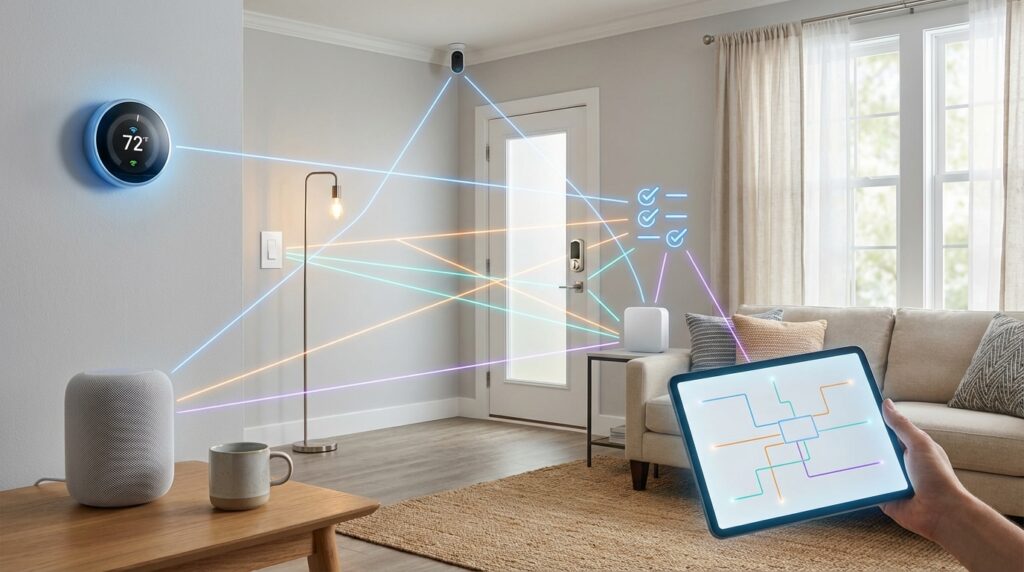
Welcome to your essential resource for navigating the connected living space landscape. Many people feel overwhelmed when selecting products for their automated residence.
The biggest challenge comes when new purchases don’t communicate with existing systems. This creates frustration and wasted money. Our comprehensive resource helps you avoid these problems from the start.
We’ll break down technical jargon and explore different communication standards. You’ll learn practical approaches for creating a unified system that meets your needs.
Understanding how products work together saves significant time and frustration. This knowledge lets you enjoy seamless automation without technical headaches.
Expect to learn about wireless standards, voice assistant connections, and security considerations. We include real-world examples and expert advice throughout.
Key Takeaways
- Proper planning prevents product integration problems
- Different communication protocols affect how devices interact
- Voice assistant integration requires specific compatibility
- Security should be considered during the selection process
- Future-proofing your investments saves money long-term
- Researching before buying avoids frustration later
- A unified ecosystem provides the best user experience
Understanding Smart Home Compatibility
Effective planning for your automated ecosystem requires grasping two fundamental concepts that govern device interaction. These terms sound similar but have crucial technical differences.
Defining Compatibility vs. Interoperability
Compatible products use the same base technology and work directly together. For example, Aeotec and TKB devices both use Z-Wave protocol.
Philips Hue and Innr bulbs communicate seamlessly through Zigbee. Ring security products all speak the same WiFi language.
Interoperable items come from different technologies but can still work together. They need intermediaries like hubs or cloud services.
Nest thermostats integrate with Z-Wave systems through cloud connections. Philips Hue bridges allow communication with other technologies.
Why It Matters for Your Smart Home Setup
Understanding this distinction prevents post-purchase frustration. It directly impacts which products you can buy.
Compatible devices communicate instantly without extra hardware. Interoperable ones may need bridges or cloud subscriptions.
Some products offer both approaches. They work within their ecosystem while connecting to others through open protocols.
Choosing items with clear communication paths ensures everything works together smoothly. This knowledge saves time and money.
Overview of Smart Home Technologies and Protocols
Different wireless standards form the backbone of how your automated products communicate and work together seamlessly. Understanding these options helps you build a reliable ecosystem.
Exploring Z-Wave, Zigbee, and Thread
Z-Wave uses low-power radio waves that travel through walls effectively. This technology creates mesh networks where devices strengthen each other’s signals.
The latest Z-Wave Plus V2 offers massive range improvements and better security. Important regional consideration: Z-Wave devices use different frequencies worldwide.
Zigbee is an open standard backed by major companies like Philips and Samsung. It uses the 2.4GHz band globally, so devices from anywhere work together.
Thread represents the next evolution, integrating seamlessly with IP networks. This emerging protocol reduces complexity without proprietary gateways.
WiFi, Ethernet, and Cloud Connected Devices
WiFi and Ethernet devices leverage your existing home network. They typically use manufacturer-specific protocols, limiting cross-brand compatibility.
Some support open standards like MQTT for broader interoperability. Cloud-connected items rely on Internet access and manufacturer services.
These cloud-based products centralize control but depend on online connectivity. They can interact through platforms like IFTTT for expanded functionality.
Smart Home Compatibility Guide for Seamless Device Integration
The secret to successful device integration lies in strategic planning and proper network design. This approach ensures all your automated products work together harmoniously.
How Devices Work Together in Your Home
Mesh networks create a self-healing system where each unit strengthens the overall signal. Devices pass commands between themselves, eliminating single points of failure.
Your central controller acts as the brain of the operation. It coordinates communication and translates different protocols when needed.
| Device Type | Placement Strategy | Range Considerations |
|---|---|---|
| Mesh Network Devices | Space evenly throughout residence | Within 30-50 feet of each other |
| WiFi Connected Items | Near router or access points | Strong signal strength required |
| Hub/Controller | Central location preferred | Accessible for maintenance |
Ensuring Future Proof Integration
Choose controllers that support multiple communication standards. This flexibility allows you to add new technologies as they emerge.
Planning your automated ecosystem with expansion in mind saves significant reinvestment later.
Select manufacturers committed to regular firmware updates. Verify new purchases against compatibility lists before buying.
Regular maintenance keeps your system running smoothly. Update firmware and monitor performance after changes.
Choosing the Right Smart Home Controller
The brain of your automated ecosystem determines how smoothly different technologies will cooperate. Your controller choice affects which products you can use and how they’ll interact daily.
This decision balances simplicity against flexibility. Some people prefer one unified approach while others opt for specialized solutions.
Single Technology System vs. Separate Systems
A single-protocol setup uses one standard like Z-Wave or Zigbee throughout. This creates tight integration with seamless operation from one app.
Z-Wave systems offer thousands of devices from various manufacturers. They cover most requirements but have limited lighting options.
Zigbee excels with extensive bulb choices including RGB and color temperature controls. However, it comes up short on heating and access control devices.
Separate systems allow choosing the best technology for each task. A dedicated heating system can run efficiently with minimal intervention.
Lighting systems require daily interaction and benefit from their own optimized setup. Even separate systems can communicate through services like IFTTT.
Most buyers should consider a hybrid approach. Look for controllers supporting Z-Wave as a minimum foundation.
Controllers with Zigbee interoperability work equally well. Future-proof your investment by choosing units with Thread border router capabilities for emerging standards.
Always verify integration possibilities with any proprietary systems you own or plan to purchase. Support for open protocols like MQTT ensures broader interoperability.
Voice Assistant and App Integration
Adding voice commands to your connected devices can transform how you experience daily automation. Popular assistants like Alexa and Google Assistant provide convenient hands-free control.
These platforms serve as excellent compatibility indicators. Products that work with common voice assistants typically integrate well across ecosystems.
However, voice platforms should complement rather than replace dedicated controllers. They excel at simple commands but lack sophisticated automation logic.
Integrating with Alexa, Google Assistant and Others
Amazon Alexa integration typically involves enabling manufacturer skills and naming devices for voice recognition. For example, ADT security devices can be linked by adding the ADT skill and assigning recognizable names.
Google Assistant allows grouping devices into virtual “rooms” within the Google Home app. This enables controlling multiple items with single commands like “turn off the bedroom.”
Many modern devices support multiple voice platforms simultaneously. This flexibility lets you choose your preferred assistant or use several together.
Leveraging IFTTT for Unified Control
IFTTT (If This Then That) bridges compatibility gaps between different systems. This free service creates “applets” that connect devices and apps that wouldn’t normally communicate.
Practical examples include having lights trigger when security cameras detect motion. Voice assistants gain expanded capabilities through IFTTT integration with services like irrigation systems.
Always verify explicit compatibility with your preferred voice platform before purchasing. Check user reviews for real-world performance insights.
Evaluating Real-World Device Compatibility
Learning from actual buyer experiences can prevent common integration headaches in automated residences. Real stories show how people solve everyday challenges.
Case Studies and Buyer Experiences
Many buyers discover integration problems after purchasing new equipment. A common issue involves voice assistant connections. Speakers might not work with existing systems.
Security products often present integration challenges. ADT locks demonstrate successful setup procedures. Homeowners add manufacturer skills and name each security device properly.
Lighting automation provides another useful example. Families want lights to activate when arriving after dark. Google Assistant integration makes this simple with proper planning.
| Scenario | Challenge | Solution |
|---|---|---|
| Voice Assistant Integration | New speakers won’t connect to Alexa | Check manufacturer skills before purchase |
| Security System Expansion | Cameras don’t work with existing hub | Use professional installation services |
| Lighting Automation | Lights won’t trigger on arrival | Configure Google Assistant room groups |
Incremental purchasing creates special challenges. People often buy speakers years before cameras. Later integration requires careful research.
Professional services eliminate guesswork. Teams evaluate existing equipment and recommend compatible additions. This approach saves time and frustration.
Successful buyers research product specifications thoroughly. They verify platform support before purchasing. Reading reviews provides real-world insights.
Early adopters learned valuable lessons. Some bought items solely for Alexa support. Later they discovered broader system needs.
Community forums offer collective wisdom. Homeowners share integration successes and failures. This knowledge helps others make informed choices.
For deeper understanding, explore our compatibility explained resource. It covers technical aspects in simple terms.
Ensuring Robust Security and Connectivity
Protecting your connected residence starts with understanding modern security protocols and their implementation. Each device represents a potential entry point that requires proper configuration and monitoring.
Advanced protocols like Z-Wave Plus S2 offer encrypted communication between devices and controllers. This prevents unauthorized access and signal interception.
Protocols, Wireless Security, and Updates
Z-Wave Plus V2 (700 Series) brings superior security with increased wireless range and decreased power consumption. Thread securely connects devices to the cloud for easy mobile control.
Cloud services allow manufacturers to centrally manage security features and functionality. This provides protection that individual homeowners would struggle to maintain.
Regular firmware updates are essential for maintaining both security and compatibility across your entire system.
Implement strong WiFi security using WPA3 encryption and separate guest networks for IoT devices. Create unique passwords for all accounts and enable two-factor authentication.
| Security Feature | Protocol | Benefit |
|---|---|---|
| Encrypted Communication | Z-Wave Plus S2 | Prevents signal interception |
| Cloud Security Management | Thread | Centralized threat response |
| Automated Updates | Manufacturer Apps | Continuous protection |
For critical security devices like locks and alarms, consider battery backup systems. This ensures continued operation during power outages.
Explore comprehensive security best practices to protect your entire connected environment effectively.
Expert Tips for a Seamless Smart Home Experience
Seasoned enthusiasts have developed reliable methods for ensuring new additions integrate flawlessly with existing setups. These approaches save significant time and prevent common integration challenges.
Using Search Filters, Reviews, and Manufacturer Data
Start by filtering products by technology category on retail websites. This narrows choices to items sharing the same communication protocol foundation.
Thoroughly examine specification pages for supported platforms and voice assistants. Look for dedicated compatibility sections listing tested integrations.
User reviews provide invaluable real-world insights. Focus on feedback mentioning setup experiences and integration successes with specific systems.
| Research Method | Effectiveness | Time Required | Key Focus Areas |
|---|---|---|---|
| Website Filters | High | Low | Technology categories, protocols |
| Product Specifications | Very High | Medium | Supported platforms, controllers |
| User Reviews | Medium-High | High | Real-world integration experiences |
| Manufacturer Charts | Highest | Low-Medium | Certified compatibility lists |
Manufacturer websites now offer comprehensive compatibility charts. Industry alliances have pushed for better testing standards across brands.
Online communities provide honest assessments from experienced users. These forums reveal which combinations work well in daily use.
Leveraging Interoperability for Expanded System Capabilities
Expanding your connected ecosystem’s capabilities often requires bridging different technologies that weren’t designed to work together. Cloud-based integration strategies create these bridges without requiring hardware changes.
Cloud-Based Integration Strategies
Open communication protocols like MQTT and UPnP allow devices from different manufacturers to interact. These protocols work alongside proprietary systems, creating flexible integration options.
Platforms like IFTTT serve as universal translators between ecosystems. They enable automation scenarios spanning multiple manufacturers and technologies through simple web interfaces.
| Integration Platform | Setup Complexity | Pre-built Recipes |
|---|---|---|
| IFTTT | Low | Thousands available |
| Microsoft Flow | Medium | Business-focused |
| Workflow | Medium-High | Customizable templates |
Practical examples include having a Nest thermostat trigger Z-Wave lighting when temperatures change. Security cameras can send notifications through multiple services simultaneously.
Setup involves creating accounts on integration platforms and authorizing device access. You then configure triggers and actions to create desired automation behaviors.
Cloud integration advantages include no additional hardware requirements and easy reconfiguration. You also gain access to pre-built recipes created by other users.
Potential limitations include dependency on Internet connectivity and possible latency. There’s also reliance on continued support from multiple service providers.
For common scenarios like vacation modes, coordinate lighting, temperature and security across different systems. Document all integrations and test thoroughly before relying on them.
Exploring Future Trends in Home Automation
Forward-thinking homeowners should pay attention to emerging technologies that will shape tomorrow’s automated living spaces. These innovations promise greater harmony between devices from different manufacturers.
Emerging Standards and Technologies
The Matter standard represents a major breakthrough in residential technology. Backed by industry giants, it enables seamless communication across different protocols.
Thread serves as the networking foundation for Matter, providing reliable mesh networking. This eliminates the need for proprietary gateways between devices.
Zigbee 3.0 merges previous profiles into one unified standard. Most Zigbee 3.0 devices work with older controllers, reducing upgrade costs.
Z-Wave 700 Series offers significant improvements in wireless range and power efficiency. These advances enable new installation options for sensors and door locks.
| Technology | Key Features | Primary Benefits | Adoption Status |
|---|---|---|---|
| Matter | Cross-manufacturer interoperability | Simplified setup, broader device choices | Growing rapidly |
| Thread | IP-based mesh networking | Reliable connectivity, no bridges needed | Early adoption phase |
| Zigbee 3.0 | Unified profile standard | Backward compatibility, wider device support | Widely available |
| Z-Wave 700 | Extended range, low power | Longer battery life, flexible placement | Current generation |
Scalability and Upgradability of Systems
Edge computing reduces reliance on cloud services for critical functions. Local processing improves response times for security and motion detection scenarios.
Artificial intelligence learns occupant patterns to optimize energy usage. Intelligent thermostats and lighting systems adapt automatically to daily routines.
Choose controllers with sufficient processing power for future expansion. Regular firmware updates ensure long-term support for new features.
Prioritize devices from manufacturers committed to ongoing development. This approach protects your investment as technologies evolve.
Conclusion
Building your ideal connected living space requires careful consideration of how different elements will work together. Understanding device communication and interoperability forms the foundation of a cohesive automated system.
Your controller choice remains critical for successful integration. Select a hub supporting primary protocols like Z-Wave or Zigbee while allowing expansion to other ecosystems.
True integration extends beyond basic functionality. It creates a secure, reliable setup that grows with your needs as you add thermostats, sensors, door locks, and lighting controls.
Thorough research before purchasing prevents frustration. Consult manufacturer charts, user reviews, and community forums to verify device compatibility.
While voice assistants add convenience, they should enhance rather than replace your core system. Emerging standards like Matter promise simpler integration while protecting your investment.
Professional help is available if you feel overwhelmed. Many companies offer consultation and installation services to ensure seamless operation from day one.
Despite initial complexity, mastering these concepts empowers you to create a truly integrated environment. Your efforts will yield enhanced security, comfort, and energy efficiency for years to come.