
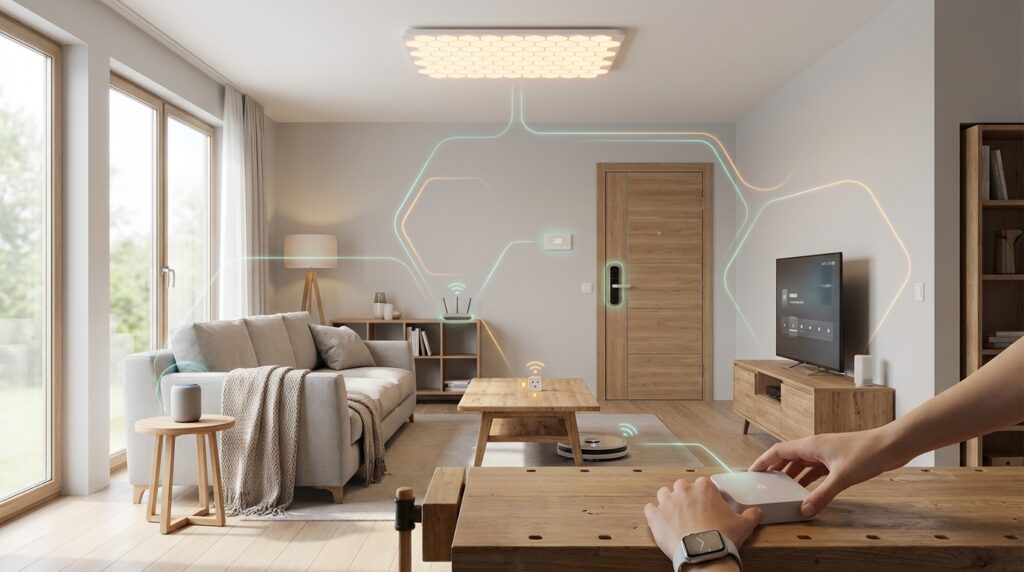
Welcome to your complete guide for creating a modern, interconnected living space. This new approach brings together technology from different brands seamlessly. No more worrying about compatibility issues between your favorite gadgets.
The foundation of this system is a groundbreaking connectivity standard developed by industry leaders. Companies like Google, Apple, Amazon, and Samsung collaborated to create this universal language for smart devices. It represents a significant shift in how your gadgets communicate.
Unlike older technologies that required special hubs, this protocol uses your existing Wi-Fi or Ethernet networks. It also supports Thread technology for creating efficient mesh networks. This means faster response times and reliable local control even without internet access.
Whether you’re just starting your journey or upgrading an existing setup, this guide provides practical steps. We’ll walk through selecting the right components and setting up your controller. You’ll learn how to commission devices and troubleshoot common challenges.
By following this roadmap, you’ll create a secure and future-proof ecosystem. Your gadgets will work together harmoniously, responding instantly to your commands. Let’s begin building your ideal connected environment.
Key Takeaways
- The new standard enables seamless communication between devices from different manufacturers
- IP-based architecture allows for local control without cloud dependency
- Thread border routers create efficient mesh networks for extended coverage
- Popular controllers like Home Assistant, Google Home, and Apple Home support this technology
- Enhanced security features protect your privacy through encryption principles
- Both beginners and experienced users can successfully implement this system
- Future-proof your investment with this industry-backed connectivity solution
Introduction to the Ultimate Guide on Matter-Based Home Automation
Smart home technology has traveled a long road from isolated gadgets to interconnected ecosystems. This evolution brings us to a pivotal moment where true interoperability becomes reality.
Overview of Smart Home Evolution
Early smart devices operated in proprietary silos, forcing consumers into brand-specific ecosystems. Choosing new gadgets meant careful compatibility research to avoid frustration.
The industry progressed through protocols like Zigbee and Z-Wave, but fragmentation persisted. Major platforms created walled gardens that limited consumer choice and flexibility.
This fragmentation prevented mainstream adoption as users faced compatibility confusion and reliability issues. The need for a universal solution became increasingly clear.
Why Matter is Changing Home Automation
The Matter protocol represents a fundamental shift in how devices communicate. It creates a common language that works across all major platforms simultaneously.
This new standard addresses three critical pain points: compatibility confusion, security vulnerabilities, and cloud dependency. Your system remains functional even during internet outages.
Industry leaders collaborated through the Connectivity Standards Alliance to develop this solution. The result is a future-proof approach that benefits everyone in the ecosystem.
Why Choose a Matter-Based System for Your Smart Home?
Opting for this unified connectivity solution eliminates the compatibility headaches that have plagued smart technology for years. You gain true interoperability where gadgets from different manufacturers work together seamlessly.
Multiple controller support represents a game-changing advantage. Your smart home devices can connect to Google Assistant for voice commands, Apple Home for automations, and Home Assistant for advanced customization—all simultaneously.
Local control ensures your system keeps working during internet outages. These matter devices communicate directly over your home network rather than routing through distant servers.
Security gets built into the foundation with enterprise-grade encryption. Every device only responds to authenticated commands, protecting your privacy.
The multi-fabric capability future-proofs your investment. Switching platforms doesn’t require re-pairing every single device, saving hours of configuration work.
Battery-powered matter devices using Thread networking achieve exceptional longevity. Some sensors run for years on a single battery thanks to efficient power management.
While manufacturer-specific features may still need native apps, core functionality works perfectly across all certified platforms. This approach gives you the best of both worlds.
Understanding the Matter Protocol and Its Core Benefits
Modern connected environments rely on a standardized approach to device communication that transcends brand boundaries. This matter standard represents a significant advancement in how different technologies interact seamlessly.
The architecture separates application commands from physical data transmission. This design allows the protocol to work across various networking technologies while maintaining consistent performance.
The Role of IP-Based Communication
IP-based communication forms the foundation of this system. Every device receives a unique network address, enabling direct communication without cloud intermediaries.
This approach leverages decades of internet networking development. Your devices benefit from proven security and reliability standards that have made online communication robust.
The separation from physical layer technologies provides exceptional flexibility. Your system can utilize Wi-Fi, Ethernet, or Thread networking based on your specific needs.
Security and Local Control Advantages
Security gets built into the core architecture using enterprise-grade encryption. All transmitted data remains protected through multiple authentication layers.
Local control ensures instant response times for your commands. The system operates independently during internet outages, maintaining full functionality.
This protocol continues evolving with regular updates that enhance features and expand device support. The certification process guarantees consistent quality across all implementations.
Diving into Thread Technology and Border Router Essentials
Understanding Thread technology is essential for building a resilient network that supports your connected devices. This specialized protocol creates the backbone for reliable communication between smart gadgets.
What is Thread and How It Works
Thread creates a low-power mesh network where devices act as routers for each other. Unlike traditional systems with a single coordinator, this approach dramatically increases range and reliability.
The mesh network architecture means adding more devices actually strengthens your system. Each mains-powered unit can relay signals, creating multiple data pathways. This design automatically routes around failed or out-of-range devices.
Battery-powered Thread devices benefit from exceptional efficiency. Sensors often run for 1-2 years on a single battery by staying in sleep mode. They only wake briefly to send updates or receive commands.
Understanding Thread Border Routers
A thread border router serves as the critical bridge between your Thread mesh and standard IP networks. This device translates protocols so Thread gadgets can interact with Wi-Fi-based controllers.
Popular border router options include Google Nest Hub and Apple HomePod Mini. Open-source solutions like Home Assistant’s OpenThread add-on work with affordable USB adapters.
When planning your system, install at least one thread border router before purchasing Thread-based devices. Position it centrally for effective communication bridging.
Remember that not all Thread devices support the universal standard. Some products only work with specific ecosystems. Always look for the appropriate certification logo rather than assuming compatibility.
Planning Your Matter Home Automation Network
Your smart system’s performance depends heavily on initial layout decisions. Careful preparation ensures all components work together seamlessly from day one.
Assessing Your Home Infrastructure
Start by evaluating your current Wi-Fi coverage throughout the property. Use a signal strength app to identify weak spots where connectivity might fail.
Check if your router supports IPv6 addressing, which this standard requires. Ensure it has enough capacity for additional connected gadgets.
Mapping Out Device Placement
Create a simple floor plan marking where each component will reside. This visual guide helps identify potential communication gaps.
Position Thread border routers centrally to bridge networks effectively. Consider which technology suits each location best.
| Technology | Best For | Power Requirements | Range Considerations |
|---|---|---|---|
| Wi-Fi | Mains-powered equipment | Continuous power | Limited to router range |
| Ethernet | Fixed locations | Wired connection | Physical cable length |
| Thread | Battery-operated sensors | Low energy consumption | Self-extending mesh |
Document your setup details for future reference. This record proves invaluable when expanding your system or troubleshooting issues.
Choosing the Right Matter Devices and Controllers
Building a cohesive system begins with choosing compatible gadgets and intuitive control interfaces. Your selection determines how smoothly everything works together.
The right combination ensures reliable performance and easy management. Consider both current needs and future expansion when making decisions.
Exploring Supported Devices and Accessories
Today’s certified products cover essential categories like lighting, plugs, and climate controls. Look for the official certification logo to guarantee compatibility.
Safety sensors, door locks, and window coverings also work with the standard. Start with basic items like smart bulbs to test your setup before investing in complex equipment.
Future updates will expand support to include cameras and cleaning robots. This growth ensures your investment remains relevant for years.
Comparing Popular Controllers
Google Home provides excellent voice integration through Assistant. The Nest Hub serves as both a visual controller and network bridge.
Apple Home offers strong privacy protections and seamless Apple device integration. The HomePod Mini delivers Siri voice control alongside Thread support.
Home Assistant appeals to advanced users wanting local control and customization. This open-source platform supports hundreds of integrations beyond the universal standard.
The multi-fabric capability lets devices connect to multiple controller platforms simultaneously. You can enjoy voice commands from one system while using advanced automations from another.
Integrating Smart Home Devices with Matter Standards
Bringing together your existing smart gadgets with new certified equipment requires careful integration planning. The universal standard covers essential categories like lighting, climate controls, security sensors, and media equipment.
Special bridges let you connect older Zigbee or proprietary devices to your modern system. Popular options include Philips Hue, IKEA Dirigera, and Aqara hubs. These bridges expose legacy equipment to certified controllers while maintaining native app functionality.
Using bridges offers significant advantages including local communication instead of cloud-dependent connections. You gain unified control through your preferred platform. However, not all advanced features transfer through the bridge interface.
The latest specification added native camera support with live streaming capabilities. AI features like person detection still need manufacturer-specific software.
Match connectivity types to each device’s needs:
- Wi-Fi for high-bandwidth equipment like cameras
- Thread for battery-powered sensors requiring low energy
- Ethernet for stationary hubs and entertainment systems
Always verify the official certification logo on packaging. Confirm native support rather than promised future updates. Consider placement implications for reliable performance across your space.
Optimizing Your “matter home automation” Setup
Getting the most from your connected setup involves balancing standardized control with manufacturer-specific features. This approach ensures you enjoy both universal compatibility and advanced capabilities.
Key Strategies for Interoperability
Your optimization journey begins with strategic decisions about control methods. Some gadgets offer richer functionality through their proprietary apps than through the standardized interface.
The universal protocol provides a common baseline that works everywhere. Manufacturer integrations deliver advanced features that may be worth maintaining alongside standard control.
Choose one primary controller as your automation hub for routines and complex logic. Use secondary controllers for specific purposes like voice commands or remote access.
Benefits of a Unified Ecosystem
Multi-admin capability allows devices to connect to multiple controllers simultaneously. This provides redundancy and ensures continued operation if one controller becomes unavailable.
Network optimization involves ensuring your Wi-Fi router operates on both 2.4 GHz and 5 GHz bands. Many certified devices specifically require 2.4 GHz connectivity during setup and operation.
Document which devices you’ve connected to which controllers and fabrics. Track which features work through the standard versus native apps for efficient control.
Consider using a comprehensive hub that supports multiple protocols. This allows unified automations coordinating various technologies in a single cohesive system.
Regular optimization includes reviewing device performance and updating firmware. Adjust network configurations based on real-world usage patterns for continued efficiency.
Step-by-Step Guide to Setting Up Your Matter Network
The journey to a fully functional system begins with proper controller configuration. This initial setup determines how smoothly your components will work together.
Installing Home Assistant and Matter Integration
Start by installing Home Assistant OS on compatible hardware like a Raspberry Pi. This open-source platform serves as your central matter controller.
The installation process involves adding the Matter integration through Settings. This automatically installs the required server add-on that handles network communication.
The server runs separately from the main software, managing all low-level details. It connects your network fabric to the controller via WebSocket.
| Component | Function | Requirements |
|---|---|---|
| Home Assistant OS | Main controller platform | 64-bit hardware, dedicated device |
| Matter Server | Network communication handler | Automatic installation via integration |
| WebSocket Connection | Real-time data transfer | Stable network connection |
Commissioning New Devices Using Companion Apps
The commissioning process uses Bluetooth for secure initial pairing. Your smartphone transfers network credentials to the new devices.
Use the Home Assistant Companion app available on official stores. Ensure your phone runs compatible Android or iOS versions for full functionality.
“The QR code scanning method streamlines device adoption to just seconds, making the setup remarkably user-friendly.”
Scan the Matter QR code printed on your devices or packaging. This contains encrypted setup information that the app processes automatically.
After successful pairing, devices switch to Wi-Fi or Thread for ongoing communication. They appear in your controller ready for customization.
Remember to connect your phone to the 2.4 GHz Wi-Fi network during this setup. Many components require this frequency for reliable operation.
Commissioning Devices: Tips and Best Practices
Commissioning represents the critical bridge between unboxing your smart gadgets and having them fully operational. This essential step ensures each component integrates seamlessly into your interconnected system.
Utilizing Bluetooth for Device Pairing
Most certified equipment includes Bluetooth technology specifically for the initial pairing process. This short-range connection securely transfers network credentials from your smartphone to the new device.
Position your phone within 3-6 feet during commissioning. Bluetooth’s limited range acts as a security feature, preventing unauthorized access. The Home Assistant Companion app handles this secure data transfer efficiently.
After successful pairing, your equipment switches to its primary communication method. Wi-Fi or Thread networks take over for ongoing operation. The Bluetooth connection serves only during setup.
Ensuring Device Compatibility and Verification
Always verify compatibility before beginning the commissioning process. Look for official certification logos on packaging and documentation. This guarantees proper integration with your controller.
Save QR codes and numeric setup codes securely. You’ll need this information if resetting devices or troubleshooting connections. Photograph these codes for easy access later.
Test basic functionality immediately after commissioning each device. Confirm responses to commands and automation triggers. Verify the equipment appears correctly in your control app.
For Thread-based devices, ensure your border router operates properly first. These components need immediate mesh network access after receiving credentials. Proper preparation prevents commissioning delays.
Troubleshooting Common Matter Integration Challenges
Connection issues are a normal part of setting up any new technology ecosystem. When your smart devices don’t connect as expected, systematic troubleshooting becomes essential for success.
Identifying Connection Errors
Android users may encounter the “Matter is currently unavailable” message. This typically means Google Play Services needs time to download required modules.
Wait up to 24 hours after installing the Home Assistant Companion app. Ensure your Android version meets the minimum 8.1 requirement.
Connection problems often stem from network configuration mismatches. Your smartphone might use 5 GHz Wi-Fi while Matter devices require 2.4 GHz connectivity.
Effective Remedies and Workarounds
Verify your companion app version and update Google Play Services regularly. Install the full Home Assistant Companion app from official stores.
Check that your network equipment supports IPv6 addressing. Disable router features like client isolation that prevent device communication.
For unresponsive devices after commissioning, consider network coverage gaps. Reposition Thread border routers or add additional mesh nodes.
| Issue Type | Common Symptoms | Recommended Solution | Prevention Tips |
|---|---|---|---|
| Android Setup Errors | “Matter unavailable” message | Wait 24 hours, update services | Use Android 12+ for best support |
| Network Configuration | Devices fail to commission | Switch to 2.4 GHz Wi-Fi | Verify router settings beforehand |
| Device Unresponsiveness | Shows as “unavailable” | Check Thread mesh stability | Position border routers centrally |
| Firmware Mismatches | Limited functionality | Update via native app first | Research device version requirements |
Document your troubleshooting steps for future reference. This helps identify patterns and provides valuable information for technical support.
Remember that uncertified accessories may have limited functionality. While you can usually add them by selecting “Add Anyway,” understand the potential limitations.
Enhancing Security and Reliability in Your Matter System
Peace of mind begins with understanding how your smart system protects itself and your privacy. The underlying protocol implements security at every level rather than adding it later.
Implementing Security by Design
This approach means protection gets built into the foundation. Your devices use military-grade AES encryption for all communication.
The zero-trust model requires authentication for every command. Even if someone accesses your Wi-Fi network, they cannot control certified equipment.
All transmitted data remains secure through multiple verification layers. This standard ensures consistent protection across different manufacturers.
Local Control versus Cloud Dependency
Local operation eliminates cloud servers as vulnerability points. Your system functions during internet outages while maintaining privacy.
Thread-based equipment offers extra security advantages. These devices cannot connect directly to the internet, creating a natural barrier.
Regular maintenance includes updating controller software and device firmware. Strong Wi-Fi passwords and network segmentation provide additional network protection.
Understanding these security principles helps you build a reliable ecosystem. Your connected environment becomes both smarter and safer.
Future-Proofing Your Home with Emerging Matter Standards
Building a system that grows with technology ensures your investment remains valuable for years. The standard continues evolving through regular updates that expand capabilities.
Manufacturers demonstrate strong matter support by updating existing products. Even devices from 2016 can gain new functionality through firmware upgrades.
Preparing for Software Updates and New Devices
Choose matter devices from companies with good update track records. These products will receive new features as the standard advances.
Each new version brings exciting possibilities. Cameras gained native support in update 1.5, with more device types coming soon.
Your controller automatically integrates new certified products. This means your new smart home grows without replacing equipment.
Connecting Legacy Devices via Matter Bridges
Bridges let older equipment work with modern systems. Popular options include:
- Philips Hue Bridge for lighting systems
- IKEA Dirigera hub for affordable accessories
- Aqara Hub M2 for sensors and controls
- SwitchBot Hub 2 for curtains and locks
These solutions protect your existing investments. They bring Zigbee and proprietary matter devices into your unified ecosystem seamlessly.
Real-World Insights and Lessons from Matter Implementations
Learning from those who’ve already implemented this technology provides invaluable guidance for newcomers. Early adopters have tested the limits and discovered what works best in actual living environments.
Practical Tips from Early Adopters
Start with just a few certified products to understand the system’s capabilities. This approach lets you identify potential issues before expanding your setup.
Maintain both standard control and manufacturer apps for equipment with advanced features. Relying exclusively on the universal interface might limit functionality you occasionally need.
Position your Thread border routers centrally for optimal performance. Ensure adequate mains-powered units serve as mesh routers rather than relying solely on battery-operated endpoints.
The multi-fabric capability proves especially useful in households with different platform preferences. Family members can use their favorite assistants without conflicts.
Commissioning works best when you prepare your environment thoroughly. Charge your phone, ensure stable Wi-Fi, and dedicate uninterrupted time for the process.
Successful users emphasize documentation as a critical success factor. Keep records of QR codes, network settings, and troubleshooting steps for future reference.
Approach your setup as a long-term evolution rather than expecting immediate perfection. The standard continues maturing with regular updates that enhance functionality.
Conclusion
Your investment in this universal standard guarantees long-term compatibility and evolving capabilities. The protocol delivers seamless interoperability across all your favorite devices while maintaining robust security through local control.
Remember that today’s smart home landscape blends multiple technologies. While certified products work beautifully together, legacy equipment using Zigbee or Z-Wave remains valuable. A comprehensive hub supporting various standards offers the most flexible approach.
As you build your system, start with essential components and expand gradually. This iterative process lets you refine routines based on real usage patterns. For those just beginning their journey, our beginner’s guide to smart home setup provides excellent foundational guidance.
You now possess the knowledge to create a reliable, future-proof ecosystem that grows with your needs. Embrace this exciting technology with confidence!