
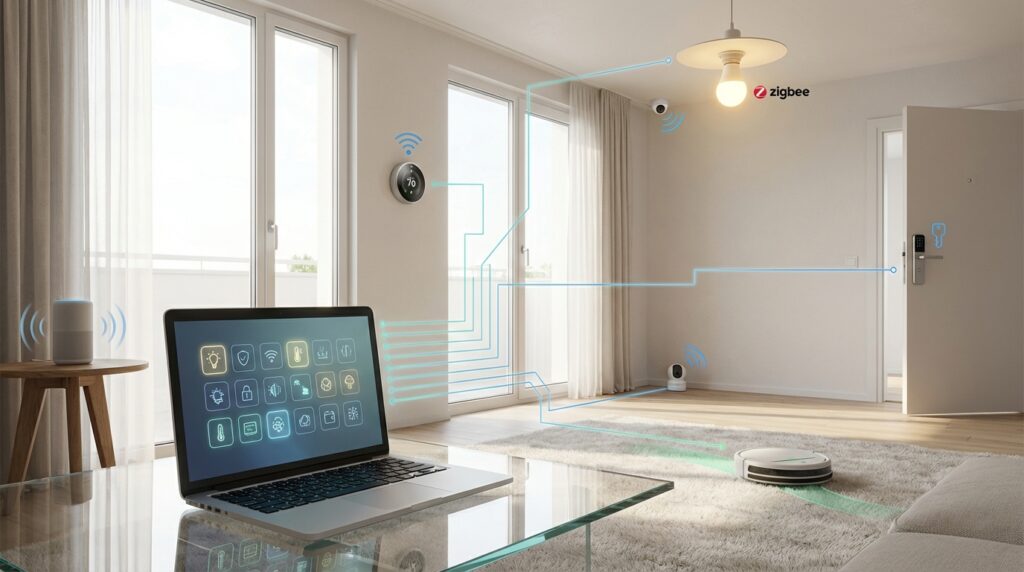
Planning your connected living space can feel overwhelming. With so many products available, it’s easy to buy gadgets that don’t work well together. This creates frustration and wasted money.
A compatibility matrix acts as your personal planning tool. It helps you map out how different products will connect before you spend any cash. Think of it as a blueprint for your automated living environment.
Creating this guide saves you from headaches down the road. You’ll ensure all your gadgets communicate smoothly from day one. This strategic approach protects your investment as technology evolves.
Throughout this guide, you’ll learn to evaluate different wireless standards. We’ll show you how to build a system that grows with your needs. Your matrix becomes a living document for future purchases.
Key Takeaways
- Planning ahead prevents buying devices that won’t work together
- A compatibility guide saves both time and money on future purchases
- Visualizing product relationships helps spot potential conflicts early
- This approach creates a flexible system that adapts to new technology
- Understanding different communication protocols leads to better choices
- Your planning tool evolves as your connected ecosystem grows
- Strategic planning ensures long-term functionality of your investment
Overview of Smart Home Compatibility
The journey toward a fully integrated living area begins with understanding how different gadgets communicate. Many people find this process confusing when setting up their automated spaces. The challenge lies in determining which products will work together effectively.
The market has evolved significantly from simple standalone devices. Today’s automated environments require complex ecosystems where multiple components coordinate seamlessly. This shift makes compatibility a critical consideration for your purchases.
Compatibility exists at multiple levels beyond basic connection capability. Some devices work together at a protocol level, while others achieve interoperability through different methods. True integration means products create smooth automated routines and responsive environments.
| Compatibility Factor | Protocol Level | Platform Support | Manufacturer Partnerships |
|---|---|---|---|
| Basic Connection | Wi-Fi, Zigbee, Z-Wave | Single ecosystem | Limited collaboration |
| Intermediate Integration | Multiple protocols | Cross-platform support | Strategic alliances |
| Advanced Interoperability | Protocol bridging | Universal compatibility | Deep partnerships |
Understanding these factors upfront prevents frustration from buying incompatible products. Your planning should include hubs, controllers, and cloud services that tie everything together. This foundational knowledge prepares you for evaluating specific technologies effectively.
By establishing this core understanding, you’ll make informed decisions about which products belong in your planning tool. The right choices ensure your automated environment grows smoothly with your needs over time.
Understanding Compatibility Versus Interoperability
When building an automated environment, understanding the difference between compatibility and interoperability is crucial. These terms often get used interchangeably, but they represent distinct concepts that affect how your gadgets work together.
Defining Key Terms
Compatibility means products share the same underlying technology and communicate directly. For example, Philips Hue and Innr bulbs both use Zigbee protocol, so they work together seamlessly.
Interoperability describes when different technology ecosystems connect through intermediaries. A Nest thermostat working with Z-Wave devices requires cloud integration or a hub to translate between protocols.
| Feature | Compatible Devices | Interoperable Devices |
|---|---|---|
| Connection Method | Direct protocol communication | Hub, bridge, or cloud service |
| Performance | Faster, more reliable | Potential latency issues |
| Internet Dependency | Usually works offline | Often requires internet |
| Setup Complexity | Simpler integration | More configuration needed |
Why It Matters for Smart Homes
Knowing this distinction helps you choose the right products for your needs. Compatible gadgets offer straightforward setups with reliable performance.
Interoperable solutions expand your options but add complexity. Your planning should balance both approaches for a flexible system that grows with your lifestyle.
The Impact of Wireless Protocols on Home Automation
The invisible language that connects your automated gadgets determines how well they’ll work together. Different communication standards use various frequencies and technologies to create reliable connections throughout your space.
Wi-Fi, Zigbee, Z-Wave, and Thread Explained
Wi-Fi operates on both 2.4 GHz and 5 GHz bands, offering high-speed data transfer. This makes it perfect for cameras and displays that need lots of bandwidth.
Zigbee creates a mesh network using the global 2.4 GHz frequency. Each device acts as a signal repeater, extending coverage throughout your entire house.
Z-Wave uses sub-1GHz frequencies that vary by region. In North America, it operates at 908MHz, while Europe uses 868.42MHz. This technology provides excellent wall penetration.
Thread is an emerging protocol built on open standards. It uses 2.4 GHz spectrum for low-power mesh networks with IP-based communication.
Understanding these wireless protocols helps you choose the right technology for your needs. Each option offers different benefits for how your devices communicate and connect.
Deep Dive: smart home compatibility matrix
A well-organized reference chart eliminates guesswork when expanding your automated ecosystem. This practical tool maps relationships between your current setup and potential additions.
Think of it as a visual roadmap for your connected space. You’ll list gadgets along one axis and communication methods along the other.
Benefits for Future Purchases
Maintaining this planning guide offers significant advantages. You can quickly spot gaps in your current setup before shopping.
It helps identify potential integration challenges with new products. This prevents buying items that won’t work with your existing system.
Your chart becomes a living document that grows with your needs. It ensures strategic purchases that expand capabilities smoothly.
Real-World Application
Consider evaluating a new automated lock using your matrix. Check if it connects with your current hub and voice assistant.
Document whether devices offer full control or basic functions. Note any required third-party bridges for communication.
Organize your chart by room, function, or protocol based on priorities. Update it regularly as you add gadgets and manufacturers release updates.
Exploring Leading Smart Home Technologies
Four major technology ecosystems currently shape how we interact with automated devices. These platforms serve as the foundation for building your connected living space.
Popular Ecosystems and Devices
Amazon Alexa integrates deeply with Echo products. It supports thousands of devices through voice commands.
Google Home offers seamless integration with Google services. The platform provides intuitive control across many device types.
Apple HomeKit creates a premium experience for iOS users. It emphasizes security and privacy in all operations.
Samsung SmartThings acts as a versatile hub solution. It connects products from hundreds of different manufacturers.
“The right ecosystem choice determines how smoothly your devices will work together long-term.”
| Platform | Key Strength | Protocol Support | Device Range |
|---|---|---|---|
| Amazon Alexa | Extensive device library | Zigbee, Wi-Fi | Thousands of options |
| Google Home | Service integration | Wi-Fi, Zigbee, Thread | Broad compatibility |
| Apple HomeKit | Privacy focus | Wi-Fi, Bluetooth | Growing selection |
| Samsung SmartThings | Hub versatility | Zigbee, Z-Wave | Multi-brand support |
Each platform supports different types of sensors and controllers. Your choice should match your existing devices and future needs.
Consider how you want to control your automated space. Voice commands, app control, or automation routines might influence your decision.
Key Attributes of Major Communication Protocols
Each wireless protocol brings distinct advantages that suit different types of automated equipment. Understanding these differences helps you choose the right technology for each application.
The four main communication standards each excel in specific scenarios. Let’s examine their core characteristics to guide your selection process.
Advantages and Drawbacks
Wi-Fi offers high-speed data transfer perfect for cameras and displays. However, it consumes significant power, making battery operation challenging.
Zigbee provides excellent power efficiency for sensors and battery-powered devices. Its mesh network extends coverage throughout your space effectively.
Z-Wave devices avoid Wi-Fi interference using different frequency bands. They offer strong security but have regional frequency limitations.
Thread represents an emerging protocol with IP-based communication. It shows promise but currently has limited device availability.
| Protocol | Data Rate | Power Usage | Range | Best Use Cases |
|---|---|---|---|---|
| Wi-Fi | High | High | Medium | Cameras, displays |
| Zigbee | Low | Very Low | Good (mesh) | Sensors, lights |
| Z-Wave | Low | Low | Excellent | Security devices |
| Thread | Medium | Low | Good (mesh) | Future applications |
Your choice depends on whether you prioritize battery life, data speed, or coverage. Consider how devices communicate within your existing network setup.
“The right protocol choice balances performance with practical constraints like power consumption and range requirements.”
Building a Mesh Network for Seamless Connectivity
Imagine every powered device in your automated system helping to strengthen the connection for others. This collaborative approach forms the foundation of mesh networking technology. Unlike traditional setups where devices connect individually to a central point, mesh networks create multiple communication pathways.
How Mesh Technology Enhances Coverage
Mesh networking solves common range problems by turning each gadget into a signal repeater. When one device receives a command, it can pass that message along to others in the network. This creates a web of connections that blankets your entire property.
The system’s self-healing capability maintains connectivity even when individual components fail. If one device goes offline, signals automatically reroute through alternative paths. This ensures your automation continues working reliably.
| Protocol | Mesh Features | Maximum Devices | Self-Healing |
|---|---|---|---|
| Zigbee | Flexible routing | Thousands | Yes |
| Z-Wave | 4-hop limit | 232 devices | Z-Wave Plus only |
| Thread | IP-based | Unlimited theoretically | Yes |
Strategic placement of powered devices creates strong signal paths throughout your space. Battery-operated units typically don’t function as repeaters, so plan accordingly. Proper implementation eliminates dead zones and connectivity gaps.
This approach transforms your collection of gadgets into a resilient, wide-reaching network. The result is uninterrupted operation and reliable message delivery across your entire property.
Integrating Voice Assistants and Smart Hubs
The rise of voice assistants represents a significant shift in home automation, offering intuitive control methods for everyone. These platforms serve as natural interfaces that make technology accessible across generations.
Amazon Alexa, Google Home & Apple HomeKit
Each major platform brings unique strengths to your automated environment. Amazon Alexa supports thousands of devices through its extensive skills library. Google Assistant excels at natural language understanding and contextual commands.
Apple HomeKit prioritizes privacy with secure automation frameworks. All three platforms allow voice control of lights, thermostats, and entertainment systems.
| Platform | Voice Assistant | Hub Requirement | Automation Depth |
|---|---|---|---|
| Amazon Alexa | Alexa | Echo devices | Basic routines |
| Google Home | Google Assistant | Nest speakers | Contextual actions |
| Apple HomeKit | Siri | Apple TV/HomePod | Secure automation |
Voice assistants provide excellent convenience for daily tasks. However, they struggle with complex scenarios involving multiple conditions. For advanced automation, dedicated controllers remain essential.
Organize your devices into logical groups for intuitive voice commands. Create routines that trigger multiple actions with single phrases. This approach balances convenience with powerful automation capabilities.
Smart Home Hub Ecosystems and Their Integration
Central hubs represent the critical junction point where different technologies converge. These controllers serve as the brain of your automated system, coordinating communication between various devices.
Local Control vs. Cloud Integration
The architectural decision between local and cloud-based control impacts your entire experience. Local processing happens directly within your network, while cloud integration relies on external servers.
Hubitat and similar platforms prioritize local control for enhanced privacy and reliability. This approach ensures your devices continue functioning during internet outages. Response times are faster since commands don’t travel to distant servers.
Cloud-based systems like SmartThings offer convenient remote access and automatic updates. They reduce local hardware requirements but depend on internet connectivity. Many modern hubs employ hybrid approaches for balanced functionality.
| Feature | Local Control | Cloud Integration |
|---|---|---|
| Internet Dependency | Works offline | Requires connection |
| Response Time | Instantaneous | Variable latency |
| Privacy Level | High | Data on servers |
| Setup Complexity | Moderate | Simpler |
| Update Process | Manual | Automatic |
Your choice depends on priorities for performance, privacy, and reliability. Consider how internet outages might affect your daily routines. The right hub ecosystem aligns with your specific needs and preferences.
Strategies for Future-Proofing Your Smart Home
Protecting your investment in connected technology requires forward-thinking strategies that anticipate industry changes. The rapid evolution of automation standards means today’s cutting-edge devices could become tomorrow’s legacy equipment.
Smart planning ensures your system remains functional and valuable for years. This approach saves money and prevents frustration as new technologies emerge.
Adapting to Emerging Standards
The Matter standard represents a major breakthrough in interoperability. Formerly known as Project CHIP, this initiative brings together industry leaders like Apple, Google, and Amazon.
This universal framework simplifies device development and enhances cross-platform functionality. Investing in Matter-ready products protects your expansion options.
Choose platforms that actively support emerging standards through regular firmware updates. Systems with multiple protocol support (Zigbee, Z-Wave, Thread, Wi-Fi) offer greater flexibility than single-technology solutions.
Prioritize devices from manufacturers committed to ongoing software improvements. Products that receive regular updates maintain compatibility with new technologies.
Energy efficiency also plays a crucial role in future-proofing. Newer generations of sensors and devices typically offer better battery life and lower power consumption.
Building your system around energy-efficient technologies reduces operational costs over time. These strategies create an adaptable ecosystem that evolves with technological advancements.
Selecting the Right Smart Home Controller
Your choice of controller determines how smoothly all your automated components will work together. This central hub serves as the brain of your entire setup, coordinating communication between different devices.
Look for a controller that supports multiple protocols. Z-Wave gives you access to thousands of products from various manufacturers. Zigbee adds extensive lighting and sensor options to your available device pool.
Future-ready controllers should include Thread border router capabilities and Matter gateway functionality. This ensures your investment remains relevant as industry standards evolve. Check device compatibility guides for detailed information.
Evaluate essential features when comparing options. Consider the number of supported devices, automation rule complexity, and user interface quality. Local versus cloud processing affects response times and reliability.
Verify integration possibilities with proprietary systems you plan to use. Support for open protocols like MQTT expands your controller’s interoperability. This allows connection with DIY projects and custom solutions.
Different controllers suit various technical comfort levels. Beginner-friendly options offer simplicity, while advanced platforms provide greater customization. Choose based on your needs and expertise.
Implementing a Unified and Interoperable System
Third-party integration tools serve as universal translators for your automated devices. They bridge gaps between ecosystems that weren’t designed to communicate directly. This approach creates true system harmony.
Integration Tools and Third-Party Platforms
Services like IFTTT and Zapier act as cloud-based bridges between different platforms. They enable your gadgets to work together through simple “if this, then that” rules. These tools require internet connectivity but offer incredible flexibility.
Local integration methods provide faster response times and work during internet outages. Platforms like Home Assistant run directly on your network hardware. They handle communication between devices using multiple protocols simultaneously.
Consider latency and reliability when choosing your integration approach. Cloud services may experience delays during high traffic periods. Local processing ensures instant responses for time-sensitive automations.
Evaluate whether an integration offers full control or limited functionality. Some connections only provide basic on/off commands rather than advanced features. Test integrations thoroughly before building complex routines around them.
These tools unlock powerful cross-platform automations that leverage your entire device collection. You can create scenes that combine products from different manufacturers seamlessly. This interoperability transforms separate gadgets into a cohesive system.
Monitoring and Updating Your Smart Home Ecosystem
Keeping your automated space running smoothly requires regular attention. Many people forget this important aspect after initial setup. Ongoing maintenance ensures your investment continues performing optimally.
Maintenance and Firmware Updates
Establish a simple weekly checkup routine. Look at device health, battery levels, and connectivity status. This helps catch potential problems before they disrupt your system.
Firmware updates bring crucial security patches and new features. Manufacturers release these improvements regularly. Keeping your hub and devices updated maintains optimal performance.
“Regular maintenance is the invisible foundation that keeps advanced technology working reliably.”
Security practices protect your entire ecosystem. Change passwords periodically and review device permissions. Remove old integrations that might create vulnerabilities.
| Monitoring Task | Frequency | Tools | Benefits |
|---|---|---|---|
| Device Health Check | Weekly | Hub dashboard | Early issue detection |
| Firmware Updates | Monthly | Manufacturer apps | Security & performance |
| Battery Level Review | Bi-weekly | Sensor status reports | Prevent disconnections |
| Automation Testing | Quarterly | Manual verification | Ensure reliability |
Document your system configuration for easy troubleshooting. Note device locations and automation logic. This makes recovery from failures much faster.
Conclusion
Your journey toward seamless device integration culminates in a well-maintained planning tool. This comprehensive guide has equipped you with the knowledge to build a reliable connected environment that grows with your needs.
Understanding the distinction between direct compatibility and interoperability empowers smarter purchasing decisions. You can now evaluate which gadgets work together natively versus those requiring bridges.
Strategic protocol selection ensures your system performs optimally for years. Whether prioritizing Z-Wave reliability or Zigbee efficiency, your choices create a foundation for expansion.
Your planning document becomes a living guide that prevents costly mistakes. It transforms separate purchases into a cohesive ecosystem that delivers true automation benefits.
As technology evolves, these principles provide a timeless framework for navigating new offerings. Your well-planned environment will adapt gracefully to emerging standards and manufacturers.
By applying these strategies, you’ll enjoy a connected space that works harmoniously today while remaining ready for tomorrow’s innovations.