
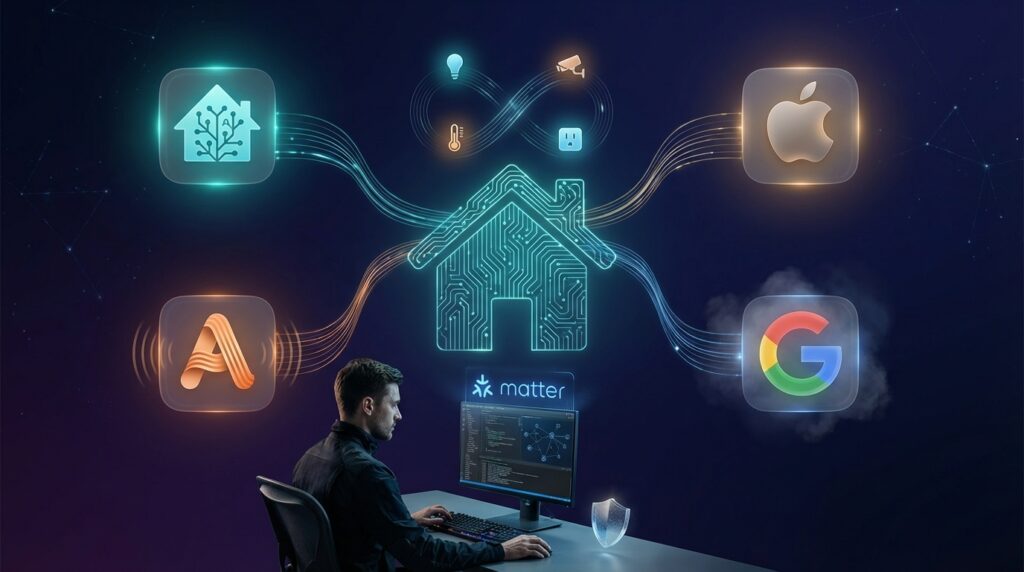
Welcome, savvy user! This guide is for you. We skip the marketing fluff and dive straight into what matters. We focus on real performance, deep integrations, and true capabilities.
Our goal is simple. We provide a clear, hands-on comparison of the top systems available today. We base our findings on technical specs and real-world testing. This helps everyone from DIY tinkerers to those managing several properties.
It’s crucial to understand that not all systems are the same. Some excel with powerful voice commands. Others prioritize local processing for speed and privacy. A few offer professional-level customization for complex setups.
We will examine major players like Home Assistant, Apple HomeKit, Amazon Alexa, and Google Home. We’ll also look at specialized security-focused options. The 2026 landscape brings new factors like Matter support and privacy into sharp focus.
Your ideal choice depends on your specific needs. Consider your technical skill, your existing gadgets, and whether you’re outfitting one space or many. Finding the right fit is key to building a seamless and powerful smart home.
Key Takeaways
- This guide offers a technical, no-nonsense comparison for experienced users.
- Systems are evaluated on functionality, integration, and real-world performance.
- The right choice depends on your technical comfort and specific use cases.
- Critical 2026 decision factors include Matter support and data privacy.
- We cover major systems like Home Assistant, Apple HomeKit, Alexa, and Google Home.
Introduction: Embracing the Smart Home Revolution
Today’s technology brings capabilities that were once pure science fiction into our daily lives. While we haven’t reached full Jetsons-level automation, the current landscape offers genuinely transformative smart home experiences.
The market presents an overwhelming array of choices. Thousands of products fill stores, creating decision paralysis even for experienced users. Navigating this complex ecosystem requires careful consideration.
Adoption rates have skyrocketed as reliability improves and prices become more accessible. This guide cuts through the noise to focus on systems that deliver real power beyond basic voice commands.
The way we interact with our living spaces has fundamentally changed. Useful applications now include energy management, security integration, and accessibility features. Choosing the right foundation ensures your system grows with your needs over time.
“The true power of a smart home lies not in individual gadgets, but in how seamlessly they work together.”
This revolution extends beyond novelty to deliver practical benefits that enhance daily living. The right combination of devices and systems can create an environment that anticipates your needs.
The Evolution of Home Automation for Modern Homes
From clunky powerline controllers to seamless AI-driven environments, the story of domestic technology is one of constant innovation. The early X10 systems of decades past have given way to sophisticated networks leveraging cloud computing and edge processing.
What was once a luxury installation costing tens of thousands is now accessible to weekend DIY enthusiasts. Today’s solutions rival professional installations from just a few years ago, democratizing advanced capabilities.
The shift from proprietary ecosystems to open standards like Matter promises better interoperability. This evolution means brands and systems can work together more effectively than ever before.
Modern setups have moved beyond simple remote control to predictive intelligence. These systems learn preferences and adjust settings based on occupancy, time, and environmental conditions.
Builders now design new homes with automation infrastructure in mind. Pre-wiring for smart devices and wireless considerations are becoming standard practice in construction.
Power users enjoy options that simply didn’t exist five years ago. Deep customization, extensive API access, and integration with thousands of devices are now available.
Key Considerations When Choosing a Smart Home System
The decision-making process for advanced connected environments involves weighing compatibility, control methods, and future scalability. Each factor impacts how well your setup will work with existing gear and adapt to new technologies.
| Factor | Plug-and-Play Systems | Advanced Custom Systems | Professional Grade |
|---|---|---|---|
| Device Compatibility | Limited to brand ecosystem | Broad protocol support | Universal integration |
| Control Options | Cloud-dependent | Local processing available | Hybrid local/cloud |
| Technical Skill Required | Beginner friendly | Intermediate to advanced | Professional installation |
| Privacy & Security | Variable data handling | Enhanced local control | Enterprise-grade security |
Start with device compatibility. Your ideal smart home system should connect with current gadgets and future purchases. Look for support across Zigbee, Z-Wave, Wi-Fi, and Matter protocols.
Consider control preferences. Local processing keeps everything running during internet outages. Cloud-dependent options offer convenience but less reliability. The right balance depends on your needs.
Ecosystem alignment matters if you’re invested in Apple, Google, or Amazon products. Integration with existing services creates a smoother experience for the user. Our guide on choosing the right setup explores this further.
Technical complexity varies significantly. Simple systems offer plug-and-play ease. Advanced platforms provide deep customization at the cost of requiring more expertise.
Privacy becomes crucial when securing sensitive areas like cameras and locks. Data handling policies differ between systems. Scalability ensures your investment grows with your needs.
Evaluate ongoing costs and community support. Some systems lock you into proprietary hardware. Others thrive on open standards and active user communities.
Comparing Home Automation Platforms for Power Users
Putting these systems through rigorous real-world testing reveals significant differences in performance and capability. Our evaluation framework examines each solution across six key dimensions.
We assess technical capabilities, ease of use, and device compatibility. Automation sophistication, privacy considerations, and total cost of ownership complete the picture.
This methodology overview helps you understand what criteria matter most for your situation. We tested each system hands-on in actual living environments.
Our approach went beyond reviewing specifications. We installed each setup, created complex automations, and evaluated day-to-day usability.
The “best” smart home system varies depending on user priorities. Some seek maximum flexibility while others want seamless ecosystem integration.
Power users often prioritize different features than mainstream consumers. They value API access, local control, and advanced automation logic over simple setup.
We’ll cover open-source options like Home Assistant and ecosystem-integrated choices. Voice-first systems and security-focused platforms will also be examined.
Some solutions require more technical investment but reward users with unmatched capabilities. The right choice depends on your specific needs and expertise level.
Exploring Home Assistant: Power and Flexibility in Action
For users seeking ultimate control over their connected environment, Home Assistant represents the pinnacle of customization. This open-source solution operates independently, keeping your devices functioning during internet outages.
Unique Features and Open-Source Benefits
Local processing ensures your system remains operational when cloud services fail. The software works with over 1,000 integrations, from popular brands to obscure equipment.
Community-driven development means no company can suddenly change terms or discontinue support. Your configuration remains under your complete authority.
| Installation Method | Hardware Required | Approximate Cost | Technical Skill Level |
|---|---|---|---|
| Home Assistant Green | Dedicated hub | $159 | Beginner |
| Raspberry Pi | Single-board computer | $35-$75 | Intermediate |
| Custom Server | x86-64 machine | Varies | Advanced |
User Experience and Setup Options
The modern interface has evolved beyond complex configuration files. Visual editors now simplify creating automations and dashboards.
Choose your installation method based on technical comfort. The Green hub offers plug-and-play simplicity. DIY installations provide maximum flexibility.
Active community forums provide extensive documentation and troubleshooting assistance. This support network helps users overcome the initial learning curve.
Navigating Apple HomeKit: Seamless Integration with a Privacy-First Approach
For those deeply invested in the Apple ecosystem, HomeKit offers a natural extension of their digital lifestyle. This framework prioritizes privacy while delivering smooth integration across Apple devices.
Integration with the Apple Ecosystem
The system feels like a native part of iOS rather than a third-party addition. Your existing Apple TV or HomePod mini serves as the central hub. This eliminates the need for dedicated hardware.
This dual-purpose approach means your entertainment center doubles as your smart home controller. The $99 HomePod mini handles audio and home control. The $129 Apple TV 4K manages streaming and automation.
| Feature | HomePod Mini | Apple TV 4K |
|---|---|---|
| Price | $99 | $129 |
| Primary Function | Smart Speaker | Streaming Device |
| Smart Home Control | Full HomeKit Hub | Full HomeKit Hub |
| Audio/Video | Audio Only | 4K Video + Audio |
Automation Capabilities and User-Friendliness
The Home app features a clean, intuitive interface that organizes devices by room. Automation options use plain language instead of technical jargon. This makes complex setups accessible to more users.
Apple’s privacy-first approach means most processing happens locally on your hub. HomeKit Secure Video analyzes footage on-device rather than in the cloud. End-to-end encryption protects remote access.
The system works exclusively with Matter and HomeKit-certified devices. While this limits selection, it ensures quality and security standards. Matter support promises broader compatibility going forward.
Amazon Alexa: Harnessing Voice Control for Smart Home Automation
When natural voice control is your primary requirement, Amazon Alexa consistently delivers superior performance. This system understands complex commands better than most competitors.
The ecosystem supports thousands of smart home devices across multiple protocols. Wi-Fi, Bluetooth, Zigbee, and Matter devices all work together seamlessly.
Voice-Command Excellence and Routine Automation
Alexa’s natural language processing handles follow-up questions effortlessly. You can change commands mid-conversation without restarting.
Routines create powerful automations triggered by voice, schedules, or device states. These sequences can control multiple devices simultaneously.
The Skills ecosystem extends functionality through third-party integrations. However, quality varies between different Skills offerings.
App Interface and Third-Party Device Support
While voice commands excel, the app interface faces criticism for clutter. Amazon integrates shopping features that some users find distracting.
Family-friendly features make Amazon Alexa ideal for households with children. Parental controls and kids’ profiles provide age-appropriate content.
Privacy-conscious users should review data collection settings. You can opt out of certain usage and delete voice recordings.
The hardware ecosystem ranges from affordable Echo Dots to premium Show devices. This flexibility supports deployment across different rooms and needs.
Google Home: Intuitive Operation with Broad Compatibility
Among the major players in the smart ecosystem landscape, Google Home stands out for its clean interface and broad compatibility. This solution strikes an excellent balance between user-friendly design and powerful capabilities. Many reviewers consider its app experience the industry’s best for intuitive navigation.
Simple App Navigation and Setup
The Google Home app features streamlined organization where devices are logically grouped by room. Automation creation uses plain language instead of technical jargon. Setup processes guide users through configuration without requiring documentation.
Voice control through Google Assistant nearly matches Alexa’s accuracy while offering superior contextual understanding. The system integrates Google’s search capabilities for answering questions. This creates a more informative smart environment.
Expanding Device Integration with Matter Support
Google Home supports thousands of products natively, making multi-brand setups straightforward. The system works seamlessly with Wi-Fi, Bluetooth, and Zigbee protocols. This broad compatibility reduces compatibility concerns.
Matter support positions Google Home for future industry standardization. Google plays a leadership role in Matter development. Existing Nest camera users enjoy deep integration that third-party solutions cannot match.
The hardware ecosystem ranges from affordable Nest Mini speakers to Nest Hub displays. This flexibility supports deployment across different rooms and budgets. Android users find natural integration with their existing Google services.
Alternative Options for DIY Enthusiasts and Custom Installations
Beyond the mainstream giants lies a vibrant ecosystem of specialized solutions. These alternatives offer unique strengths for specific needs and technical preferences.
IFTTT, SmartThings, and Other Integrations
Samsung SmartThings provides a capable system that comes pre-installed on Galaxy phones. It offers strong Zigbee and Z-Wave device support, making it ideal for Samsung ecosystem users.
IFTTT (If This Then That) serves as a powerful bridge between different services. It creates applets that connect your smart home with weather data, social media, and location services.
Several other platforms deserve consideration:
- Control4 represents professional-grade installation for users working with integrators
- Qolsys blends security monitoring with automation capabilities
- Hubitat Elevation emphasizes local processing with an easier interface than Home Assistant
- Open-source options like OpenHAB and Domoticz offer complete customization freedom
Power users often combine multiple systems to leverage their respective strengths. IFTTT can bridge gaps between platforms, while running complementary systems together creates robust setups.
These alternative options provide flexibility beyond standard consumer solutions. They cater to technically inclined users seeking specialized capabilities.
Integrating Security Systems and Smart Devices in Home Automation
The line between home protection and smart living has blurred as security companies embrace full-scale automation. Modern security systems now serve as central hubs that manage everything from cameras to climate control.
Evaluating Security Cameras, Locks, and Sensors
ADT has transformed into a comprehensive smart ecosystem. Their security system integrates lights, doorbell cameras, and thermostats controlled through a unified interface.
The company operates 12 monitoring centers for 24/7 professional protection. Their SMART monitoring provides text alerts for faster response times.
Vivint stands out with high-tech equipment featuring AI-powered cameras. These devices actively detect and deter intruders using advanced algorithms.
The 7-inch touchscreen hub displays camera feeds while controlling all connected devices. Vivint supports Z-Wave, Zigbee, and major voice assistants for sophisticated automations.
SimpliSafe offers stylish wireless equipment that installs quickly. Their affordable monitoring starts at $21.99 monthly with a free self-monitoring option.
When choosing cameras, consider local versus cloud storage options. AI detection capabilities and active deterrence features add significant value.
Smart lock integration ensures doors automatically secure when the system arms. Sensors can trigger both security responses and convenient lighting adjustments.
Professional monitoring provides peace of mind with faster emergency response. Self-monitoring offers flexibility for budget-conscious users seeking basic protection.
Understanding Cost, Contracts, and Pricing Structures
Budgeting for your connected environment requires understanding both upfront and ongoing expenses. The total cost includes equipment, installation, monitoring subscriptions, and potential contract obligations.
Different systems follow distinct pricing models. Security-focused options like ADT and Vivint involve significant initial investments. DIY solutions like Home Assistant offer more flexible financial approaches.
| System | Equipment Cost | Installation | Monthly Monitoring | Contract Terms |
|---|---|---|---|---|
| ADT | From $349 | $100+ | $29.99+ | Required for financing |
| Vivint | $1,200+ | $99 (sometimes free) | $49+ | Up to 60 months |
| SimpliSafe | From $250 | $124.99 (optional) | $21.99+ | Month-to-month available |
| Home Assistant | $159 (Green hub) | Free (DIY) | None | None |
| Apple HomeKit | $99-$129 | Free (self-setup) | None for basics | None |
Consider hidden costs like battery replacements and cloud storage fees. Professional service calls add expense when systems need troubleshooting.
Calculate total three-year and five-year costs for accurate comparisons. Premium systems include professional monitoring and support. DIY options require more personal time investment but offer greater financial control.
The right choice balances your budget with desired features and technical comfort level. Smart planning ensures your system delivers value over time without unexpected financial strain.
Customization for Diverse Home Types and User Needs
Different types of residences demand fundamentally different automation strategies and technical solutions. What works for a suburban family home may fall short for a luxury estate.
Solutions for Suburban McMansions vs. High-End Custom Homes
Suburban homeowners typically prefer set-it-and-forget-it systems they can manage themselves. They want intuitive iPad or Android apps with simple mode-based interfaces.
High-end custom properties require professional-grade solutions. These installations support sophisticated equipment like multi-zone HVAC, whole-home audio, and integrated security.
| Feature | Suburban Homes | Luxury Properties |
|---|---|---|
| User Interface | Simple mode-based apps | Custom touchscreen panels |
| Technical Support | DIY troubleshooting | 24/7 professional service |
| Equipment Integration | Standard devices | Advanced systems (pools, elevators) |
| Cost Structure | One-time setup | Ongoing service contracts |
Tailoring Automation for Multiple Properties
Affluent users often need coordination between multiple locations. Intelligent macros like “Going to Ski House” can adjust settings in both properties automatically.
Control4 serves as an excellent middle-ground platform for bespoke installations. It offers commercial-grade capabilities with reasonable user-friendliness.
The right choice depends on your specific needs and technical comfort level. Consider whether you need DIY simplicity or professional integration.
Conclusion
After exploring the diverse landscape of connected living solutions, one truth stands out: personal priorities dictate the ideal choice. No single system serves every power user perfectly.
Home Assistant remains the top pick for those valuing flexibility and local control. Ecosystem-integrated options like Apple and Google offer seamless operation for brand-loyal users. Amazon Alexa excels at voice commands with broad device compatibility.
Security-focused systems provide professional monitoring that pure automation solutions cannot match. Consider your long-term needs, as platform choice affects future expansion.
Many advanced users implement hybrid approaches for optimal results. Matter support promises better interoperability between different brands and devices.
The best time to start building your smart environment is now. Begin with a focused project to learn your chosen system’s strengths before major investment.