
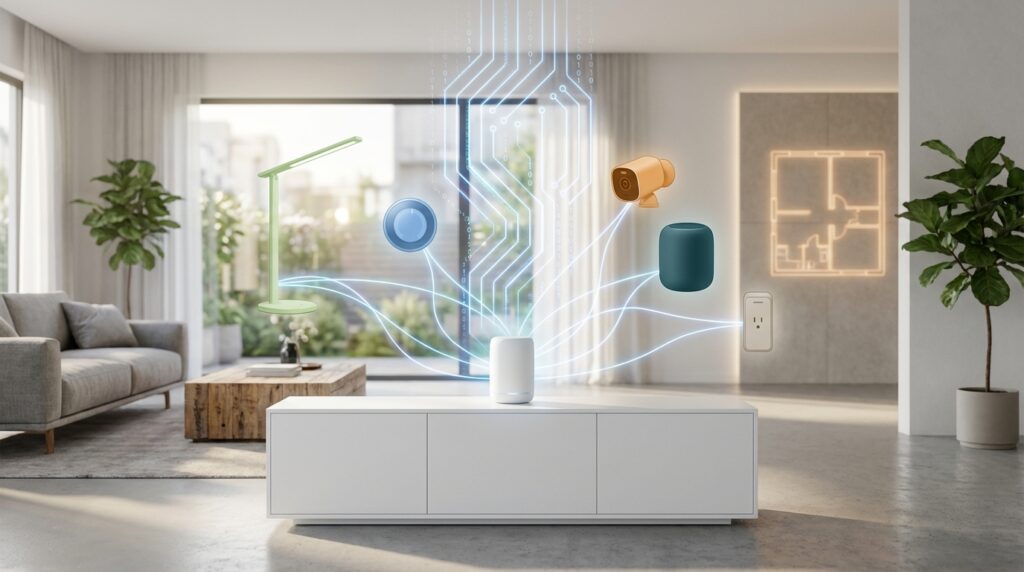
Welcome to the world of seamless smart home technology! The new connectivity standard is changing how all your gadgets work together. Imagine your lights, thermostat, and security system communicating perfectly, no matter which brand you choose.
These improvements act as a universal bridge between different ecosystems. Your devices from Apple, Google, Amazon, and Samsung can now work in harmony. This creates a truly unified experience throughout your home.
Keeping your gadgets current is essential for safety and performance. Regular maintenance fixes bugs and enhances functionality. It also protects against potential security risks that could compromise your network.
Common problems like connectivity drops and unresponsive equipment often get resolved. Compatibility conflicts between platforms become a thing of the past. Your entire setup becomes more reliable and efficient.
This guide will walk you through everything you need to know. You’ll learn what these enhancements are and how to apply them step-by-step. We’ll also show you how to optimize your entire system for maximum compatibility.
Don’t worry if this sounds technical – the process is designed to be user-friendly. Most improvements take just 10-15 minutes to complete. This represents the future of connected living, bringing major platforms together under one standard.
Key Takeaways
- The new connectivity standard ensures devices from different brands work together seamlessly
- Regular maintenance keeps your smart home secure and functioning optimally
- Common issues like connectivity problems and compatibility conflicts get resolved
- The enhancement process is designed to be simple and user-friendly
- Major platforms like Apple Home, Google Home, and Amazon Alexa now work together
- These improvements typically take only 10-15 minutes to complete
- Keeping your system current unlocks new features and better performance
Understanding Matter Firmware Updates and Their Benefits
Imagine a world where your smart devices from different manufacturers work together seamlessly – that’s the promise of modern connectivity protocols. These improvements represent a significant leap forward in home automation technology.
What Are Matter Firmware Updates?
These Over The Air (OTA) software upgrades deliver new capabilities and fixes to your connected equipment. The system operates through a smart architecture where devices periodically check for available improvements.
Your gadgets act as requestors that contact providers like your home hub. They verify if newer software versions exist for download. This automated process ensures your equipment stays current without manual intervention.
The version numbering follows strict progression rules. Devices can only move to higher-numbered releases. This prevents accidental rollbacks that might reintroduce resolved issues.
Enhancing Device Compatibility and Security
One major advantage is cross-platform functionality. After an upgrade, your equipment can work with multiple ecosystems simultaneously. For example, a smart plug could operate through both Apple Home and Samsung SmartThings.
Security receives significant boosts through these enhancements. They patch vulnerabilities and strengthen protection protocols. This safeguards your network against threats that emerged after manufacturing.
Many upgrades unlock advanced capabilities not available originally. You might gain energy monitoring, historical data tracking, or sophisticated automation features. The Matter standard ensures rigorous testing for reliability and interoperability.
How to Update Your Device with Matter Firmware Updates
The actual process of enhancing your devices is simpler than you might think. Before beginning, you’ll need to gather the right equipment and check your software versions.
Preparation: Required Hardware and Software
First, ensure you have a compatible Thread Border Router home hub. This includes devices like HomePod (2nd generation), HomePod mini, or Apple TV 4K. Your hub must be connected to your network.
Next, verify your iPhone or iPad runs the latest iOS/iPadOS. Go to Settings > General > Software Update to check. Your home hub also needs the newest software.
For HomePod mini, open Apple Home and choose Home Settings > Software Update. On Apple TV, select Settings > System > Software Updates. iCloud and iCloud Keychain must be enabled on your iPhone for proper device management.
Step-by-Step Firmware Update Process
Open your Eve app and navigate to Settings > Accessories. Select the device you want to upgrade and tap “Upgrade to Matter.” This starts the guided migration process.
The entire update typically takes about 10 minutes. Do not interrupt this process by disconnecting power or closing the app. This could corrupt the installation.
After completion, verify success in Settings > Accessories > select your device > Details > Compatibility. If devices show as “not responding,” update your iPhone and restart your hub.
Many Thread-enabled Eve devices support this upgrade, including Eve Energy, Eve Door & Window, and Eve Thermo. Understanding the Matter protocol helps you appreciate these compatibility improvements.
Optimizing Your Smart Home Setup with Matter Integration
Getting your upgraded equipment working seamlessly across multiple systems is surprisingly straightforward. The integration process maintains all your existing Apple Home functionality while adding new platform options.
Integrating Matter Devices with Your Home Hub
Your home hub serves as the central connection point for all compatible accessories. Apple HomePod mini, HomePod (2nd generation), and Apple TV 4K act as both controllers and Thread Border Routers.
These hubs ensure proper communication between your upgraded devices and different platforms. The setup recognizes all Matter-enabled equipment automatically for optimal performance.
Utilizing Popular Platforms like Apple Home and Third-Party Controllers
After enhancement, your accessories work perfectly with Siri voice commands and Apple Home app controls. All existing automations and scenes continue functioning without changes.
Adding secondary platform support is simple. Open Apple Home, press your device tile, select Accessory Details, then enable Pairing Mode. Use the displayed Setup Code in other platform apps.
This multi-platform access benefits households with mixed device ecosystems. iPhone users control through Apple Home while Android family members use SmartThings or Google Home simultaneously.
| Platform | Voice Control | App Features | Eve-Specific Features |
|---|---|---|---|
| Apple Home | Siri | Basic controls, scenes | Limited |
| Eve App | None | Advanced automation | Full access |
| SmartThings | Bixby | Basic controls | Limited |
| Google Home | Google Assistant | Basic controls | Limited |
Eve-specific features like energy monitoring and historical data remain available through the Eve app. These unique capabilities may not appear on all third-party platforms after enhancement.
If you exclusively use Apple products, upgrading may be optional since your features won’t change. The decision depends on your household’s current and future platform needs.
Conclusion
Smart home technology has taken a giant leap forward in solving the long-standing problem of device incompatibility. The Matter standard represents a true breakthrough in making different brands work together seamlessly.
Regular software improvements keep your equipment secure and functioning optimally. They patch vulnerabilities and enhance performance across all your gadgets. The upgrade process itself is surprisingly straightforward, taking about 10 minutes with guided apps.
Proper preparation ensures success. Always check that your home hub and mobile devices run the latest software version. Enable necessary services like iCloud for smooth management.
This technology offers incredible flexibility. You maintain your existing Apple Home setup while optionally adding other platforms. Multi-platform households benefit most from this interoperability.
Stay informed about when your specific devices receive these enhancements. Manufacturers are rolling them out gradually. The future of smart home technology looks brighter than ever with major companies collaborating on universal standards.