
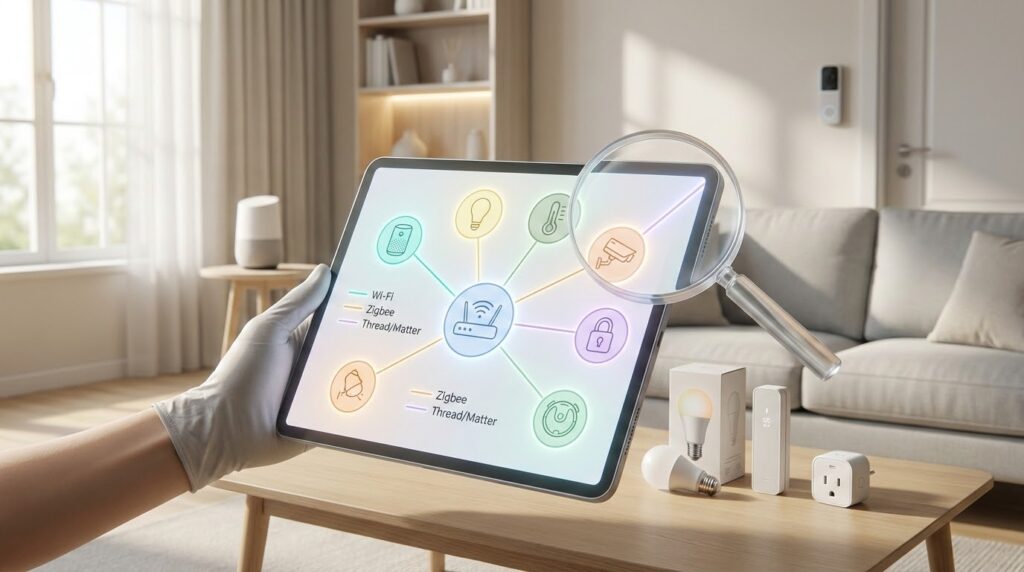
Getting started with automated living can feel exciting. You imagine a space where everything works together smoothly. But that dream can quickly turn frustrating when new gadgets don’t connect with your current setup.
We’ve all been there. You buy a shiny new piece of tech, only to find it won’t talk to your other equipment. This wastes both money and time. Ensuring your gadgets work together isn’t just a technical detail—it’s the foundation of a system that truly makes life easier.
This guide will walk you through everything you need to know before shopping. We’ll explore different wireless standards and the new Matter protocol. You’ll learn simple strategies to build a cohesive ecosystem that works in harmony.
Whether you’re beginning your journey or expanding an existing system, this information will help. You can make confident choices and avoid compatibility headaches. With the right knowledge, creating a seamless automated space is completely achievable.
Key Takeaways
- Device integration is crucial for a functional automated living space
- Researching before purchase prevents wasted money and frustration
- Different wireless protocols affect how equipment communicates
- The Matter standard is changing the landscape for better connectivity
- A few simple strategies can ensure all your gadgets work together
- Building a cohesive system is manageable with proper guidance
- You can confidently expand your current setup with the right approach
Introduction to Smart Home Compatibility
Many people discover the convenience of automated systems through friends’ impressive setups. Watching someone adjust lighting or check security remotely showcases technology’s potential. This experience often sparks the desire to create your own connected space.
However, determining which equipment works together can feel overwhelming. The market offers countless options with different requirements. Understanding compatibility prevents frustrating scenarios where new additions don’t integrate with existing gear.
Real-world problems occur when voice assistants cannot control light bulbs or cameras refuse connection to hubs. These issues transform convenience into complication. Your automated environment should simplify life, not create additional hurdles.
Device integration involves more than just brand matching. It requires knowledge of communication protocols and control platforms. Different technologies use various methods to connect and communicate effectively.
Researching before purchasing saves money and prevents returns. It ensures you build an ecosystem that grows with your needs. Taking this step creates a foundation for long-term satisfaction.
The technology landscape has evolved significantly. Previously fragmented systems now embrace more open standards. This progress makes achieving seamless connections easier than ever before.
While the topic might seem complex initially, grasping a few key concepts simplifies navigation. With proper guidance, creating a harmonious automated space becomes straightforward and rewarding.
Defining Compatibility and Interoperability in Smart Devices
The terms ‘compatible’ and ‘interoperable’ create confusion for many technology users. While they sound similar, these concepts represent different ways products work together in your automated space.
Compatible devices share the same underlying communication technology. They can talk directly to each other without needing extra equipment. Think of it like people speaking the same native language.
For example, Aeotec and TKB products both use Z-Wave protocol. Philips Hue and Innr bulbs both operate on Zigbee technology. These compatible items work together seamlessly because they understand each other’s language from the start.
Interoperable products take a different approach. They come from different technology families but can still cooperate through intermediaries. This usually happens via hubs, bridges, or cloud services that act as translators.
A Nest thermostat working with a Z-Wave security system demonstrates interoperability. They don’t speak the same protocol directly. Instead, they connect through cloud services or local bridges that translate between them.
Understanding this distinction helps when reading product specifications. You’ll know whether devices work together naturally or require additional components. Both approaches offer value—compatibility provides simplicity, while interoperability allows mixing different technologies.
Understanding Common Smart Home Technologies
WiFi and Ethernet connections form the familiar foundation for countless connected products. These technologies leverage your existing home network, often removing the need for a separate hub.
This approach simplifies setup. You likely already have the necessary infrastructure in place.
WiFi, Ethernet, and Cloud-Connected Devices
WiFi-enabled gadgets are incredibly popular. They connect directly to your router using your home’s wireless network.
However, they often use a manufacturer’s own communication language. A product from one brand may not talk directly to a product from another.
Ethernet offers a wired, rock-solid connection. It is perfect for stationary items like smart TVs or security system hubs that demand maximum reliability.
Many modern devices are cloud-connected. They communicate with the manufacturer’s servers online rather than with each other locally.
You control them through a dedicated app on your phone. This setup provides convenience but requires a constant internet connection.
| Connection Type | Best For | Key Consideration |
|---|---|---|
| WiFi | Widely compatible devices, easy setup | Can slow down your network if many devices are added |
| Ethernet | Stationary devices needing top reliability | Requires physical cable connection to router |
| Cloud-Based | Remote access and manufacturer updates | Devices won’t work if your internet service is down |
Services like IFTTT can bridge different ecosystems. They create simple “if this, then that” rules between cloud services.
This allows limited interaction between otherwise separate products. For example, you could have a smart light flash when your doorbell rings.
Some advanced WiFi devices support open protocols like MQTT. This enables integration through a local control platform for a more unified experience.
The Rise of Matter: A Game Changer for Smart Home Standards
The arrival of Matter marks a significant shift in how automated products connect. This new protocol aims to be a universal language for your gadgets.
It promises to reduce the frustration of mixing brands and technologies. Major companies like Apple, Google, and Amazon all support it.
What Matter Is and How It Works
Matter is an open-source connectivity standard. It allows different types of devices to communicate locally on your network.
The standard has grown quickly since its launch. Each new version adds support for more product categories.
| Matter Version | New Device Categories Added | Key Advancement |
|---|---|---|
| 1.0 | Lighting, locks, plugs, sensors, TVs, blinds, thermostats | Established the core foundation for basic controls |
| 1.2 | Refrigerators, air conditioners, dishwashers, robotic vacuums | Brought major appliances into the ecosystem |
| 1.3 & 1.4 | EV chargers, ovens, solar panels, heat pumps, water heaters | Introduced sophisticated energy and water management |
Note: Support for security cameras and video doorbells is still absent.
Benefits and Limitations of Matter in Smart Homes
The biggest benefit is the wide range of supported devices. You can now find Matter-certified products for most areas of your home.
However, the functionality is often basic. Control is typically limited to on/off commands or simple notifications.
Manufacturers are not forced to implement every feature. This means two Matter devices might work differently.
Platform providers also reserve advanced features for their own ecosystems. This maintains a degree of lock-in for now.
Matter is a promising step forward. It needs more time to mature into a complete solution for all connectivity challenges.
Exploring Voice Assistants and Their Role in Device Integration
Digital assistants that respond to voice commands now serve as central control points for many automated systems. Products working with major voice platforms like Amazon Alexa, Google Assistant, and Apple’s Siri indicate good design for broad interoperability.
| Platform | Primary Ecosystem | Key Strength | Integration Approach |
|---|---|---|---|
| Amazon Alexa | Amazon devices & services | Widest third-party device support | Skills system for extended functionality |
| Google Assistant | Google Nest & Android ecosystem | Natural language understanding | Direct integration with Google services |
| Apple Siri | Apple HomeKit environment | Privacy-focused local processing | Home app with strict certification |
These assistants excel at simple, immediate commands. Asking your Google Assistant to “turn off the living room lights” works perfectly. They create a unified voice control experience across different manufacturers.
However, voice platforms struggle with complex automation involving multiple conditions. As one industry expert notes,
“Voice control provides convenience but lacks the logic engine for sophisticated scenarios requiring multiple triggers and conditions.”
Choose equipment that works with your preferred assistant. This ensures you can manage your entire space through familiar voice commands. Remember that voice control complements rather than replaces dedicated automation systems.
Ensuring “smart home compatibility” Before You Buy
Successful automation starts with a clear vision of what you want to achieve in your space. Before browsing products, ask yourself key questions about your daily needs.
What types of equipment will serve your lifestyle best? Do you prefer a single voice assistant or multiple platforms? Consider whether security integration matters more than simple convenience controls.
Taking inventory of your existing gear is crucial. Note which protocols and platforms your current items require. This prevents conflicts when adding new technology to your setup.
A centralized control platform acts as your command center. This could be a dedicated hub, voice assistant ecosystem, or smartphone app. Choosing one main system ensures all components work together smoothly.
Planning your approach saves both money and frustration. Spending time upfront creates a more satisfying experience than buying impulsively. Your automated environment should simplify life, not complicate it.
Buyer’s Guide: Checking Device Compatibility and Reviews
Before adding new gadgets to your setup, thorough investigation of integration capabilities is essential. This research phase saves you from frustrating returns and ensures your automated space functions smoothly.
Utilizing Manufacturer Information and Search Filters
Start by using search filters on retailer websites. Narrow results by protocol like Z-Wave or Zigbee. This helps you find products that share the same communication language.
Product pages contain crucial details. Look for compatibility sections listing required hubs and supported platforms. Manufacturer websites often provide more detailed integration guides than retail listings.
User reviews offer real-world insights. Search for comments about setup difficulty and integration experiences. Q&A sections reveal how products work with specific voice assistants or other devices.
Many companies now provide video tutorials and compatibility checkers. These tools help verify if a new security camera will work with your existing system. You can often test integration scenarios before purchasing.
Online communities are valuable resources. Forum members share experiences with various device combinations. They can advise if a particular phone app works well with certain system components.
Manufacturers increasingly test their equipment with partners. Look for compatibility matrices showing which brands work together. This documentation ensures your new camera integrates properly with your current setup.
Checking these resources takes little time but prevents major headaches. A quick video review or phone call to customer support can confirm integration details. This diligence ensures all components work harmoniously.
Integrating Multiple Systems: Single Versus Separate Smart Home Controllers
Building a cohesive automated setup presents a fundamental choice: one master system or several specialized ones. This decision affects how easily you can manage your entire environment.
When people talk about a “single system,” they usually mean one control interface. This could be a single app or dashboard that manages everything. Modern controllers often achieve this by supporting multiple technologies behind the scenes.
You might choose to stick with one protocol like Z-Wave or Zigbee. This approach offers deep integration and simplicity. However, you may miss out on devices that excel in specific categories.
Sometimes separate systems work better for particular tasks. A dedicated heating controller handles temperature zoning more efficiently. Security systems often perform better when designed for that single purpose.
The hybrid approach combines the best of both worlds. A primary hub supports Z-Wave and Zigbee directly. It then connects to specialized systems through bridges.
Modern controllers increasingly support Thread and Matter protocols. This future-proofs your investment as these standards evolve. Your hub can act as a Thread border router for better connectivity.
There’s no single right answer for every situation. Your choice depends on whether you prioritize simplicity, specialized performance, or advanced automation capabilities.
Tips for a Seamless Smart Home Experience
Community forums deliver honest feedback that manufacturers’ documentation often overlooks. These platforms provide real-world insights from people who have already tested various equipment combinations.
Best Practices for Installation and Testing
Start with a systematic approach when adding new components. Test each device individually before integrating it into your complete setup. This prevents confusion if something doesn’t work correctly.
Create a simple checklist for installation. Verify connections, update firmware, and test basic functions. Document any issues you encounter during the process.
| Platform | Primary Focus | User Activity Level |
|---|---|---|
| Reddit Communities | Broad automation topics | Very high daily engagement |
| Manufacturer Forums | Brand-specific support | Moderate with official responses |
| Facebook Groups | Regional and niche interests | High with personal experiences |
Leveraging Online Communities and User Feedback
Search existing discussions before asking new questions. Most compatibility issues have already been addressed by community members. This saves time and provides immediate solutions.
When seeking help, provide specific details about your setup. Mention your controller, existing devices, and the exact problem. Clear information helps others offer targeted advice.
Remember that today’s beginner becomes tomorrow’s expert. These communities thrive on shared knowledge and mutual support.
Navigating Future Trends in Smart Home Technology and Automation
The next wave of innovation brings sophisticated energy management directly into household systems. Matter versions 1.3 and 1.4 introduced capabilities that transform how devices interact with power resources.
These updates enable real-time tracking of energy consumption and generation. Your equipment can now report usage patterns over time, creating opportunities for intelligent automation.
Imagine charging your electric vehicle when solar panels produce excess power. Or scheduling operations during off-peak hours when electricity rates drop. This level of energy optimization represents the future of connected living.
However, the reality currently falls somewhat short of the promise. While Matter device setup is straightforward, challenges exist with multiple Thread networks. Users report glitches when controlling devices across different platforms simultaneously.
Beyond energy management, other trends are emerging. AI-powered automation learns your preferences gradually. Enhanced privacy features process more data locally rather than in the cloud.
New device categories continue gaining smart connectivity. The Matter standard evolves to support these advancements. Investing in standards-based equipment positions you well for future innovations.
Balance excitement about possibilities with realistic expectations. The technology landscape continues maturing. Your smart home journey becomes more rewarding as these trends develop.
Expert Advice: How to Choose the Right Smart Home Controller and Hub
Finding the perfect command center for your gadgets requires balancing current needs with future expansion. Your hub serves as the brain of your entire setup.
Start with a controller supporting Z-Wave as a minimum. This gives you access to thousands of devices from hundreds of manufacturers.
Adding Zigbee support expands your options significantly. Look for built-in Zigbee or interoperability with systems like Philips Hue.
| Feature | Benefit | Best For |
|---|---|---|
| Z-Wave Support | Broad device selection | General automation needs |
| Zigbee Integration | Excellent lighting options | Lighting-focused systems |
| Thread/Matter Ready | Future-proof investment | Long-term planning |
Future-proofing matters greatly. Choose a hub that acts as a Thread border router for emerging Matter standards.
Consider cloud service integration like IFTTT. This helps bridge different proprietary systems together effectively.
Support for open protocols like MQTT increases interoperability. Your controller can communicate with more devices this way.
Evaluate based on your technical comfort level. Some platforms offer simplicity while others provide advanced automation capabilities.
“The right hub grows with your system, not against it.”
Your initial investment should serve you for years. Choose a controller that matches both your current vision and future aspirations.
Conclusion
Building a reliable network of devices that communicate seamlessly requires strategic planning from the start. Understanding the difference between direct compatibility and interoperability through bridges gives you the foundation for smart choices.
Researching protocols and controller support before purchasing saves both money and frustration. Standards like Matter continue to evolve, making integration increasingly straightforward over time.
Start small with a few devices and expand gradually. This approach lets you learn and adjust without overwhelming complexity. Testing each addition thoroughly ensures your entire system works harmoniously.
Remember that reputable retailers often provide compatibility guarantees. If a product doesn’t work with your existing setup, our swift return process makes exchanges simple. We provide instant shipping labels and process refunds immediately upon receipt.
The right gateway platform can handle diverse protocols, creating unified control across your living space. With these strategies, you can confidently create an automated environment that enhances your daily life.