Category: Home Automation

  • Smart Light Switches Compared: The Best Options for Every Budget and Setup

    Smart Light Switches Compared: The Best Options for Every Budget and Setup

    Upgrading your home’s lighting control can transform how you interact with your living space. Modern devices offer convenient ways to manage illumination throughout your property.

    These upgrades provide a practical alternative to replacing every individual bulb. This approach works especially well for houses with multiple fixtures like recessed lights or wall sconces.

    Today’s advanced models integrate smoothly with daily routines. They offer features like remote control through mobile apps and voice commands. Many work with popular home automation systems.

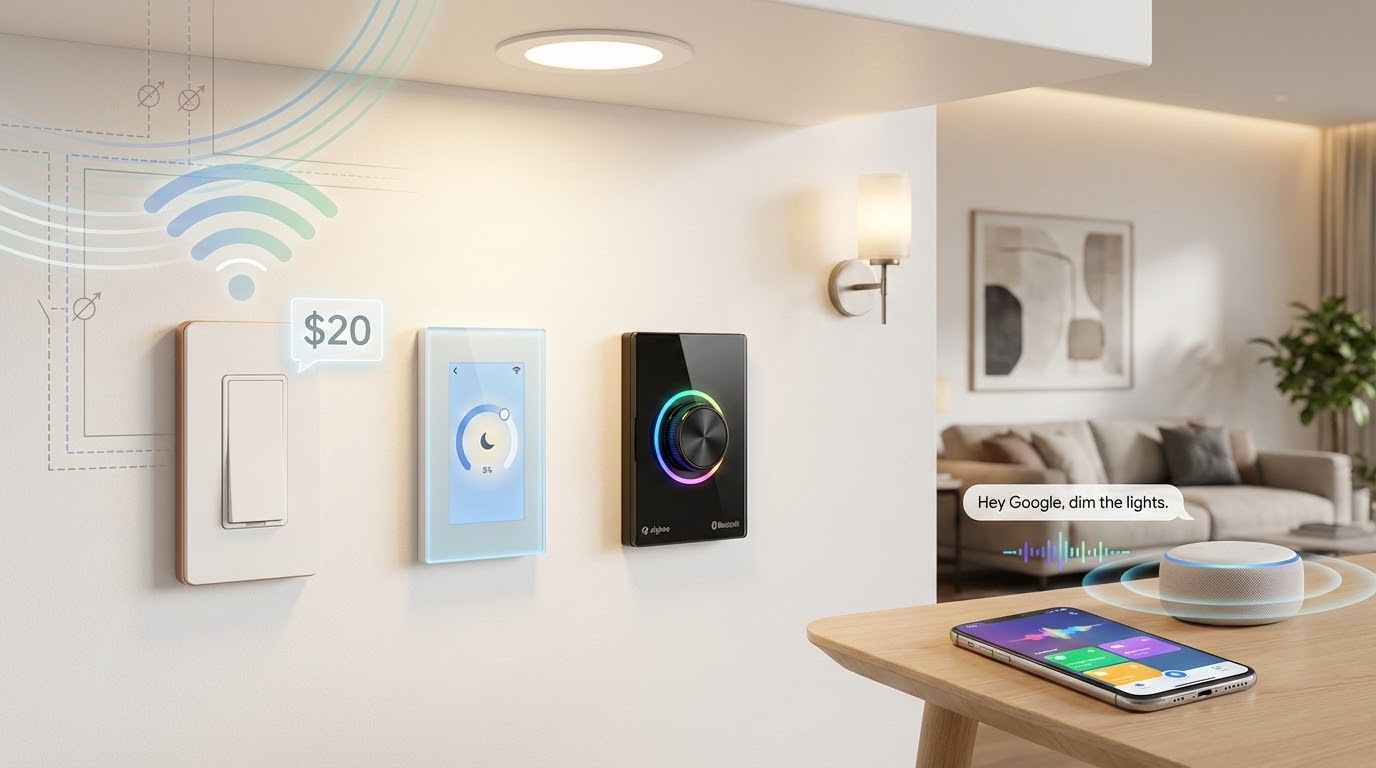
    Our guide explores products across various price points. You’ll find economical choices under twenty dollars alongside premium selections with extra capabilities. We examine different connection methods including Wi-Fi and emerging standards.

    Installation factors receive detailed attention. We cover wiring requirements and multi-location configurations. The information helps determine whether to tackle setup yourself or hire a professional.

    Key Takeaways

    • Upgrading lighting control enhances home convenience and functionality
    • These devices offer cost savings compared to full bulb replacement
    • Modern units work with voice commands and mobile applications
    • Products are available for different financial constraints
    • Various connectivity options suit different home setups
    • Installation requirements vary by model and home wiring
    • Professional guidance helps match products to specific needs

    Introduction: The Evolution of Smart Home Lighting

    The humble wall switch has undergone a remarkable transformation from basic mechanical device to intelligent home controller. For over a century, traditional models served homes faithfully as simple mechanical devices.

    Era Technology Key Features Limitations
    Early 20th Century Manual Toggle Basic on/off function Single location control only
    Mid 20th Century Rotary Dimmer Adjustable brightness No remote access
    Late 20th Century Digital Controls Programmable timers Limited automation
    21st Century Connected Devices Remote access, voice control Wiring compatibility issues

    Modern units maintain the familiar form factor homeowners expect. They add layers of digital control through smartphone apps and voice assistants. Automated schedules create convenience throughout the day.

    The technology enables management from anywhere with internet access. Homeowners can adjust illumination while away for security purposes. This represents a significant shift in daily routines.

    Integration with home platforms transforms functional lighting into customizable ambiance. Early solutions required expensive bulb replacements. Today’s approach controls multiple fixtures economically from one point.

    Current generation products offer motion detection and energy monitoring. They work with multiple ecosystems simultaneously. These devices serve as gateway introductions to broader home automation possibilities.

    Understanding Smart Light Switches

    Today’s connected homes rely on devices that maintain traditional appearance while offering digital convenience. These components fit standard electrical boxes and operate like conventional models.

    A smart switch provides remote management through mobile applications. Users can adjust illumination from anywhere with internet access. Voice commands work with popular assistants like Alexa and Google Home.

    Unlike bulb-based solutions, these units control power at the wall level. Manual operation remains available alongside digital methods. This dual functionality ensures reliability during network outages.

    Scheduling features automate daily routines. Lights turn on at sunset or off at bedtime automatically. Vacation modes enhance security by simulating occupancy patterns.

    Installation requires basic electrical knowledge. Most models need neutral wires for proper operation. Professional help ensures safe setup for complex configurations.

    Compatibility extends to various bulb types including LED and incandescent options. Once installed, the system works independently of specific light sources. This approach offers long-term value and flexibility.

    Key Features and Benefits

    Today’s advanced electrical controls offer unprecedented convenience through digital integration. These modern devices transform basic illumination management into sophisticated home automation.

    Feature Category Primary Function User Benefits Common Applications
    Remote Access Control from anywhere Convenience and security Vacation lighting, bedtime control
    Scheduling Automated routines Energy savings, daily convenience Sunset activation, security patterns
    Voice Integration Hands-free operation Accessibility, multitasking Kitchen use, mobility assistance
    Energy Monitoring Usage tracking Cost reduction awareness Budget management, efficiency optimization
    Scene Creation Custom configurations Ambiance control Entertainment settings, reading modes

    Remote access functionality allows adjustment of illumination from any location. Homeowners can manage their property’s lighting through mobile applications while away.

    Scheduling capabilities automate daily routines based on time or sunset patterns. This creates consistent illumination without manual intervention each day.

    Voice command integration works with popular assistants like Alexa and Google Home. Users can operate their systems hands-free when carrying items or needing accessibility.

    Energy monitoring features track electricity consumption patterns. This data helps identify opportunities for reducing utility costs through optimized usage.

    Dimming functionality provides precise brightness adjustment for different activities. It extends bulb lifespan while creating appropriate room atmospheres.

    Scene programming enables instant room transformations with single commands. Different configurations suit various activities like movie watching or dinner parties.

    Multi-room grouping allows simultaneous control of illumination throughout the property. Whole-home scenes create cohesive environments for different occasions.

    Away modes enhance security by simulating natural occupancy patterns. Randomized lighting deters potential intruders during extended absences.

    Best Smart Light Switches for Modern Smart Homes

    Homeowners exploring automated lighting systems will find diverse options with different features and installation requirements. The market offers products across various price points and compatibility levels.

    TP-Link’s Kasa KS225 Matter Wi-Fi Dimmer provides excellent value with universal platform support. This device works seamlessly with Alexa, Google Home, and Apple HomeKit through Matter technology. Installation requires neutral wiring for proper operation.

    For older properties lacking neutral wires, Leviton’s Decora No-Neutral Dimmer offers a specialized solution. This model needs a separate Wi-Fi bridge for full functionality. It serves homes built before modern wiring standards.

    Key product considerations include:

    • Universal compatibility with major home platforms
    • Wiring requirements for different home ages
    • Additional hardware needs like bridges or hubs
    • Special features like motion sensing or weather-based scheduling

    GE’s Cync model includes built-in motion detection and ambient light sensors. Lutron’s Diva Dimmer offers premium construction but requires a dedicated hub. Z-Wave enthusiasts can explore Leviton’s Z-Wave compatible options.

    Budget-friendly choices exist under twenty dollars while maintaining core functionality. These economical selections sacrifice some advanced features but provide reliable basic control. Premium models justify higher costs with extensive integration capabilities.

    Each product suits specific home configurations and user preferences. Consider your existing system compatibility and wiring situation before selecting. Professional installation ensures optimal performance for complex setups.

    Connectivity and Compatibility: Integrating Smart Switches With Your System

    Choosing the right communication method for your automated lighting is crucial for seamless integration. Modern devices typically connect through Wi-Fi, Z-Wave, or Zigbee protocols. Each approach offers distinct advantages for different home setups.

    Wi-Fi models connect directly to your home network without additional hardware. This simplifies setup and reduces initial costs. Control happens through manufacturer apps from anywhere with internet access.

    Z-Wave and Zigbee protocols require dedicated hub devices for communication. Popular options include Samsung SmartThings and Ring Alarm systems. These hub-based networks continue functioning during internet outages.

    The emerging Matter standard promises universal cross-platform compatibility. Matter-certified units work with Alexa, Google Home, and Apple HomeKit simultaneously. This eliminates traditional compatibility verification needs.

    Manufacturer apps vary significantly in features and user experience. Some offer advanced scheduling and energy monitoring capabilities. Others prioritize simplicity for straightforward control.

    Selecting between Wi-Fi and hub-based systems depends on existing infrastructure. Consider reliability requirements and future expansion plans. Premium manufacturers like Lutron maintain proprietary systems with exceptional integration.

    Dimmer Functions and On/Off Controls Explained

    Variable brightness management represents a significant upgrade over simple on/off functionality. These devices allow precise control over room atmosphere and energy consumption.

    Modern dimmer switches work with various bulb types including LED, CFL, and incandescent options. Some models also support Magnetic Low Voltage lighting systems. Always verify specific compatibility since some LEDs perform poorly with certain dimmers.

    A critical installation rule involves avoiding smart dimmers with smart bulbs. This combination causes flickering, flashing, or buzzing sounds. The devices conflict electronically, resulting in failed dimming functionality.

    When controlling non-dimmable lights, these units operate as standard on/off switches. They provide remote access and scheduling without brightness adjustment capabilities.

    Advanced models offer customization options for enhanced user experience:

    • Fade rate adjustment controls how quickly illumination transitions between levels
    • Minimum and maximum brightness thresholds prevent unusable settings
    • Multiple control mechanisms including sliders, dials, or button interfaces

    Energy savings from dimming can be substantial. Reducing output by 25% typically decreases consumption by approximately 20%. This approach also extends bulb lifespan significantly.

    Installation requires attention to wiring complexity and load requirements. Manufacturers specify minimum and maximum wattage ratings for proper operation.

    No-Neutral Versus Neutral Wiring Considerations

    The presence or absence of a neutral wire in your switch box determines which models will work in your home. This electrical requirement represents a critical compatibility factor for automated lighting controls.

    Many modern devices need a neutral connection to power their internal electronics. The neutral wire provides a return path for electrical current. This allows the unit to maintain wireless connectivity even when lights are turned off.

    Feature Neutral Wire Required No-Neutral Option Installation Complexity
    Power Source Direct from wiring Requires alternative path Standard vs specialized
    Home Compatibility Post-1980s construction Older homes Wiring verification needed
    Additional Hardware Usually none Bridge or hub often required Extra components needed
    Box Space Bulkier electronics Similar size constraints Crowded box issues
    Cost Factor Standard pricing Often higher with accessories Professional help may cost more

    Homes built before the 1980s frequently lack neutral wires at switch locations. Traditional mechanical controls only needed hot and load wires. This limitation doesn’t eliminate automation possibilities.

    Manufacturers like Leviton offer specialized no-neutral models. These devices use alternative methods to complete the electrical circuit. The DN6HD model requires a separate Wi-Fi bridge for full functionality.

    Before purchasing any unit, homeowners should examine their existing wiring. Remove the cover plate and look for a bundle of white wires connected together. This indicates neutral wire availability.

    These automated controls contain more electronics than traditional ones. They require deeper electrical boxes for proper installation. Crowded boxes benefit from screw terminal connections rather than wire leads.

    Some municipalities have specific code requirements for box sizes. Checking local regulations prevents installation issues. Professional electricians can add neutral wires or install larger boxes if needed.

    Installation and DIY Tips for Smart Light Switches

    Proper installation of automated wall controls requires careful preparation and safety awareness. This process involves both physical wiring work and digital configuration steps.

    Safety begins with turning off power at the circuit breaker. Always verify electricity is off using a voltage tester before touching wires. This prevents dangerous electrical shocks during the installation.

    Installation Scenario Recommended Approach Time Estimate Skill Level Required
    Single switch replacement DIY with basic tools 15-30 minutes Beginner with electrical comfort
    Crowded electrical box Choose terminal-style units 30-45 minutes Intermediate experience
    Three-way configuration Professional assistance 60-90 minutes Advanced electrical knowledge
    No neutral wire present Specialized models or electrician 45-60 minutes Professional recommended

    Essential tools include screwdrivers, wire strippers, and needle-nose pliers. A flashlight helps visibility inside dark electrical boxes. First-time installers should allow extra time for learning.

    The installation process follows clear steps. Remove the old device and identify each wire. Connect wires according to the diagram provided with your new unit.

    After physical installation, complete the app-based setup. This includes network connection and voice assistant integration. Test all functions before securing the unit completely.

    Professional help is wise for complex situations. This includes three-way setups or wiring modifications. Local electrical codes may require licensed electricians for certain work.

    Voice Control and Integration With Smart Home Assistants

    Voice commands transform basic wall controls into interactive home management systems. These devices work with Amazon Alexa, Google Assistant, and Apple Siri through HomeKit integration. Natural language processing allows intuitive spoken commands.

    Setup involves linking the manufacturer’s app with your preferred voice assistant. Account authorization connects the systems automatically. The assistant discovers connected devices and adds them to its inventory.

    Room assignment within voice apps enables natural commands. Users can say “turn off the lights” when in a specific space. This eliminates the need to remember exact device names.

    Command capabilities extend beyond simple on/off functions:

    • Dimming adjustments to specific percentage levels
    • Scene activation for different room atmospheres
    • Scheduling through voice-based routines
    • Multi-room control with single commands

    Advanced automation combines voice commands with other conditions. Time of day and presence detection can trigger illumination changes. These routines create sophisticated home environments.

    Voice control provides significant accessibility benefits. Individuals with mobility challenges find hands-free operation invaluable. The technology assists those who struggle with physical interfaces.

    Compatibility verification remains crucial before purchase. Not all units support every voice platform. Check your preferred assistant’s requirements for seamless integration.

    Response times typically range from one to three seconds. Network speed and connection method affect performance. Wi-Fi models may respond differently than hub-based systems.

    Motion Sensors and Advanced Automation Features

    Advanced sensors integrated into wall controls eliminate manual operation through automated presence detection. These devices automatically turn lights on when detecting movement and off after predetermined periods of inactivity. This functionality enhances both convenience and energy efficiency throughout the home.

    Motion sensor integration proves especially practical for high-traffic areas. Hallways, bathrooms, stairways, and garages benefit from hands-free operation. These locations often see forgotten illumination that wastes electricity unnecessarily.

    Premium models like the Leviton Decora Smart Motion Sensing Dimmer combine movement detection with ambient light sensors. This prevents unnecessary activation during daylight hours. The GE Cync Motion Sensing Switch offers similar capabilities for different home setups.

    Customization options allow users to adjust sensitivity levels and timeout durations. Settings typically range from 30 seconds to 30 minutes based on room usage patterns. Brightness levels can also be programmed for different times of day.

    Integration with home automation systems enables sophisticated scenarios. Motion detection can trigger thermostats, security cameras, or audio announcements. This creates cohesive smart home experiences beyond basic illumination control.

    Placement considerations affect performance significantly. Units positioned with clear room views maintain illumination during occupancy. Those with obstructed sightlines may fail to detect continued presence effectively.

    Product Roundup: Top Smart Switch Contenders Reviewed

    Selecting the right wall controller involves balancing features, compatibility, and cost considerations. This comparison examines standout models across different price ranges and functionality levels.

    The TP-Link Kasa KS225 Matter Dimmer offers excellent value around $40-50. It supports Matter technology for universal platform integration. This three-button design requires neutral wiring for installation.

    Leviton’s Decora Motion Sensing Dimmer combines presence detection with brightness control. It works with Alexa, Google Home, and Apple HomeKit. Homeowners appreciate the automated convenience and energy savings.

    Product Price Range Key Feature Compatibility Installation Requirement
    Kasa Smart HS200 Under $20 Basic on/off control All major platforms Neutral wire needed
    GE Cync Motion Dimmer $40-60 Motion + ambient light sensing Alexa, Google Assistant No hub required
    Lutron Diva Dimmer Premium Widest device support All major platforms Requires Lutron hub
    Philips Hue Tap Dial $50-60 Wireless with dimmer dial Hue ecosystem only Adhesive or screw mount
    SwitchBot Bot $30-40 Physical switch presser Works with any switch No wiring needed

    Budget-conscious shoppers find the Kasa HS200 appealing at under twenty dollars. It provides reliable control without dimming capabilities. Matter support ensures long-term compatibility.

    Lutron’s Diva Dimmer justifies its premium cost with exceptional build quality. It works without neutral wires and comes in multiple colors. The required hub enables extensive integration possibilities.

    Philips offers two options for Hue system owners. The Tap Dial provides advanced control with customizable buttons. The more affordable Dimmer Switch handles basic brightness adjustment.

    Unique solutions like SwitchBot Bot attach to existing controls. This motorized device physically toggles traditional switches. Renters appreciate the non-invasive installation approach.

    Each product serves specific user needs and home configurations. Consider your existing setup and desired features when making a selection. The right choice depends on individual priorities and budget constraints.

    Design, Aesthetics, and Usability in Home Décor

    Homeowners today can choose from an array of design-forward lighting controllers that enhance room decor. These devices come in paddle, rocker, toggle, and multi-button styles.

    Each design offers different visual appeal and functional benefits. The right choice depends on personal preference and existing home aesthetics.

    Design Style Visual Characteristics User Experience Room Applications
    Paddle Switch Minimalist, flush appearance Easy press operation Modern living spaces
    Rocker Design Traditional rectangular form Familiar rocking motion Transitional interiors
    Toggle Style Classic lever appearance Distinct on/off positions Traditional homes
    Multi-button Panel Technology-forward look Multiple control options High-tech environments

    Color selection remains important for wall integration. White dominates most product lines for universal compatibility.

    Premium manufacturers like Lutron Diva offer expanded palettes. These include black, ivory, and light almond finishes.

    Physical controls vary from traditional sliders to rotating dials. Some feature touch-sensitive surfaces for contemporary appeal.

    LED indicators provide status information about power and connectivity. Many models include options to dim or disable these lights.

    Wireless units offer exceptional placement flexibility. They can be wall-mounted or used as portable remotes.

    This adaptability suits rental properties and changing needs. Battery-operated options avoid permanent modifications.

    The tactile experience influences daily satisfaction. Some users prefer physical button feedback.

    Others appreciate smooth dimmer controls for precise adjustment. Multi-gang installations require careful planning.

    Proper spacing ensures cohesive visual appearance. This prevents cluttered, mismatched groupings on the wall.

    Future Trends in Smart Switching Technology

    The future of home lighting control is evolving toward universal compatibility and intelligent automation. The Matter protocol represents the most significant development in this technology. This open-source standard promises to eliminate compatibility concerns across different platforms.

    Matter-enabled devices work seamlessly with Amazon Alexa, Google Home, Apple HomeKit, and Samsung SmartThings simultaneously. Early adoption by manufacturers like TP-Link and Leviton demonstrates industry commitment. More brands will release certified products throughout upcoming years.

    Energy monitoring features are becoming increasingly common in modern systems. Homeowners can track electricity consumption patterns for efficiency improvements. Integration with renewable energy systems represents an emerging application.

    Artificial intelligence capabilities are beginning to appear in lighting control. These systems learn household patterns without explicit programming. Enhanced security features address growing privacy concerns through encrypted communication.

    The convergence of lighting with other building systems points toward holistic automation. Sustainability considerations influence product development for longer device lifespans. Thread networking protocol promises more reliable mesh networks with lower power consumption.

    These advancements will transform how we interact with our living spaces. The technology continues to evolve toward more intuitive and integrated solutions.

    User Experiences and Expert Testing Insights

    Real-world testing provides the most valuable information about how these devices perform. Experts have evaluated dozens of models in actual homes. This hands-on approach reveals insights that specifications alone cannot show.

    The setup process varies widely between different products. Wi-Fi models typically offer simpler installation. Hub-based systems often require more steps to get them working properly.

    App quality significantly affects daily use. Well-designed interfaces make scheduling and scene creation intuitive. Poor app design can frustrate users and limit functionality.

    Response time is a critical performance metric. The fastest units execute commands within one to two seconds. Slower models exhibit noticeable delays that reduce satisfaction.

    Motion sensor reliability differs across brands. Premium options demonstrate consistent detection and appropriate timeout behavior. Budget alternatives sometimes miss occupancy or trigger false activations.

    Dimming performance separates adequate devices from excellent ones. Smooth transitions and flicker-free operation characterize top performers. Lesser models may exhibit buzzing or limited dimming ranges.

    Long-term reliability testing over months and years shows important patterns. Established manufacturers maintain consistent performance. Some newer market entrants experience higher failure rates over time.

    Customer service quality becomes crucial when issues arise. Some companies receive praise for responsive support. Others frustrate users with difficult-to-reach service departments.

    Network stability varies between connection types. Wi-Fi models may occasionally drop connections. Hub-based systems often maintain more consistent local control.

    Voice integration quality depends on both the device and the assistant. Proper device naming and room assignment improve recognition accuracy. This enhances the overall user experience significantly.

    Comprehensive Buying Guide: Finding the Perfect Fit for Your Home

    Making the right choice for your home automation starts with understanding your specific lighting setup. The fundamental decision between automated controllers and intelligent bulbs depends on your fixture configuration.

    Controllers prove more economical for multiple built-in fixtures. Intelligent bulbs work better for lamps and color-changing applications.

    Check your electrical box for neutral wires before purchasing any device. Remove an existing cover to inspect for white wires bundled together. This determines which models will function in your home.

    Budget considerations should include potential additional expenses. Account for electrical box upgrades, professional installation fees, and required hubs. Platform compatibility must align with your existing ecosystem.

    Three-way configurations need specific compatible models. Some manufacturers offer wireless companion units that eliminate complex wiring. This adds placement flexibility without additional electrical work.

    Dimming capability represents an important feature consideration. Basic on/off models cost less than variable brightness controllers. Retrofitting later requires additional purchase and installation effort.

    Motion sensor value varies significantly by room location. These features work well in bathrooms, hallways, and garages. They may prove annoying in bedrooms or home theaters.

    Hub requirements influence both cost and reliability. Hubless Wi-Fi devices offer simpler setup but potentially less stable connections. Hub-based systems maintain local control during internet outages.

    Future-proof through Matter compatibility whenever possible. This ensures your investment will work with emerging platforms. Aesthetic preferences matter for visible units in prominent locations.

    Conclusion

    Modern lighting controllers offer an accessible entry point into home automation with immediate practical benefits. These devices deliver remote access, scheduling, and voice commands while working with your existing fixtures.

    The market provides diverse options from basic models to premium units with advanced features. Choosing requires balancing wiring compatibility, desired functions, and budget considerations.

    Installation ranges from simple DIY projects to situations needing professional help. The emerging Matter standard simplifies future compatibility across different platforms.

    These controllers provide economical whole-room management compared to bulb-based solutions. Prioritize features based on actual usage patterns to maximize value from your investment.

    Whether upgrading one location or your entire property, these devices deliver tangible improvements in convenience and efficiency. They represent a worthwhile enhancement to any modern living space.

    FAQ

    What is the main difference between a smart switch and a smart bulb?

    A smart bulb replaces your existing bulb and gives you control over that single fixture, often with color options. A smart dimmer or switch replaces your wall control, allowing you to operate all the lights connected to that circuit, including standard bulbs, using your smartphone or voice commands.

    Do I need a special hub for these devices to work?

    It depends on the product. Some options connect directly to your home’s Wi-Fi network, while others require a dedicated hub, like a Zigbee or ZThread system, for operation. Hub-based products can offer greater reliability and more advanced automation features.

    Can I install one of these if my wall box doesn’t have a neutral wire?

    Yes. Many manufacturers now offer no-neutral models designed for older homes. These products work by allowing a small amount of current to flow through the circuit to power themselves. It’s crucial to check the product specifications before purchasing to ensure compatibility with your home’s wiring.

    How do dimmer functions work with modern LED bulbs?

    Not all LED bulbs are dimmable. For smooth performance, you need a compatible dimmable LED bulb and a switch designed for low-wattage LED lighting. Using non-dimmable bulbs with a dimmer can cause flickering or damage the product.

    Will these work with my Google Home or Alexa system?

    Most contemporary models support integration with major platforms like Google Assistant and Amazon Alexa for voice control. Look for products that explicitly state compatibility with your preferred assistant to ensure seamless operation.

    What are the benefits of having motion sensors built into a wall control?

    Switches with integrated motion sensors add a layer of convenience and energy efficiency. They can automatically turn lights on when you enter a room and off after you leave, which is ideal for spaces like laundry rooms, pantries, and hallways.

    Is this a difficult DIY project for a beginner?

    If you are comfortable working with electrical wiring and have turned off the power at the circuit breaker, installation can be straightforward. However, if you are unsure about any step, hiring a qualified electrician is the safest choice to ensure everything is connected properly.
  • Smart Home Security Systems: Features That Actually Matter (2025 Comparison)

    Smart Home Security Systems: Features That Actually Matter (2025 Comparison)

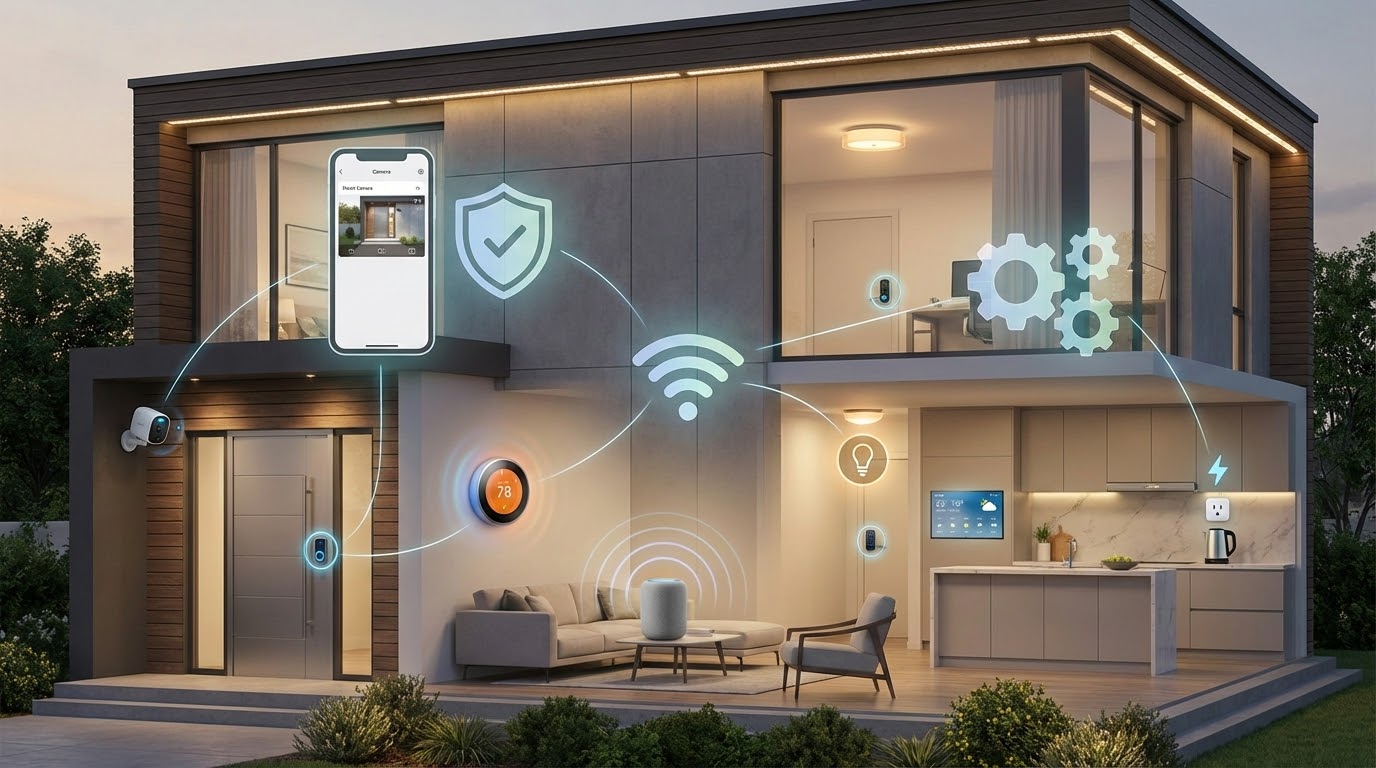
    Modern protection solutions have evolved far beyond simple alarms. Today’s top options integrate intelligent automation and voice control through platforms like Alexa and Google Assistant. They work seamlessly with existing devices throughout your property.

    The best setups combine robust monitoring with convenience features. These include automated door locking, temperature control, and lighting schedules. Camera feeds become accessible from anywhere via smartphone applications.

    This guide draws from extensive hands-on testing conducted over months in real residential environments. Our team evaluated performance with actual equipment including lights, switches, plugs, and locks. Testing occurred in a two-story, 2,200-square-foot home.

    Whether prioritizing Google Nest integration, Alexa compatibility, or platform-agnostic flexibility, this comparison identifies which solution matches specific needs. It covers DIY-friendly options perfect for renters to professionally installed setups ideal for homeowners.

    Key Takeaways

    • Modern protection goes beyond alarms to include automation and voice control
    • The best options combine monitoring with convenient daily features
    • Extensive real-world testing informs these 2025 recommendations
    • Systems are evaluated on integration, reliability, and pricing value
    • Both DIY and professional installation options are covered
    • Compatibility with existing device ecosystems is a crucial factor
    • Professional monitoring services provide added peace of mind

    Introduction to Smart Home Security

    Today’s approach to property safety has undergone a revolutionary shift from basic alert mechanisms. Research shows 71% of American adults worry about package theft. This concern drives demand for advanced monitoring solutions.

    Protection technology has evolved dramatically over the past decade. Standalone cameras have transformed into complete integrated setups. Modern platforms now detect various threats while sending instant notifications.

    These advanced solutions create automated responses to specific triggers. Lights can activate when motion is detected after dark. Doors might automatically lock when the household goes to sleep.

    Integration capabilities extend beyond proprietary equipment. Third-party devices from different manufacturers work together seamlessly. This allows customized protection ecosystems tailored to individual needs.

    Understanding differences between traditional alarms and modern platforms helps consumers make informed choices. Evaluating individual priorities ensures selecting features that provide genuine benefits rather than unnecessary complexity.

    Understanding Smart Home Security Systems

    Today’s comprehensive protection arrangements go well beyond basic detection mechanisms. They integrate multiple technologies for enhanced residential safety.

    True advanced platforms feature four key characteristics. These include intelligent integration with voice assistants and automation ecosystems. They incorporate devices extending past simple sensors.

    Comprehensive control through mobile applications provides varying functionality levels. Enhanced capabilities deliver convenience alongside core protection.

    Feature Type Traditional Systems Smart Platforms
    Integration Standalone operation Works with Alexa, Google Home
    Automation Basic triggers only Geofencing, scheduled actions
    Device Range Limited to sensors Cameras, locks, lights included
    Control Options Physical panels required Full mobile app functionality

    Control methods differ significantly across various platforms. Some offer complete management through smartphone applications. Others require physical interfaces for certain operations.

    Fundamental protection considerations remain crucial despite advanced features. Equipment must reliably detect intrusions without false alarms. Monitoring services should respond promptly to genuine alerts.

    Pricing should reflect actual value rather than inflated costs for rarely used capabilities. Flexible monitoring options accommodate different household needs and budgets.

    Key Benefits of smart home security systems

    Advanced residential protection platforms deliver substantial advantages that extend well beyond basic intrusion detection. These integrated arrangements provide comprehensive safety while enhancing daily convenience through intelligent automation.

    Remote accessibility stands as a primary benefit. You can monitor your property from anywhere using smartphone applications. This allows real-time viewing of camera feeds and instant notifications about unusual activities.

    Voice assistant integration enables hands-free control through platforms like Alexa and Google Assistant. Simple commands can arm the system or check door locks without touching any devices. This seamless interaction simplifies daily security management.

    Automated routines significantly reduce human error. Doors lock automatically at scheduled times, and lights activate to simulate occupancy during absences. These consistent actions ensure reliable protection without manual intervention.

    AI-powered cameras distinguish between people, animals, and vehicles, minimizing false alarms. Enhanced situational awareness comes from targeted alerts that help identify genuine threats versus normal activity.

    Energy management benefits emerge through intelligent device coordination. Thermostats and lighting adjust based on occupancy patterns, potentially reducing utility costs. This creates occupied appearances even when residents travel.

    Flexible monitoring options adapt to changing needs and budgets. You can begin with self-monitoring and upgrade to professional services during vacations. This scalability makes advanced protection accessible to various households.

    Product Roundup: Top Brands at a Glance

    The residential safety market offers diverse options, with six systems demonstrating exceptional performance in specific areas. Each platform earned top recommendations through extensive testing in real residential environments.

    These solutions provide reliable core protection while excelling in different applications. The table below shows key differences in pricing, compatibility, and monitoring options.

    Brand SecurityScore Best For Equipment Cost Monitoring (per month)
    ADT 9.8/10 Smart Home App Packages start at $269 From $24.99
    Vivint 9.4/10 24/7 Professional Monitoring Starting at $599 From $30
    SimpliSafe 9.8/10 Google Home Compatibility Starting at $250 From $22.99
    abode 8.0/10 DIY Installation Starting at $65 From $16.58
    Ring Alarm 7.7/10 Alexa Integration Starting at $199.99 From $4.99
    Cove 8.7/10 Ease of Use Starting at $86.25 From $19.99

    ADT and SimpliSafe share the highest SecurityScore at 9.8/10. ADT excels with Google Nest integration while SimpliSafe offers better value.

    Vivint provides premium professional monitoring services. abode and Ring Alarm appeal to budget-conscious users with low entry costs.

    Cove stands out for straightforward operation. Each system suits different priorities and budgets.

    ADT: Best Smart Home Security App

    ADT has transformed its offerings for 2025 through a strategic partnership with Google Nest. This collaboration delivers specially designed equipment that integrates seamlessly. The result is one of the most cohesive experiences available today.

    The ADT+ app represents a significant leap forward from previous versions. It now rivals tech-focused competitors with its responsive interface. Users enjoy intuitive automation setup and comprehensive control from a single dashboard.

    Smart capabilities include easily configured schedules and voice control through Google Assistant and Alexa. Automated responses activate lights when motion is detected. The intelligent SMART monitoring service sends text alerts requiring your response before dispatching authorities.

    Monitoring response times average around 20 seconds for text-based alerts. This allows quick verification or cancellation directly from your phone. It reduces false alarm fees while maintaining rapid professional response.

    Equipment packages start at $269 for basic sensor-only setups. Smart home features require stepping up to packages like Video Essentials at $528.99. This includes Google Nest cameras with monitoring costing $29.99 per month.

    Professional installation remains ADT’s forte, with experienced technicians ensuring optimal placement. DIY options through ADT Self Setup provide a lower-cost alternative. However, these offer reduced smart functionality.

    Z-Wave support extends compatibility to over 5,000 third-party devices beyond Google Nest products. This includes smart locks from Kwikset and garage door openers from LiftMaster. The flexibility lets you incorporate existing equipment.

    The main drawbacks include relatively high monitoring costs compared to DIY alternatives. Thirty-six-month contracts are required on professionally installed systems. Basic packages also exclude smart home features entirely.

    Vivint: Premier Choice for 24/7 Monitoring

    For households prioritizing round-the-clock professional oversight, Vivint delivers an unmatched monitoring experience. This platform earns a 9.4/10 SecurityScore for its comprehensive approach to residential protection.

    Feature Specification Key Benefit
    Equipment Starting Cost $599 Professional installation included
    Monthly Monitoring $39.99+ 24/7 professional response
    Voice Assistant Support Alexa & Google Home Hands-free control
    AI Intelligence People, animals, vehicles Reduced false alerts
    Third-Party Integration Philips Hue, Nest, Kwikset Expanded device ecosystem

    Vivint’s artificial intelligence distinguishes between people, packages, and animals. The outdoor camera features automatic deterrents with built-in sirens and spotlights.

    The Vivint Smart Hub provides elegant touchscreen control of your entire setup. It displays live camera feeds and enables direct communication with monitoring agents.

    Integration extends to major brands including Philips Hue lighting and Nest thermostats. This creates comprehensive automation routines throughout your property.

    Text-based alerts arrive within 30 seconds of detection. Financing options extend up to 60 months for equipment packages that often exceed $1,200.

    Limitations include proprietary equipment that doesn’t work with other platforms. Moving requires additional fees, and upfront pricing requires consultation calls.

    SimpliSafe: Ideal for DIY Installations

    Earning a top-tier SecurityScore of 9.8/10, SimpliSafe is a leader in user-friendly home protection. Its core strength lies in an exceptionally simple do-it-yourself setup process. Packages begin at around $250, scaling to comprehensive bundles.

    The installation ranks among the easiest available. Most users complete the process in under 30 minutes without professional help. This makes it ideal for renters and homeowners alike.

    Voice control integrates smoothly with both Google Assistant and Alexa. You can use creative commands to arm the system hands-free. For safety, disarming requires the app or keypad.

    Monitoring options provide significant flexibility. A basic plan starts at $9.99 per month for camera recording. Professional oversight begins at $22.99 monthly.

    Monitoring Plan Monthly Cost Key Feature
    Core $32.99 Intruder Intervention
    Pro Plus $79.99 AI Threat Detection & Active Response

    The innovative Intruder Intervention feature allows agents to watch and speak to intruders in real-time. The Pro Plus plan adds AI analysis for outdoor cameras. This can activate deterrents like spotlights and sirens.

    Watch for frequent deals, as SimpliSafe often discounts equipment up to 60%. Limitations include smart features locked behind subscriptions. The system also has a limited selection of outdoor cameras.

    Performance may struggle in extremely cold climates. Despite this, its Google Home compatibility and easy setup make it a top choice for DIY enthusiasts.

    abode: Best DIY Smart Home Security Experience

    abode stands apart in the DIY security market by offering native Apple HomeKit integration. This makes it the ideal choice for users invested in the Apple ecosystem who want Siri voice control.

    The platform also works seamlessly with Alexa and Google Home. This broad compatibility ensures flexible control options for any household.

    Starter packages for this security system begin at an accessible $65. We recommend the $199 Smart Security Kit for better coverage and full voice assistant support.

    A key advantage is basic automation functionality available without a subscription. You can create routines using the smart hubs, saving on monthly fees if you self-monitor.

    Third-party device support is extensive. It includes brands like Ecobee, Nest, Philips Hue, and Yale locks.

    Subscription plans offer clear upgrades. The Standard plan costs $74.99 yearly for person recognition. The Pro plan adds cellular backup and professional monitoring.

    Equipment bundles provide excellent value with a monitoring commitment. The Iota All-in-One Kit drops to $200.

    Installation is completely DIY-friendly, perfect for renters. Most components use adhesive mounting, requiring no tools or drilling.

    The main limitation is that smaller starter kits might need expansion. However, you can build your system piece by piece over time.

    Ring Alarm and Cove: Expanding Your Options

    For those seeking budget-friendly monitoring or ultimate ease of use, Ring Alarm and Cove deserve close consideration. These platforms serve distinct user profiles effectively.

    Ring Alarm, scoring 7.7/10, is ideal for homeowners invested in Amazon’s ecosystem. Its packages start at $199.99. The system works seamlessly with Amazon Alexa and Google Home.

    The eight-piece starter kit provides solid coverage. It includes a base station, keypad, motion detector, and entry sensors. A Wi-Fi range extender helps with connectivity.

    Professional monitoring is optional, requiring a $20 per month subscription. Ring’s 2024 policy change limits video sharing with police to serious emergencies. This addresses privacy concerns.

    Cove stands out for its simplicity, earning an 8.7/10 SecurityScore. Equipment costs begin at just $86.25. Its DIY installation is exceptionally straightforward.

    This security system also supports Alexa and Google Assistant for voice commands. It integrates with Nest thermostats and August smart locks. Monitoring options range from $19.99 to $29.99 monthly.

    Feature Ring Alarm Cove
    SecurityScore 7.7/10 8.7/10
    Starter Price $199.99 $86.25
    Best For Amazon Ecosystem Ease of Use
    Monitoring (Lowest) $4.99/month $19.99/month

    Ring’s main limitation is its narrow compatibility outside Amazon’s world. Cove focuses on simplicity over complex automation. Both offer valuable monitoring options for different needs.

    Comparative Analysis: Features That Matter

    Choosing the right protection platform requires careful comparison of key features across leading brands. This analysis highlights the critical differences that influence your final decision.

    Voice assistant compatibility is a major divider. All six top options work with Alexa and Google Home. Only abode supports Apple HomeKit, making it essential for Siri users.

    Third-party device integration varies widely. Ring focuses on its own ecosystem. Abode offers expansive support for hundreds of devices through IFTTT and Z-Wave.

    Brand Installation Equipment Start Monthly Monitoring Contract
    ADT Pro or DIY $269 $24.99+ 36 mo (Pro)
    Vivint Professional Only $599 $30+ Multi-year
    SimpliSafe DIY $250 $22.99+ None
    abode DIY $65 $7.99+ None
    Ring DIY $199.99 $4.99+ None
    Cove DIY $86.25 $19.99+ None

    Equipment pricing spans from abode’s budget entry to Vivint’s premium packages. Monthly monitoring costs show the sharpest value distinctions.

    Ring offers a low-cost self-monitoring option. SimpliSafe provides premium AI-powered professional oversight. Contract requirements are a significant consideration.

    Vivint and ADT’s professional setups often need multi-year commitments. SimpliSafe, abode, Ring, and Cove offer flexible month-to-month plans. Your optimal choice depends on which factors you prioritize most.

    Smart Design and User Experience

    How you interact with your protection equipment daily matters just as much as its technical capabilities. Intuitive interfaces make routine tasks simple. You should arm your system quickly when leaving.

    The ADT+ app sets the standard for mobile control. It offers responsive performance and logical menu organization. Comprehensive control over equipment makes daily management effortless.

    Vivint’s 7-inch touchscreen serves as an elegant central command point. It displays live camera footage and enables direct monitoring center communication. This functionality surpasses basic keypads.

    SimpliSafe uses a traditional button-style keypad for reliability. Their mobile app compensates with intuitive smartphone controls. Voice commands work well with Alexa and Google Assistant.

    Setup complexity varies significantly between platforms. Systems like abode emphasize no-tools installation using adhesive mounts. This approach benefits renters who cannot drill walls.

    Professional installation from Vivint and ADT ensures optimal placement. It requires scheduling and potential wall modifications. The trade-off between DIY ease and professional precision affects your choice.

    Daily usability factors include geofencing automation and guest access controls. Status indicators should clearly show system state. The learning curve ranges from Cove’s simplicity to abode’s advanced IFTTT integrations.

    Brand Control Interface App Quality Setup Complexity
    ADT ADT+ App Focus Excellent Medium (Pro/Diy)
    Vivint 7-inch Touchscreen Good High (Professional)
    SimpliSafe Button Keypad Very Good Low (DIY)
    abode Compact Hub Good Very Low (No-tools)

    Monitoring Options: Self-Monitoring vs. Professional Service

    Your choice between self-monitoring and professional monitoring is one of the most important decisions when selecting a residential protection setup. Self-monitoring means you receive alerts directly and must respond personally. Professional monitoring provides 24/7 oversight by trained agents.

    Self-monitoring works well for tech-savvy users who always keep phones nearby. It can save $200-500 annually in fees. You must evaluate alerts and contact authorities yourself when needed.

    Professional monitoring offers critical advantages during emergencies. Agents assess situations and dispatch services faster than you might while sleeping or traveling. This provides peace of mind when you’re unavailable.

    Response times vary significantly between providers. ADT’s SMART monitoring delivers text alerts in approximately 20 seconds. Vivint responds within 30 seconds via text message.

    Cellular backup ensures monitoring continues if internet or power fails. Systems like Vivint, ADT Pro plans, and abode’s Pro tier maintain connectivity through cellular networks.

    Hybrid approaches from SimpliSafe and abode allow starting with self-monitoring. You can upgrade to professional oversight during vacations or life changes. This flexibility suits evolving needs without long-term commitments.

    Contract requirements create major differences. Vivint and ADT often require 36-60 month agreements. SimpliSafe, abode, Ring, and Cove offer month-to-month options without cancellation penalties.

    Advanced features like SimpliSafe’s Intruder Intervention justify higher monthly costs. Agents can watch events via camera and speak directly to intruders. AI-powered filtering in premium tiers reduces false alarms.

    Pricing and Contract Considerations

    Understanding the true cost of residential protection involves more than just the sticker price. Equipment costs range from $65 for basic setups to over $1,200 for premium packages.

    Monthly monitoring creates the largest long-term expense. Prices start as low as $4.99 per month for self-monitoring options.

    Professional monitoring typically costs $20-40 monthly. This service provides 24/7 oversight by trained agents.

    Brand Equipment Cost Monthly Monitoring 3-Year Total
    abode $65+ $16.58+ $662+
    Cove $86.25+ $19.99+ $806+
    Ring Alarm $199.99+ $4.99+ $379+
    SimpliSafe $250+ $22.99+ $1,078+
    ADT $269+ $24.99+ $1,169+
    Vivint $599+ $30+ $1,679+

    Contract requirements significantly impact flexibility. Month-to-month plans allow cost adaptation as needs change.

    Long-term commitments from ADT and Vivint lock you into 36-60 month agreements. Early cancellation triggers substantial fees.

    Financing options spread equipment costs over time. However, they extend your monitoring commitment timeline.

    Hidden expenses include installation fees and replacement batteries. Waiting for seasonal sales can reduce total costs dramatically.

    Installation and Setup: DIY or Professional?

    Your installation approach significantly impacts both system performance and total costs. Professional services add $100-200 upfront but ensure optimal placement. DIY options save money and offer flexibility for renters.

    ADT and Vivint provide white-glove professional installation. Technicians handle everything from mounting the base station to configuring integrations. They test all equipment and provide training.

    SimpliSafe, Ring, abode, and Cove focus on DIY setups. Basic systems install in 30-60 minutes using intuitive instructions. Preprogrammed equipment connects automatically when powered.

    Brand Installation Type Cost Range Time Required
    ADT Professional $100+ Scheduled appointment
    Vivint Professional Included in package Scheduled appointment
    SimpliSafe DIY or Professional $0-$154.99 30 minutes – 2 hours
    Ring Alarm DIY $0 30-45 minutes
    abode DIY $0 30-60 minutes

    Installation complexity varies by equipment type. Basic sensors are straightforward DIY projects. Outdoor cameras and garage door openers may need professional help.

    Adhesive mounting makes DIY ideal for renters. Strong 3M strips hold sensors securely. They allow clean removal without wall damage.

    Hybrid approaches balance cost and quality. You can professionally install complex components like Google Nest cameras. Meanwhile, handle simple sensors yourself.

    Future Trends and Innovations in Home Security

    Artificial intelligence is reshaping residential safety technology with remarkable speed. Current systems already distinguish between people, packages, and vehicles. Future developments will recognize familiar faces and unusual behavior patterns.

    Facial recognition enables automatic door unlocking for trusted individuals. This eliminates the need for physical keys or access codes. AI threat assessment combines multiple factors to reduce false alarms.

    Voice assistant integration continues to deepen beyond basic commands. Natural language conversations will allow complex queries about property activity. Ask about visitors while you were away and receive compiled video clips.

    Camera resolution improvements make 4K standard for outdoor monitoring. This provides clarity for identifying faces and license plates from distance. Video doorbell technology captures evidence useful for investigations.

    Battery technology advances extend wireless sensor life to five years or more. Solar-powered options eliminate battery changes entirely. This enhances convenience for comprehensive protection setups.

    Integration expands to electric vehicle chargers and smart appliances. Systems will coordinate with emerging smart home devices categories. Privacy protections strengthen with local processing and encrypted storage.

    These innovations create more intelligent and responsive home security systems. They balance advanced capabilities with user-friendly operation. The future brings personalized protection that adapts to your lifestyle.

    Conclusion

    Your final selection among leading residential monitoring options should reflect a careful balance of technical requirements and practical considerations. The best security system for your property depends on voice assistant compatibility, installation preferences, and budget constraints.

    ADT excels with premium app integration and Google Nest connectivity. Vivint offers unmatched automation for tech enthusiasts. SimpliSafe provides optimal Google Home compatibility with flexible DIY installation.

    Abode stands alone with Apple HomeKit support, while Ring serves Amazon ecosystem users affordably. Cove delivers straightforward operation for those prioritizing simplicity.

    Consider future advancements like enhanced AI and deeper voice integration when making your choice. Each platform offers distinct advantages, ensuring you find protection that matches your specific needs without compromising core functionality.

    FAQ

    What is the main difference between a DIY and a professionally installed system?

    DIY setups, like those from SimpliSafe or abode, let you install equipment yourself. This offers flexibility and often lower upfront costs. Professionally installed options, such as ADT or Vivint, involve a technician handling setup for a seamless, integrated experience.

    Do I need a monthly monitoring plan for my setup to work?

    No, many devices function with self-monitoring. You get alerts directly to your phone. However, a professional monitoring service provides 24/7 response from a central station, which can dispatch emergency help if you are unavailable.

    Can I integrate a video doorbell or outdoor camera from another brand?

    Yes, compatibility is key. Many top brands support popular third-party devices. Check if the system works with Amazon Alexa, Google Assistant, or Apple HomeKit. This allows you to build a comprehensive network using your preferred gadgets.

    How reliable is a system during a power or internet outage?

    Look for features like cellular backup and battery power. These critical components keep your protection active. A cellular connection ensures the monitoring center stays informed even if your Wi-Fi goes down.

    Are there long-term contracts with these packages?

    It varies. Some providers offer flexible, no-contract monthly monitoring. Others may require a multi-year agreement, especially with professional installation. Always review the terms before purchasing to understand your commitment.

  • Home Automation for Beginners: A Step-by-Step Guide to Your First Smart Home Setup

    Home Automation for Beginners: A Step-by-Step Guide to Your First Smart Home Setup

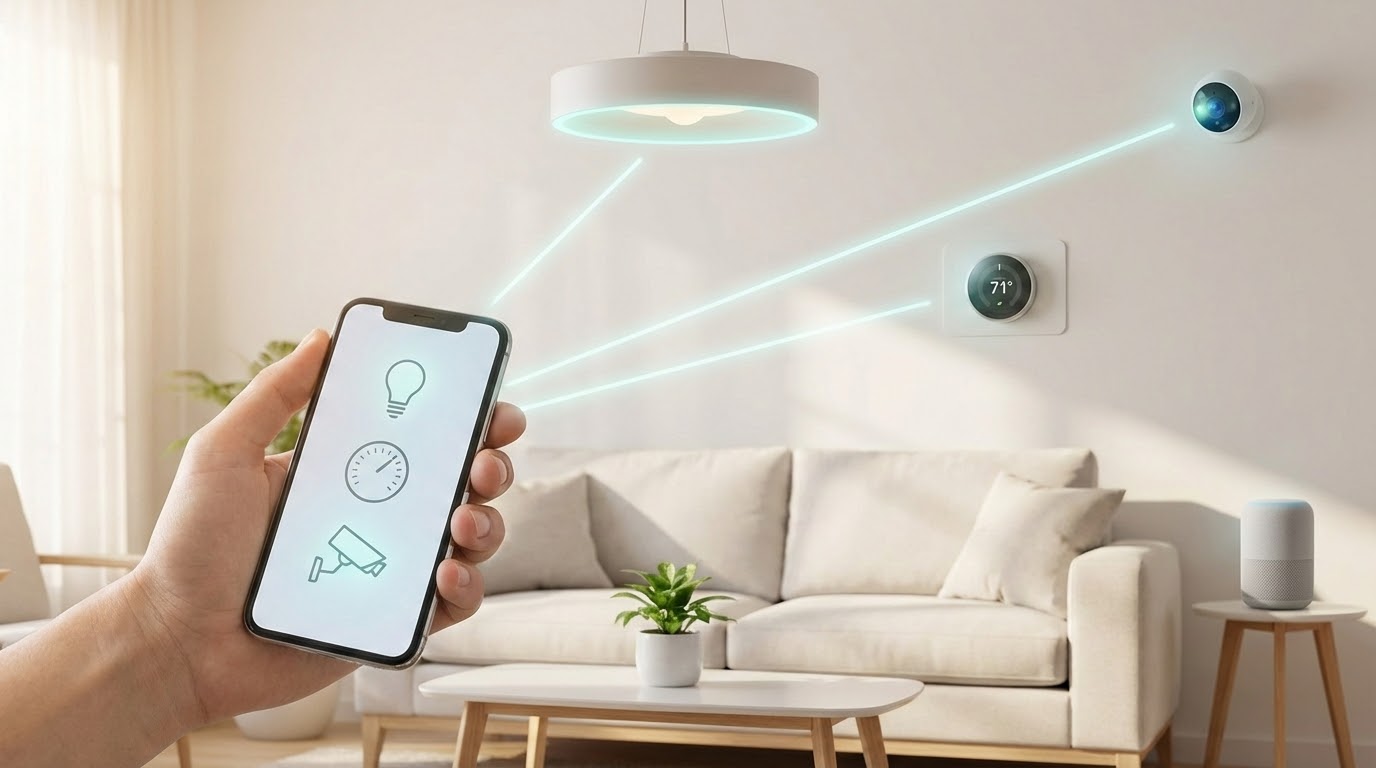
    Imagine controlling your lights, thermostat, and security system from your phone. This is the power of a modern, connected living space. It transforms daily routines with simple commands.

    This technology lets you manage programmable gadgets from anywhere. You do not need to be an expert to start. Basic systems are affordable and user-friendly.

    The adoption of these intelligent systems is growing fast. A significant portion of households now embrace this advancement. It is becoming a standard part of modern life.

    The main advantages are clear. You gain convenience, improved safety, enhanced entertainment, and better energy use. These benefits save you valuable time and money.

    Building your personalized system is easier than ever. You can start small and expand over time. This guide will walk you through the entire process.

    We will cover choosing your first gadgets, understanding different platforms, and detailed setup instructions. You will also learn about integrating security and finding ideas for every room.

    Key Takeaways

    • Smart home technology makes everyday tasks easier and more efficient.
    • You can start with a few simple, affordable devices.
    • Control your connected systems remotely using a smartphone.
    • Key benefits include convenience, security, and energy savings.
    • Expanding your setup over time is a straightforward process.
    • This guide provides a clear, step-by-step path to get started.

    Understanding Home Automation and Smart Homes

    The foundation of an intelligent residence lies in networked appliances that work together seamlessly. A smart home typically uses connected devices to manage household functions through mobile apps and voice commands.

    These systems operate through three core functions:

    • Monitoring lets you check status remotely
    • Control enables operating gadgets from anywhere
    • Automation sets triggers for devices to work together

    Devices connect using various technologies. Wi-Fi is the most common method. Zigbee and Z-Wave are specialized wireless protocols. Bluetooth handles short-range connections.

    This technology creates an interconnected network. For example, a security camera can send phone alerts when detecting motion. This demonstrates the cause-and-effect nature of the system.

    Understanding these concepts helps you choose the right equipment. It ensures your setup meets specific needs and living situations effectively.

    Why DIY Home Automation is Perfect for Beginners

    The do-it-yourself approach to modern living technology puts customization and affordability within easy reach. You don’t need advanced tech skills to create a personalized smart home system.

    Many devices feature simple installation processes and intuitive apps. This accessibility makes the DIY path ideal for those starting their journey into connected living.

    Feature DIY Approach Professional Installation Best For
    Cost $50-300 starter kits $500-2000+ Budget-conscious users
    Customization Full control over devices Limited to package options Personalized setups
    Installation Time 15-60 minutes per device Several hours to days Immediate gratification
    Ongoing Control Complete user management Often requires service calls Hands-on enthusiasts

    Enhanced convenience stands out as a primary benefit. Control lights, temperature, and entertainment with voice commands or smartphone taps. This streamlined approach saves time and reduces daily stress.

    Comfort improvements transform ordinary routines. Program your coffee maker to brew at wake-up time. Set bathroom heating timers for morning comfort. Adjust lighting and music without leaving your seat.

    Security gains provide significant peace of mind. View security cameras remotely through your phone. Receive instant alerts about unusual activity. Monitor package deliveries while away from your residence.

    These systems also increase accessibility for various users. Voice-controlled lighting helps those with mobility challenges. Automated door locks create safer environments for elderly residents.

    Energy efficiency becomes easily achievable. Smart thermostats optimize heating and cooling schedules. Automated lighting reduces unnecessary electricity use. Monitoring devices provide real-time consumption data.

    The DIY way lets you select components matching your lifestyle and budget. Avoid paying for unnecessary features in pre-packaged solutions. Build your ideal system one device at a time.

    Home Automation for Beginners: Choosing Your First Smart Devices

    The journey into connected living begins with picking devices that simplify your most frequent household tasks. Start with just one or two smart devices rather than buying everything at once. This approach lets you learn the basics without feeling overwhelmed.

    Consider four key factors when selecting your initial components. Budget determines what you can afford. Setup complexity should match your technical skills. Lifestyle compatibility ensures the gadgets fit your needs. Research helps you make informed choices by reading reviews.

    Device Type Price Range Ease of Setup Best For
    Smart Speaker $50 Very Easy Voice control beginners
    Smart Bulbs $30 for 2-pack Easy Lighting automation
    Smart Plug $35 Easy Converting existing appliances
    Video Doorbell $100 Moderate Security enhancement
    Smart Thermostat $250 Advanced Energy savings

    Smart light bulbs offer the simplest entry point. They screw into existing fixtures and connect via apps. Smart plugs transform ordinary lamps and electronics into controllable devices.

    Pair devices for enhanced functionality. Combine a smart speaker with bulbs for voice-controlled lighting. Link a video doorbell with a smart lock to remotely grant access to visitors.

    Exploring Popular Smart Home Platforms and Hubs

    Navigating the world of interconnected platforms requires understanding how devices communicate. Choosing a unified platform lets your gadgets work together seamlessly. This creates a central control point for your entire setup.

    A smart hub acts as the brain of your system. Traditional hubs like Samsung SmartThings use Z-Wave and Zigbee protocols. Virtual hubs like Alexa and Google Assistant connect Wi-Fi devices over the internet.

    Platform Key Features Best For Hub Type
    Amazon Alexa Extensive speaker selection, Echo devices Voice control enthusiasts Virtual
    Apple HomeKit Superior user experience, HomePod speakers Apple ecosystem users Virtual
    Google Assistant Excellent video services, Google Nest devices Video-focused setups Virtual
    IFTTT Cloud-based service compatibility Advanced automation Virtual
    Z-Wave/Zigbee Extensive sensor selection Large device networks

    Hubs become essential when managing many Z-Wave or Zigbee devices. They also reduce Wi-Fi congestion on your network. Many modern IoT gadgets connect directly via Wi-Fi or Bluetooth.

    Voice control integration simplifies daily routines. Once devices link to compatible platforms, simple voice commands trigger actions. You can adjust lighting or temperature with spoken words.

    No single system works with every device available. Select components that support multiple platforms for maximum compatibility. This strategy prevents conflicts as you expand your setup over time.

    Step-by-Step Guide to Setting Up Your First Smart Home System

    Building your debut networked dwelling configuration means establishing communication between different gadgets. This creates a functional smart home system that responds to your needs.

    Your setup requires four main components working together. Each plays a specific role in the overall home automation experience.

    Component Type Function Examples Setup Complexity
    Smart Hub Central brain managing all devices Google Nest Hub, Samsung SmartThings Moderate
    Sensors Detect environmental changes Motion sensors, temperature sensors Easy
    Actuators Perform physical actions Smart switches, thermostats, plugs Easy to Moderate
    Controllers User interaction devices Smartphones, voice assistants Very Easy

    Most gadgets connect directly via Wi-Fi using companion apps. Download the app, connect to your network, and follow setup instructions. This process typically takes minutes.

    Some devices use Zigbee or Z-Wave protocols requiring a hub. The emerging Matter standard improves compatibility between different brands over time.

    Control your system through mobile apps, voice commands, or automation routines. For example, set lights to turn on at sunset automatically.

    A good first-day project: install a smart speaker, connect a bulb, and create voice commands. If devices won’t connect, check Wi-Fi strength and restart your router.

    Integrating Security and Convenience in Your Smart Home

    Security technology now integrates seamlessly with comfort-enhancing gadgets for comprehensive protection. Modern devices combine monitoring capabilities with user-friendly features.

    Device Type Primary Function Installation Level Average Cost
    Indoor Camera 360-degree room monitoring Easy $100-200
    Outdoor Camera Weather-resistant perimeter security Moderate $150-300
    Video Doorbell Visitor identification and communication Easy to Moderate $100-250
    Smart Lock Keyless entry and access tracking Moderate $200-350

    Indoor cameras like the Arlo Pro 4 offer motorized components for full room views. They capture motion and sound events with excellent video quality. Both local and cloud storage options are available.

    Outdoor security cameras withstand weather elements while monitoring your property. Some models include integrated floodlights for enhanced visibility. Choose between wired and wireless installation methods.

    Video doorbells function as porch cameras for visitor interaction. The Ring Video Doorbell works with rechargeable batteries or existing wiring. You can see and speak with guests before opening the door.

    Smart locks such as Schlage Encode provide keyless entry and remote control. They track guest access and eliminate spare key concerns. These devices integrate with broader security systems.

    DIY security systems allow self-monitoring through mobile apps. Most now offer optional professional monitoring services. This approach is more affordable than company-installed systems.

    Strategic device pairing enhances overall security. Connect smart locks with garage doors for automatic locking. Link cameras with sensors to activate recording when doors open.

    Many security platforms also manage other smart devices through single apps. This consolidation creates unified control over both safety and convenience features.

    DIY Home Automation Ideas for Every Room

    Create responsive environments in each living area by implementing smart technologies tailored to room-specific functions. Different spaces require unique automation approaches for maximum efficiency.

    Start with lighting control throughout your residence. Program schedules for daily routines using simple app settings. Add motion detection for automatic activation when entering spaces.

    Automation Type Implementation Complexity Key Benefits Ideal Rooms
    Smart Lighting Easy Energy savings, convenience All rooms, hallways
    Climate Control Moderate Comfort, efficiency Living room, bedroom
    Security Integration Advanced Safety, peace of mind Entryways, exterior
    Voice Control Easy Hands-free operation Kitchen, living areas

    Climate management becomes effortless with programmable thermostats. These devices learn your preferences over time. They adjust temperature based on occupancy patterns.

    Integrate security features using motion sensors and cameras. Place these devices strategically around entry points. Receive instant alerts when activity occurs.

    Voice commands provide ultimate convenience for daily tasks. Connect all smart home devices to a central assistant. Use simple phrases to control multiple functions simultaneously.

    Consider automated watering systems for indoor plants. These maintain optimal moisture levels automatically. Advanced setups can even mix nutrients as needed.

    Tips for Optimizing and Expanding Your Home Automation System

    The true power of your connected residence emerges when devices begin working together automatically. This creates a seamless experience that simplifies your daily routine. Two key features make this possible: routines and automations.

    Routines group multiple actions under one command. You might create a “Movie Night” routine that dims lights, closes blinds, and starts your entertainment system. Setting up routines involves these simple steps:

    • Open your smart home app and find the routines section
    • Select which devices you want to include
    • Adjust each device to your preferred settings
    • Give the routine a memorable name for voice activation
    • Test your new creation to ensure everything works

    Automations take this concept further by triggering actions based on specific conditions. Your system can react to schedules, location changes, or sensor inputs. This represents the pinnacle of smart home convenience.

    As you expand your setup, consider balancing these four device categories:

    • Control and convenience gadgets like speakers and smart plugs
    • Entertainment components including streaming devices
    • Security and safety equipment such as cameras and sensors
    • Utility and energy management tools like thermostats

    Follow these best practices for optimal performance. Start small and expand gradually. Choose a reliable platform and ensure component compatibility. Always test thoroughly after adding new devices.

    Plan to invest $500-$2,000 for a comprehensive system built over time. Patience is key—focus on solving specific needs rather than pursuing perfection.

    Conclusion

    While futuristic visions of automated homes capture our imagination, the real value lies in addressing today’s practical needs. Smart technology brings genuine convenience, security, and energy savings to daily living.

    Remember that these systems aren’t always as intelligent as marketing suggests. No single app controls everything perfectly. Focus on solving specific pain points rather than chasing seamless integration.

    Security remains important with connected devices. Use trusted manufacturers and strong passwords. Enable two-factor authentication when available for added protection.

    Start small with a smart speaker and bulbs or a video doorbell. Build your setup gradually as needs evolve. The market continues improving with new standards like Matter emerging.

    Keep expectations realistic, and your smart home will provide meaningful convenience. Today’s technology offers remarkable control over your living space, even if it’s not quite science fiction yet.

    FAQ

    What is the difference between a smart home and home automation?

    These terms are often used together. A smart home uses internet-connected devices you can control remotely. Home automation takes it further by having those gadgets perform tasks automatically. For example, a smart light bulb you turn on with an app is smart. A system that turns on that bulb at sunset every day is automation.

    What is the easiest smart device for a beginner to install?

    Smart plugs and smart bulbs are the simplest starting points. You don’t need special wiring or tools. Just plug the smart plug into an outlet and then plug a lamp into it. Or, screw a smart bulb into a existing lamp socket. You can then control them with your phone or voice commands via a smart speaker like a Google Nest.

    Do I need a central hub to start a DIY smart home system?

    A> Not necessarily. Many popular devices, like video doorbells, Wi-Fi cameras, and smart speakers, work directly with your home’s Wi-Fi network. You can control them through a phone app. A hub becomes useful later if you want to connect many different brands of gadgets or create complex automation routines.

    How can I improve my home security with smart technology?

    You can build a robust DIY security system. Start with a video doorbell to see who’s at the door. Add security cameras for monitoring key areas. Smart sensors on doors and windows can send alerts if they open. These devices often work together, letting you watch live video feeds and get notifications directly on your phone.

    Can I control the temperature in my house automatically?

    Yes, a smart thermostat is a great way to manage your home’s temperature efficiently. Devices like the Google Nest Thermostat learn your schedule. They can adjust the temperature when you’re away to save energy. You can also change settings from anywhere using your smartphone.

    Are smart home devices secure and safe for my network?

    Reputable brands prioritize security. To keep your system safe, always change default passwords and enable two-factor authentication. Keep device software updated. It’s also wise to set up a separate guest Wi-Fi network for your smart devices to isolate them from your main computers and phones.