
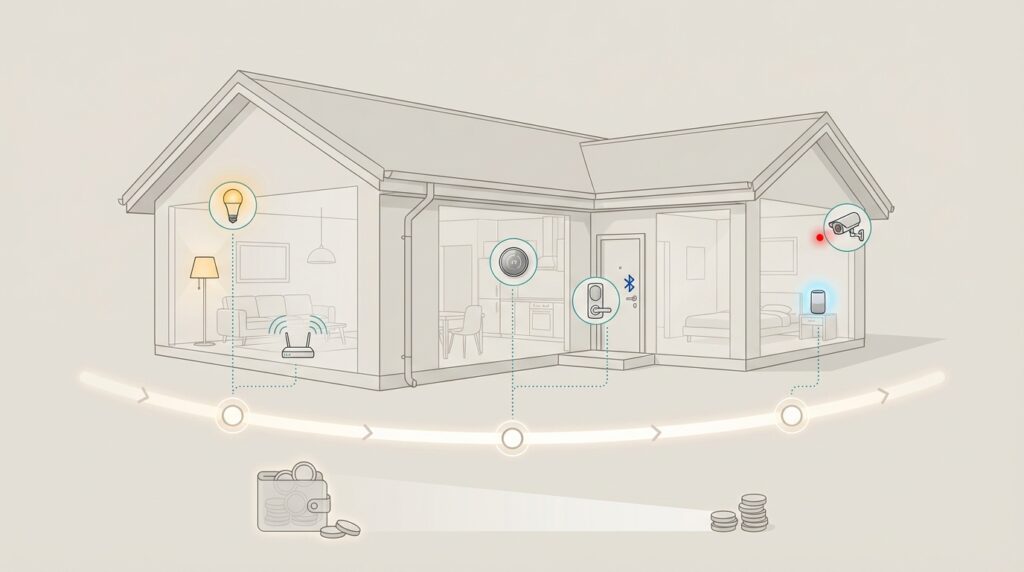
Welcome to your complete resource for creating a connected living space that truly improves your daily routine. This guide helps you avoid expensive errors and wasted investments while building a system that enhances convenience and security.
Right now represents an ideal moment to begin your transformation. Modern systems have become more reliable and easier to install than ever before. They’re specifically designed for existing houses, requiring fewer tools and creating far less frustration for do-it-yourself enthusiasts.
The secret to success lies in thoughtful preparation rather than filling your house with complicated gadgets. The most effective connected living spaces are designed to grow over time and remain simple to operate. A multi-phase approach lets you spread costs over months or years while avoiding the overwhelm of doing everything at once.
Many people worry that this technology is too complex or pricey. With proper preparation, your transformation can be straightforward and budget-friendly. This isn’t about having the latest devices but creating a system that genuinely improves your quality of life.
Whether you’re enhancing one room or planning a whole-house transformation, these principles will help you make informed choices. You’ll learn how to assess your current infrastructure, select the right products, and implement a phased strategy that works for your timeline and budget.
Key Takeaways
- Modern connected living technology is more reliable and DIY-friendly than ever before
- A phased approach lets you spread costs over time while avoiding overwhelm
- Thoughtful preparation is more important than buying the latest gadgets
- Today’s systems require fewer tools and create less frustration for homeowners
- Proper planning makes technology upgrades straightforward and cost-effective
- The goal is creating a system that improves convenience, security, and energy management
- These principles work whether upgrading one room or your entire property
Understanding Smart Home Upgrade Planning Fundamentals
The most successful technology integrations start with a honest look at your property’s current setup. This initial evaluation prevents costly mistakes and ensures your new devices work seamlessly with what you already have.
Assessing Your Home’s Current Technology and Wiring
Begin by examining your electrical system carefully. Check if your switch boxes contain neutral wires, as many modern gadgets require them. This simple inspection can save you from expensive rewiring later.
Your internet connection forms the backbone of any connected system. Test Wi-Fi coverage throughout your dwelling to identify dead zones. Reliable connectivity ensures all your devices communicate properly without frustrating dropouts.
Document your existing infrastructure including outlet locations and cable runs. This documentation becomes your roadmap for future phases. It helps you prioritize which rooms benefit most from new features first.
Setting Objectives for Convenience and Energy Efficiency
Define what matters most to your household’s lifestyle. Are you seeking hands-free convenience through voice controls? Or perhaps reducing utility bills through automated temperature management?
Consider how your family uses different spaces daily. Families with young children might prioritize security systems and lighting controls. Empty nesters often focus on comfort automation and energy savings.
Your budget should account for both immediate device costs and potential infrastructure improvements. Research compatibility early to understand whether you’ll need a central hub. This prevents buying gadgets that won’t work together effectively.
This thoughtful approach creates a solid foundation for your multi-phase implementation. It ensures each addition builds toward a cohesive system that truly enhances your living experience.
Smart Home Upgrade Planning: Step-By-Step Approach
Breaking down your connected living transformation into phases prevents decision fatigue. This methodical way ensures each step builds upon the last.
You’ll create a cohesive system that grows with your needs. The process becomes less overwhelming when tackled in stages.
Defining Your Scope and Phases
Start by identifying which areas of your property need attention first. High-traffic spaces like kitchens often provide the best return.
Create a timeline with clear milestones. Phase one might focus on lighting controls, while phase two addresses climate management.
Documenting your progress helps maintain momentum. Simple tracking methods keep you organized over time.
Balancing Immediate Needs with Long-Term Goals
Address urgent replacements while keeping future expansion in mind. A broken thermostat becomes an opportunity for a connected version.
Consider this real-world example: begin with basic lighting controls in living areas. Expand to security features as your comfort level grows.
Flexibility allows for new technologies that emerge during your project. This approach future-proofs your investment.
| Phase | Focus Areas | Estimated Timeline | Key Benefits |
|---|---|---|---|
| 1 | Lighting & Basic Controls | 1-3 months | Immediate convenience, easy installation |
| 2 | Climate & Energy Management | 4-6 months | Cost savings, comfort improvement |
| 3 | Security & Advanced Automation | 7-12 months | Complete system integration |
This structured method makes technology integration accessible for all homes. You gain confidence with each successful phase.
Planning Electrical Systems for Smart Homes
Before selecting any devices, your property’s wiring and network setup deserves careful attention. A solid electrical foundation prevents frustrating compatibility issues down the road.
Choosing the Right Wiring and Network Infrastructure
CAT6 cables provide fast internet connections throughout your dwelling. They offer reliable performance for bandwidth-heavy equipment like security cameras.
Position Wi-Fi access points in central, open locations. Avoid enclosed spaces that weaken signals. This ensures strong coverage for all connected gadgets.
Install conduits during renovation work. They make future wiring changes much simpler. You won’t need to tear down walls for upgrades.
Incorporating CAT6 and Fiber-Optic Solutions
Fiber-optic cables represent an excellent choice for future-proofing. They handle emerging technologies requiring higher bandwidth.
Run network cables to every room with entertainment systems. Ethernet ports near televisions maintain strong, stable connections.
Label all wiring clearly at both endpoints. Good documentation simplifies troubleshooting and future installations. It saves time and frustration.
Include whole-house surge protection in your electrical panel. This safeguards expensive equipment from power spikes.
Embracing Wireless Options for Seamless Integration
Imagine controlling your lighting from anywhere without running new wires through walls. Wireless technology opens up incredible possibilities for customizing your space. It eliminates the need for major electrical work while delivering full functionality.
Benefits of Wireless Switches and Controls
Modern wireless devices use innovative technologies like kinetic energy harvesting. Brands like RunLessWire offer battery-free switches that install in minutes. You simply press them to operate your lights.
These controls work on virtually any surface including tile, glass, or brick. You gain complete placement flexibility without drilling into walls. This makes experimentation easy as your needs evolve.
Complex lighting setups become surprisingly simple. Create 3-way or 4-way control from multiple locations without complicated wiring. The system handles the communication wirelessly behind the scenes.
Minimizing the Need for Major Rewiring
Wireless integration proves particularly valuable in finished homes. You avoid the expense and mess of opening walls for new electrical runs. This approach preserves your existing structure while adding advanced features.
Renters and temporary residents benefit greatly from wireless solutions. Devices can be removed easily when moving without leaving damage. You maintain your investment for future use.
Different communication protocols offer various advantages. Consider Zigbee, Z-Wave, or Wi-Fi based on your existing ecosystem. Each provides reliable performance for whole-house control.
Enhancing Comfort and Accessibility with Smart Tech
The true value of modern technology shines when it makes everyday activities simpler and more enjoyable. Focus on improvements that deliver immediate comfort while building toward a more accessible living space for everyone.
Installing Smart Lighting, Thermostats, and Sensors
Begin with lighting systems that transform how you experience each room. These solutions offer control from multiple locations and create custom scenes for different activities.
Place switches where traditional wiring never reached. Bedside controls eliminate getting up to turn off lights. Secondary entry points gain convenient operation.
Consider options matching your technical comfort level. Simple smart bulbs screw into existing fixtures. Whole-circuit switches provide broader automation.
Motion sensors in utility spaces prevent energy waste. Closets, pantries, and bathrooms benefit from automatic activation. Lights turn off when rooms are vacant.
Thermostats like Nest and Ecobee learn your schedule over time. They adjust temperatures for optimal comfort when you’re present. Potential utility bill reductions reach 10-23% according to manufacturer data.
Create accessibility features that serve all ages and abilities. Voice-controlled lights assist those with mobility challenges. Pathway lighting enhances nighttime safety throughout your home.
Design automation that mimics natural daily rhythms. Gradually brightening morning lights ease waking. Evening tones shift to warm, dimmed settings that promote relaxation.
Integrating Security and Energy Efficiency Systems
Today’s connected systems allow you to monitor security and optimize energy usage simultaneously. This integration creates a comprehensive approach to property management.
Implementing Smart Cameras and Alarm Solutions
Modern security cameras provide 24/7 monitoring with real-time alerts. Video doorbells like Ring and Nest Hello let you see and speak with visitors remotely.
Run dedicated CAT6 cabling to camera locations for reliable video feeds. This avoids Wi-Fi interference issues. Install separate circuit breakers for camera power.
Create layered protection with motion sensors and alarm systems. Smart locks offer keyless entry with temporary access codes. All components communicate through your network.
Optimizing Energy Usage with Connected Thermostats
Connected thermostats learn household patterns to adjust temperatures automatically. They can reduce energy consumption by 10-23% compared to traditional models.
Integration with other devices creates intelligent responses. For example, temperatures adjust when cameras detect no occupancy. Voice assistants enable hands-free control.
Monitor usage through apps to identify savings opportunities. Set alerts for abnormal consumption patterns. This approach maximizes efficiency.
| Camera Type | Best Placement | Key Features | Installation Complexity |
|---|---|---|---|
| Video Doorbell | Main Entry Points | Two-way audio, motion detection | Low (battery or existing wiring) |
| Indoor Camera | Common Areas | Night vision, cloud storage | Low (plug-in or wireless) |
| Outdoor Camera | Perimeter Coverage | Weatherproof, wide-angle view | Medium (wiring required) |
| Pan-Tilt-Zoom | Large Spaces | Remote control, tracking | High (professional installation) |
Selecting the Right Smart Home Devices for Your Needs
Choosing the right connected living gadgets involves more than just picking the latest models. You need to consider how they’ll work together over time. This careful selection process ensures your investment grows with your needs.
Evaluating Compatibility and Scalability
Different devices use various communication methods like Wi-Fi, Zigbee, or Z-Wave. Wi-Fi works well for cameras and speakers. Zigbee and Z-Wave often provide better reliability for security sensors and lighting controls.
Starting with a central hub creates a strong foundation. Systems like Amazon Alexa or Google Home allow easy expansion. This approach prevents compatibility issues as you add more features.
Check power requirements before purchasing any equipment. Some devices need special wiring while others use batteries. Matching these needs to your dwelling’s capabilities saves frustration.
Research long-term reliability and manufacturer support. Devices receiving regular updates remain secure and functional. This is crucial for maintaining your system’s performance.
Consider creating a simple inventory spreadsheet. Track device types, communication methods, and warranty information. This organization helps manage your connected living space effectively.
For detailed setup guidance, consult this guide to setting up a connected living. It provides valuable insights for both beginners and experienced users.
Planning a Phased Upgrade for Budget-Friendly Success
A methodical, step-by-step strategy for enhancing your dwelling’s features prevents budget strain and ensures each addition provides value. This approach transforms overwhelming projects into manageable stages.
Prioritizing Projects Based on Immediate Impact
Begin with improvements you’ll use daily. Lighting controls typically offer the best return since you interact with them frequently. Thermostats provide ongoing energy savings.
Identify quick wins that solve current pain points. Video doorbells address delivery concerns. Keyless entry systems eliminate key carrying hassles. These immediate benefits build momentum for future phases.
Allowing Flexibility for Future Enhancements
Choose systems that don’t lock you into single manufacturers. This ensures adaptability as better options emerge. Your needs may evolve over time.
Build budget flexibility by setting spending ranges rather than fixed amounts. This allows for sales and new product releases. Learning periods between phases prevent costly mistakes.
| Phase | Focus Area | Timeline | Primary Benefit |
|---|---|---|---|
| 1 | Lighting & Basic Controls | 1-3 months | Daily convenience |
| 2 | Climate & Security | 4-6 months | Energy efficiency & safety |
| 3 | Advanced Integration | 7-12 months | Complete automation |
Conclusion
Creating an automated environment that feels natural requires thoughtful consideration of how your household actually lives. The best results come from intentional choices rather than impulse purchases.
Today’s technology has matured to genuinely enhance daily life. It delivers meaningful convenience, security, and energy savings when integrated properly.
The multi-phase approach prevents common mistakes like overspending or compatibility issues. Starting with a simple project lets you experience benefits firsthand.
This integration is an ongoing journey that evolves with new technologies. The foundation you build now makes future enhancements easier.
The most successful systems work so seamlessly they fade into the background. Lights adjust automatically, temperatures stay comfortable, and voice commands feel natural.
Whether you DIY or work with professionals, these principles will help create a smart home that serves your needs beautifully. Start your journey today in a way that feels right for your family.