
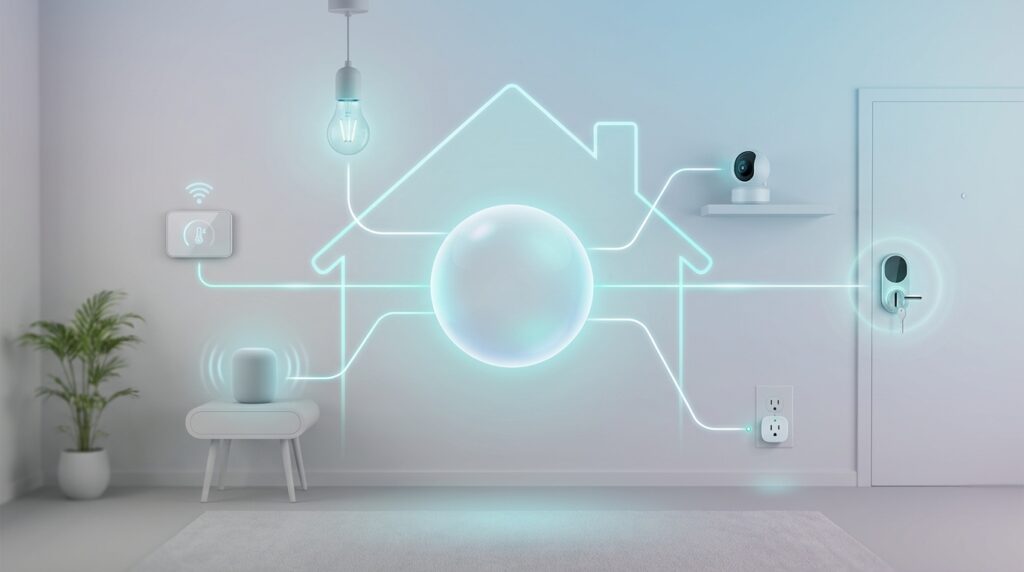
Imagine controlling all your connected gadgets with one simple system. That’s the promise of the new Matter connectivity standard. Major tech companies like Google, Apple, and Amazon joined forces to create this solution.
The Connectivity Standards Alliance launched version 1.0 in October 2022. This breakthrough allows different brands to work together seamlessly. You can build an automation system that actually communicates across platforms.
Local control becomes a reality with this technology. Your gadgets can operate without constant internet connection. Some manufacturers might require account setup first, but the core functionality works independently.
This guide helps you understand what this standard means for your living space. We’ll show you which products genuinely support the technology versus those making empty claims. You’ll learn how to create a responsive environment that grows with your needs.
Key Takeaways
- Matter is a new connectivity standard developed by industry leaders like Google, Apple, and Amazon
- The technology enables local control without requiring constant internet connection
- Different brands can now work together seamlessly in your automation setup
- Version 1.0 was released in October 2022 through the Connectivity Standards Alliance
- This standard solves long-standing compatibility issues between different ecosystems
- Some manufacturers may require account setup before enabling full functionality
- The technology represents a significant shift toward unified home automation systems
Introduction to Smart Home Matter
A unified approach to connected living spaces has finally arrived, transforming how we interact with technology. This breakthrough represents years of collaboration between industry giants.
Overview of the Matter Standard and Its Significance
The Connectivity Standards Alliance launched this interoperability standard in October 2022. Unlike previous protocols, it uses existing IP networks rather than creating new radio technology.
This means your gadgets communicate through your home’s Wi-Fi using IPv6. The significance lies in true cross-platform compatibility. A single device can work with multiple ecosystems simultaneously.
The Evolution of Home Automation
Home automation began with isolated proprietary systems. Manufacturers created walled gardens where their products only worked together.
Protocols like Zigbee and Z-Wave offered some improvement. But they still required specific hubs and had compatibility limitations. The current standard builds on these foundations while eliminating their restrictions.
| Era | Technology Approach | User Experience | Key Limitation |
|---|---|---|---|
| Early Automation | Proprietary Systems | Brand-Locked Ecosystems | No Cross-Compatibility |
| Protocol Standards | Zigbee, Z-Wave | Hub-Dependent | Limited Interoperability |
| Current Standard | IP-Based Communication | Seamless Integration | Early Adoption Phase |
The evolution shows a clear trend toward simplicity and reliability. Consumers demanded systems that just work together without complex setups.
Understanding the Matter Smart Home Standard
At its core, this interoperability framework transforms how different brands communicate within your automated environment. The protocol builds on existing network infrastructure rather than requiring specialized equipment.
Fundamental Principles and Benefits
This standard operates at the application layer using IPv6 communication. It works over Wi-Fi, Ethernet, and Thread networks. Your existing setup can support these devices without major changes.
Mandatory local operation represents a key advantage. Commands stay within your network instead of traveling to distant servers. This approach delivers faster responses and greater reliability during internet outages.
Interoperability and Local Control
Every certified product guarantees compatibility with various controllers. You can use the same gadget with Amazon, Apple, or Google systems simultaneously. The “multi-fabric” feature enables this flexible control.
Security remains a priority with encrypted communications at every step. Local processing minimizes data exposure that occurs with cloud-dependent systems. For a deeper dive into how this works, explore our comprehensive protocol explanation.
| Feature | Traditional Systems | Matter Approach | User Benefit |
|---|---|---|---|
| Communication | Cloud-dependent | Local network | Works offline |
| Compatibility | Brand-specific | Cross-platform | Mix and match |
| Setup | Complex hubs | Existing Wi-Fi | Easy installation |
| Security | Varies by brand | Standard encryption | Consistent protection |
Understanding these principles helps you build a responsive automated space. You’ll recognize genuine benefits versus marketing claims.
Getting Started with Matter Smart Home Devices
Before adding your first interoperable gadget, proper groundwork ensures a frustration-free installation process. Getting everything ready upfront prevents common commissioning failures.
Essential Hardware and Software Requirements
You’ll need a compatible controller to manage your ecosystem. Options include Apple HomePod, Amazon Echo (4th gen or newer), or Google Nest Hub. A computer running Home Assistant also works well.
Your smartphone plays a critical role in the setup. Ensure it meets minimum operating system requirements for smooth operation.
| Platform | Minimum Version | Recommended Version | App Required |
|---|---|---|---|
| Android | 8.1 | 12 or higher | Home Assistant Companion |
| iOS | 16 | Latest available | Home Assistant Companion |
Network configuration matters significantly. Most products operate on 2.4 GHz Wi-Fi bands. Connect your phone to the same frequency during installation.
Downloading Companion Apps and Initial Setup
Download the appropriate companion app for your chosen platform. The Google Home, Apple Home, or Amazon Alexa apps provide commissioning features. Home Assistant requires its specific companion application.
Proper preparation prevents poor performance. Missing prerequisites causes most installation failures according to platform troubleshooting data.
Initial configuration involves creating accounts and defining your space structure. Set up rooms and areas before adding individual components. This organized approach saves time later.
Keep your controller’s firmware updated. The standard evolves with new features and device categories. Regular updates ensure compatibility with latest specifications.
Configuring Your Home Network for Matter Integration
Your home’s network infrastructure plays a crucial role in ensuring seamless communication between all your connected devices. Proper setup prevents common connectivity issues and delivers the responsive experience this standard promises.
Optimizing Wi-Fi and Local LAN Settings
IPv6 support is essential for device identification and communication. Most modern routers enable this by default, but verify this setting in your router’s configuration.
Network segmentation can disrupt your ecosystem. Ensure your controller and devices share the same subnet. If you use VLANs, configure your router to allow communication between them.
The 2.4 GHz Wi-Fi band deserves special attention. Many connected products operate exclusively on this frequency. Ensure robust coverage throughout your living space at this specific band.
During initial setup, your smartphone and controller must connect to the same Wi-Fi network. Internet access is required to verify device certificates against the compliance database.
Thread network configuration requires a Thread Border Router. This component bridges Thread devices to your IP network, creating an extended mesh for low-power products.
Disable router settings like AP isolation or client isolation. These security features prevent direct communication between devices on your local network.
Quality of Service settings can prioritize automation traffic for improved responsiveness. However, most networks handle this communication adequately without special configuration.
Implementing a Matter Smart Home Experience
Bringing new interoperable gadgets into your ecosystem involves a straightforward commissioning process. This standardized approach works consistently across different manufacturers and product types.
How to connect Matter devices seamlessly
Each controller creates its own secure network fabric. This encrypted environment allows certified products to communicate safely within your living space.
The setup begins by scanning a QR code or entering a numeric code from the device packaging. Your smartphone’s companion app guides you through this initial step.
“The Bluetooth handshake during commissioning ensures secure credential transfer without exposing your network details.”
You must bring your phone close to each new gadget during this process. Physical proximity enables the Bluetooth connection that transfers Wi-Fi or Thread credentials.
| Setup Aspect | Traditional Method | Matter Approach | User Advantage |
|---|---|---|---|
| Initial Pairing | Brand-specific apps | Standardized process | Consistent experience |
| Network Transfer | Manual entry | Bluetooth automation | Simplified setup |
| Security | Varies by manufacturer | Encrypted handshake | Enhanced protection |
| Cross-Platform | Limited compatibility | Multi-fabric support | Flexible control options |
After successful commissioning, the device joins your controller’s fabric. Daily operations then use Wi-Fi or Thread networks for communication.
Assign friendly names and room locations during setup. This organization makes voice commands more intuitive and helps manage your growing collection of connected products.
Using Matter with Established Ecosystems
Imagine controlling the same light bulb through both Google Assistant and Siri commands seamlessly. This interoperability represents a significant advancement in connected living. The technology bridges previously separate platforms into one cohesive system.
Multi-fabric support and shared device management
The multi-fabric capability allows a single product to join multiple controller networks simultaneously. Certified gadgets can support up to five different fabrics at once. This means your lighting can respond to commands from various platforms interchangeably.
Shared management works through a simple re-pairing process. After initial setup with one controller, you generate a new code for additional platforms. Each ecosystem maintains independent automation rules and scenes for the same physical devices.
This approach solves common household challenges. Family members preferring different systems can now coexist peacefully. One person might use Google Home on Android while another relies on Apple Home on iPhone.
The four major commercial platforms—Amazon Alexa, Apple Home, Google Home, and Samsung SmartThings—each offer unique strengths. You can leverage the best features of each without compatibility concerns. This flexibility future-proofs your investment in connected products.
“Multi-fabric support eliminates ecosystem lock-in, giving users unprecedented control over their automation choices.”
While technically impressive, practical implementation requires understanding each platform’s interface. Take time to explore the automation capabilities of your preferred hubs. This knowledge maximizes the benefits of cross-platform device management.
Step-by-Step Guide to Adding a Matter Device
Ready to expand your connected ecosystem? Let’s walk through the straightforward process of adding new components. The standardized approach works consistently across different manufacturers.
Commissioning via Android and iOS Apps
For iOS users, open the Home Assistant app and navigate to Settings > Devices & services. Tap the Add device button and select Add Matter device. Choose “No, it’s new” for first-time setup.
Scan the QR code using your iPhone camera. If the code is unavailable, select “More options” to manually enter the numeric commission code. Complete the process by selecting Add to Home Assistant.
Android users follow similar steps. Power up your new device and scan the QR code when prompted. Alternatively, go to Settings > Devices & services and select Add Matter device manually.
Troubleshooting Common Pairing Issues
Many setup problems stem from unmet prerequisites. Make sure your Android version is 8.1 minimum (12+ recommended) or iOS version 16 or higher. Verify you have the latest Home Assistant Companion app.
If you encounter “Matter is currently unavailable” errors on Android, wait up to 24 hours. Google Play Services needs time to download required modules after app installation.
| Common Issue | Possible Cause | Solution |
|---|---|---|
| Device not found | Bluetooth disabled | Enable Bluetooth on phone |
| Connection failure | Different Wi-Fi networks | Connect phone and controller to same network |
| QR code error | Damaged or unclear code | Use manual code entry option |
| App compatibility | Outdated software | Update Home Assistant app |
Following these instructions systematically resolves most commissioning problems. Allow time for background processes to complete their work.
Integrating Matter with Popular Smart Home Controllers
Different ecosystems offer unique approaches to controlling your interoperable gadgets, each with distinct advantages. Understanding how each platform implements the controller functionality helps you choose the right foundation for your setup.
Working with Google Home, Apple Home, and others
Home Assistant operates through a dedicated Matter Server add-on. This runs controller software separately, connecting your network fabric to the automation engine. It provides local control without mandatory cloud dependencies.
The Google ecosystem uses devices like Nest Hub and Nest Wi-Fi Pro as controllers. These serve dual purposes as both command centers and Thread border routers. This comprehensive support handles various product types.
Apple’s approach relies on HomePod speakers and Apple TV 4K devices. These components manage automation through the Apple ecosystem. You need at least one compatible device for full functionality.
Samsung SmartThings Station and newer Amazon Echo devices also function as controllers. This expands options for users preferring these platforms. Each brings ecosystem-specific features like voice commands and routines.
Thread border router capability is essential for many deployments. Popular options include Nest Hub, HomePod models, and Home Assistant with OpenThread add-on. This ensures support for both Wi-Fi and Thread-based products.
The multi-fabric support allows using several controllers simultaneously. You can leverage each platform’s strengths while maintaining unified device control. This flexibility future-proofs your investment in connected products.
Exploring Matter Device Compatibility and Examples
Navigating the landscape of certified products reveals a diverse range of options from basic lighting to advanced security systems. The ecosystem continues to expand with new manufacturers joining regularly.
Examples of Supported Devices and Bridges
Native products communicate directly using the protocol. These include bulbs from Nanoleaf, plugs from various brands, and thermostats supporting the specification.
Bridges represent a crucial category for extending compatibility. Examples include the SwitchBot Hub 2, Aqara Hub M2, Ikea Dirigera, and Philips Hue Bridge.
| Integration Type | Device Examples | Key Advantage | Consideration |
|---|---|---|---|
| Native Support | Nanoleaf bulbs, Eve plugs | Direct communication | Simplified setup |
| Bridge Integration | Philips Hue via bridge | Legacy device support | Advanced features may require native app |
“Bridges unlock existing equipment for unified control while maintaining manufacturer-specific functionality.”
Look for the official logo on packaging rather than assuming support based on other certifications. This ensures genuine compatibility.
Products connected through bridges maintain dual control capabilities. You can use both the manufacturer’s app and universal controllers simultaneously.
Understanding this distinction helps make informed purchasing decisions. The right choice depends on your specific needs and existing equipment.
Practical Automation Using Matter in Your Home
Now that your devices are connected, it’s time to make them work together intelligently. Automation transforms individual gadgets into a coordinated system that responds to your daily life.
Creating scenes, routines, and automations
Scenes group multiple devices for simultaneous control. A “Movie Night” scene might dim lights, adjust temperature, and close blinds with one command.
Routines add triggers and conditions. Pathway lights can turn on automatically when motion is detected after sunset. This shows how different devices work together contextually.
Time-based automations offer simple starting points. Schedule lights to turn on at 7 AM on weekdays. Lower temperature at night to save energy while maintaining comfort.
“Presence detection creates particularly useful behaviors where your heating controller adjusts automatically when everyone leaves.”
Voice commands through digital assistants provide hands-free control. They integrate seamlessly with connected devices, responding to natural language requests.
| Automation Type | Trigger Example | Action Result | Practical Benefit |
|---|---|---|---|
| Time-Based | 7:00 AM Weekdays | Lights turn on gradually | Wake-up routine automation |
| Presence Detection | Last person leaves | Temperature adjusts downward | Energy savings |
| Voice Command | “Movie time” phrase | Multiple devices respond | Convenient scene activation |
| Sensor Trigger | Motion after sunset | Pathway lighting activates | Safety and convenience |
Advanced automations chain multiple conditions together. An evening routine might only run if someone is actually present after sunset. This prevents unnecessary actions.
Each platform offers different automation interfaces. Some provide simple if-then rules while others support sophisticated multi-condition flows. For detailed implementation guidance, see our step-by-step setup guide.
The real power emerges when devices from different manufacturers collaborate seamlessly. A motion sensor from one brand can trigger lights from another while adjusting a thermostat from a third. This coordination creates a truly responsive living environment.
Security, Privacy, and Reliability in Matter Deployments
Your connected devices deserve protection that respects both functionality and privacy. The foundation of this technology prioritizes these essential elements through thoughtful design choices.
Every interaction between controllers and gadgets uses strong encryption. This prevents unauthorized access to your commands or device status information.
Encrypted Communications and Local Control Advantages
Mandatory local operation ensures your automation continues working during internet outages. Unlike cloud-dependent systems, commands process directly on your network.
The communication between your controller and each device remains encrypted end-to-end. Whether using Wi-Fi or Thread networks, data stays protected from potential eavesdropping.
“The combination of local control and encrypted communications creates a security model that fundamentally respects user privacy while maintaining convenience.”
During initial setup, your controller queries the Distributed Compliance Ledger database. This verification confirms device authenticity using internet access only once.
Home Assistant implementations provide exceptional privacy advantages. You can operate certified products without connecting to vendor-specific clouds.
Thread Border Routers pass encrypted traffic between networks without reading content. They act as secure intermediaries that enable communication.
Local control delivers reliability benefits too. Devices respond in milliseconds rather than waiting for cloud round-trips.
This approach also improves power efficiency for battery-operated sensors. Reduced network activity extends their operational life significantly.
Conclusion
As we conclude our exploration of unified automation systems, the path forward becomes clear for creating responsive environments. The interoperability standard represents a significant leap in how different brands communicate within your living space.
Proper preparation ensures successful implementation of these connected ecosystems. Make sure you have compatible hardware like a Nest Hub or Home Assistant setup. Border routers provide essential support for Thread network devices.
Security advantages distinguish this approach from earlier standards. Encrypted communications and local control keep your automation private and functional. The ecosystem continues evolving with expanded platform support.
Following setup instructions carefully during device commissioning leads to reliable performance. The multi-fabric capability offers unprecedented flexibility for household members. Your investment grows more valuable as manufacturers adopt the standard.