
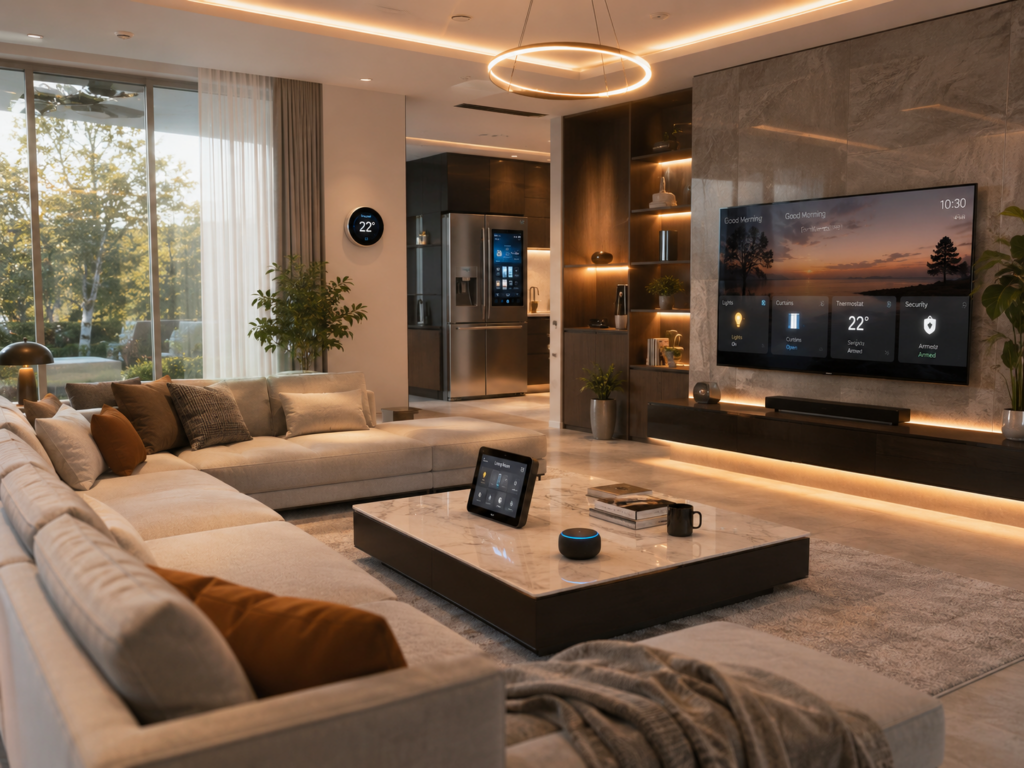
Home automation makes your home more responsive, secure, and energy-efficient with less daily effort. The best setups balance practicality with reliable technology that works today and adapts to future standards. Whether you’re starting small or building a full system, these 10 ideas can improve daily life while keeping costs and complexity under control.
At a Glance
Key upgrades covered: Smart lighting, security, climate control, entertainment, kitchen automation, voice assistants, water management, garage integration, pet care, and backup power systems.
Best for: Homeowners who want useful automation ideas they can expand over time without getting locked into one brand.
Cost range: From $50 for basic setups to $2,000 or more for complete systems (DIY options cut costs by 30–50%).
Compatibility tip: Choose Matter-certified devices to mix brands easily (see our Matter guide).
Why These Home Automation Ideas Work in 2026
Smart home technology has moved past novelty. According to a 2025 McKinsey report, automated homes cut energy costs by an average of 28% and improved security response times by 40%. The shift to the Matter protocol has reduced compatibility problems by 60%, making it simpler to combine brands like Philips Hue, Nest, and Aqara in one system.
Hardware prices have dropped too. A 2026 Consumer Reports analysis found mid-tier smart devices now cost 22% less than 2023 models, with reliable hubs under $100. AI-based automation—once expensive—is now included in affordable platforms like Home Assistant and Apple Home (with Matter support).
For renters or those avoiding permanent changes, apartment-friendly setups now match permanent installs in capability thanks to removable sensors and battery-powered switches. These ideas work whether you live in a studio or a large house.
Smart Lighting That Adapts to Your Day
Lighting makes up 10–15% of a home’s energy use, but smart systems cut that by 30–50% through automation. The best setups go beyond schedules: motion sensors in hallways turn lights on only when needed, while bulbs that adjust color temperature (like LIFX or Philips Hue) shift from cool white (5000K) in the morning to warm amber (2700K) at night to match your body’s natural rhythms.
Pro tip: Pair lights with smart switches to update existing fixtures. A $25 switch like the Kasa KS220M works with Alexa, Google, and HomeKit without rewiring. Renters can use plug-in smart bulbs (e.g., Wyze Bulb Color) for 16 million colors without permits.
Real-world example: A 2025 U.S. Department of Energy study showed a Phoenix family cutting their AC-related energy use by 18% after automating lights to turn off when rooms were empty—even during daylight hours.
What to Buy (Budget Breakdown)
| Component | Budget Pick | Premium Pick | Notes |
|---|---|---|---|
| Hub (optional) | Amazon Echo Dot ($49) | Home Assistant Green ($99) | Echo uses cloud; Home Assistant runs locally (no subscriptions, better privacy). |
| Bulbs | Wyze Bulb Color ($20) | Philips Hue White & Color Ambiance ($50) | Wyze doesn’t support Matter; Hue works across all major ecosystems. |
| Switches | Kasa KS220M ($25) | Lutron Caséta ($60) | Caséta dims smoothly and works without a neutral wire (good for older homes). |
Security That Avoids Monthly Fees
Professional monitoring runs $30–$50 per month, but DIY setups with smart cameras and door sensors can match 80% of that protection for under $100 upfront and no monthly cost. Layer multiple devices: entry sensors, motion cameras with AI detection (e.g., EufyCam 2C), and smart locks that auto-lock when you arm the system.
For 2026, look for cameras with AI that runs on the device to reduce false alerts. Eufy’s 2025 models cut false positives by 40% compared to cloud-dependent rivals like Ring. Combine this with Matter-compatible locks (e.g., Yale Assure Lock 2) for a cohesive system that doesn’t depend on one brand or subscription.
Trade-off analysis: Budget cameras (e.g., Wyze Cam v4) save money but lack local storage and advanced AI. Premium models (e.g., Arlo Pro 4) include 4K video and cloud backup—but require $10 per month for 30-day storage. Our security guide shows how to balance cost and features.
Step-by-Step Security Automation
- Install sensors: Place door and window sensors on all entry points. A $15 Zigbee sensor (e.g., Aqara) pairs with most hubs.
- Set up routines: In Home Assistant or Apple Home, create an “Away Mode” that locks doors, arms cameras, and turns lights on and off randomly to make it look like someone’s home.
- Add redundancy: A $40 smart plug (e.g., TP-Link Tapo) can cut power to non-essential devices when you leave, leaving only critical systems (router, fridge) running.
Climate Control That Learns Your Routine
HVAC systems account for half of home energy use. Smart thermostats like the Nest Learning Thermostat or ecobee SmartThermostat cut that by 10–15% by adapting to your schedule. In 2026, these devices now pull local weather data to cool your home before a heatwave arrives, saving up to $120 per year in some areas.
Beyond the thermostat: Smart vents (e.g., Keen Home Smart Vents) redirect airflow to rooms in use, cutting waste in multi-story homes. A 2025 NREL study found this approach lowered heating and cooling costs by 22% in test homes.
Renters can use portable AC units with smart plugs (e.g., Midea MAP08S1TBL) for 8% energy savings by turning off when windows are open (via a $10 Zigbee contact sensor).
DIY Climate Automation
No thermostat? No problem. A $30 smart plug plus a $15 temperature/humidity sensor (e.g., SwitchBot Meter Pro) can create rules like:
- If temperature is above 75°F and humidity is above 60%, turn on the AC for 15 minutes.
- If no motion is detected in a room for 30 minutes, close the smart vent or turn off a fan.
This mimics a $250 thermostat for $45—ideal for apartments.
Entertainment Systems That Adjust to Your Viewing
Smart TVs and soundbars now link with lighting and climate. Samsung’s 2026 QLED TVs sync with Hue lights to dim during movies. More useful: AI “scene modes” that tweak brightness, color, and volume based on the show’s genre (e.g., thriller = cool blue lighting; comedy = warm tones).
Hidden gem: Use a smart hub like Hubitat Elevation to tie your TV, lights, and shades together. A $150 Hubitat replaces a $500 proprietary system by controlling IR and RF devices through one remote.
Pro tip: For retrofits, a $80 Logitech Harmony Hub learns your remote commands and automates full setups (e.g., “Movie Night” turns on TV, dims lights, closes shades, and sets the soundbar to surround mode).
Kitchen Gadgets That Prep While You’re Away
The kitchen is the second-biggest energy user after HVAC. Smart appliances now cut waste and prep time:
- Smart plugs: A $20 Kasa plug can turn off your coffee maker after two hours to prevent fire risks and energy drain.
- Robot vacuums: The Roborock S8 Pro Ultra maps your kitchen and avoids food crumbs (using AI cameras), saving 30 minutes of daily cleaning.
- Air fryers: Ninja Foodi SmartLid models connect to Alexa to preheat to your preferred temperature 10 minutes before you arrive home.
Pro upgrade: A $400 Breville Smart Oven Air + Smart Probe combo lets you set a target internal temperature for meats. The oven texts you when it’s done—no overcooking.
Renters can use a $100 Instant Pot Smart WiFi duo with nine programmable settings that sync with Google Calendar to start cooking when you’re on your way home.
Voice Assistants as the Central Controller (With Limits)
In 2026, voice assistants are smarter but not required. The three main players—Amazon Alexa, Google Assistant, and Apple Siri—now support Matter devices directly, reducing the need for a hub. Privacy trade-offs remain: Alexa records ambient conversations by default, while Home Assistant offers local processing.
Best for privacy: Use a $99 HomePod mini with HomeKit for voice control without cloud dependencies. For multi-room audio, a $150 Sonos Era 100 handles music and home automation via Apple Home.
Pro tip: Name devices clearly (e.g., “Living Room Lamp” instead of “Lamp 1”) to reduce voice-command errors. A 2025 Stanford University study found this simple change cut voice errors by 35%.
Water Management That Stops Leaks Early
Water damage costs U.S. homeowners $1.3 billion per year. Smart water sensors (e.g., Flo by Moen) detect leaks in real time and shut off the main valve automatically. In 2026, these systems now pair with smart sprinklers (e.g., Rachio 3) to pause watering during rain—saving up to 30% on water bills.
Renter-friendly option: A $50 Govee Smart WiFi Water Sensor mounts under sinks and sends phone alerts via the Govee app. Pair it with a $20 smart plug to cut power to a malfunctioning appliance (e.g., a faulty washing machine).
Hidden gem: The Phyn Smart Water Assistant ($149) learns your home’s water pressure patterns and shuts off supply during a burst pipe—before you even notice.
Garage Doors That Open on Their Own (Safely)
A 2026 garage door opener like the Chamberlain MyQ Smart Garage Door Controller ($80) integrates with your smart home to open the door as you approach and close it automatically after five minutes. It also alerts you if the door is left open for over 30 minutes.
DIY hack: For older openers, a $30 Meross garage door sensor adds smart features without replacing the motor. Use it to trigger lights or security cameras when the door opens.
Safety note: Always set a one-minute delay on auto-close to avoid trapping pets or people. Test the emergency release cord monthly to confirm manual override works.
Pet Care Automation: Feed, Watch, and Entertain
Pet tech has grown quickly. The PetSafe Smart Feed auto-dispenses food on a schedule and texts you when food is low. For dogs, the Furbo 360° Dog Camera ($199) streams live video, dispenses treats, and alerts you to barking—useful during fireworks or thunderstorms.
Cat owners: The Litter-Robot 4 ($699) auto-cleans after each use and tracks usage via an app, alerting you to potential health issues. A 2025 AVMA study found automated litter boxes cut cleaning time by 70% and improved cat health through consistent maintenance.
Budget option: A $40 Petlibro Granary feeder works with Alexa to unlock at feeding times—no subscription required.
Backup Power That Keeps Essentials Running
In 2026, power outages cost the U.S. economy $150 billion per year. Smart backup systems now focus on critical loads (e.g., fridge, router, medical devices) over non-essentials. The EcoFlow Delta Pro ($3,000) offers 3.6kWh capacity and can power a home for 12+ hours during an outage. For smaller budgets, the Anker PowerHouse 767 ($1,200) provides 2.4kWh and pairs with solar panels for off-grid capability.
DIY alternative: A $250 Jackery Explorer 1000 plus a $400 Bluetti solar panel kit can run a fridge for eight hours without grid power. Pair it with a $30 smart plug to auto-start a generator when the battery dips below 20%.
Pro tip: Test your system every three months by unplugging the main power. Most homeowners discover dead outlets or drained batteries only during an actual outage.
How to Choose the Right Automation Ideas for Your Home
Not every idea fits every home. Use this guide to pick the best starting points:
| Home Type | Top Priorities | Budget Range | Time to Install |
|---|---|---|---|
| Rental apartment (<500 sq ft) | Smart bulbs, plugs, door sensors | $50–$200 | 1–2 hours |
| Small house (1,000–2,000 sq ft) | Security, lighting, thermostat | $300–$800 | 4–8 hours |
| Large house (>2,500 sq ft) | Multi-zone climate, advanced security, backup power | $1,500–$3,500 | 1–2 weekends |
Start with one room or function (e.g., living room lighting) to test your comfort level. Our beginner’s guide walks through the first steps without complicated jargon.
Compatibility Check: Avoid Smart Home Nightmares
Nothing ruins a smart home faster than devices that don’t work together. Check these before buying:
- Protocol: Zigbee (e.g., Philips Hue) and Z-Wave (e.g., Aeotec) run locally; Wi-Fi (e.g., Nest) relies on the cloud. Local protocols are more reliable.
- Ecosystem: HomeKit and Matter devices work across brands; Alexa/Google often need brand-specific skills.
- Power: Battery devices (e.g., door sensors) need replacement every 1–2 years; hardwired devices last longer but require installation.
- Future-proofing: Look for Matter certification. Our Matter guide lists verified devices.
For a deeper look, use our compatibility checklist with a downloadable comparison matrix.
DIY vs. Professional Installation: What’s Worth the Cost?
Homeowners typically spend 12–16 hours installing a mid-size system. Professional installers bring expertise in wiring, code compliance, and automation logic. A 2026 HomeAdvisor report found professional setups cost 40% more upfront but saved 30% in energy costs within two years thanks to optimized setups.
When to DIY:
- Renters or those with apartment-friendly setups
- Tech-savvy users who enjoy tinkering
- Budgets under $1,000
When to hire a pro:
- Structural changes (e.g., rewiring for smart switches)
- Multi-story homes with complex HVAC/lighting zones
- Systems needing advanced smart hubs
For a cost breakdown, see our DIY vs. pro guide.
Measuring Success: How to Track Your Smart Home’s Performance
Track these metrics to see if your automation is paying off:
- Energy savings: Compare utility bills before and after automation. Aim for 10–20% cuts in lighting and AC costs.
- Security incidents: Log false alarms versus real threats. A 2025 Nest study found 60% of users cut false alerts by 40% after adjusting motion zones.
- Device uptime: Use a performance dashboard (e.g., Home Assistant’s energy monitoring) to spot failures.
- User satisfaction: Ask household members monthly. The top complaint in smart homes is “it’s too complex”—so prioritize simplicity over features.
For deeper benchmarks, see our performance guide.
Common Mistakes and How to Avoid Them
Even the best plans hit snags. Here’s how to prevent the biggest issues:
- Over-automation: Too many routines slow your system. Stick to 3–5 core automations (e.g., “Good Morning,” “Away,” “Bedtime”).
- Ignoring latency: Cloud-dependent devices (e.g., Alexa) can lag. Local protocols like Matter or Zigbee respond in under one second.
- Skipping updates: Firmware updates fix flaws and add features. Set a monthly reminder to check devices.
- Underestimating power drain: Smart plugs draw 0.5–2W even when “off.” Use a kill switch (e.g., TP-Link Tapo) to cut phantom loads.
For troubleshooting, our compatibility checker includes a device pairing tool.
Future-Proofing Your Smart Home
The smart home market moves fast. To stay ahead:
- Adopt Matter: Devices labeled “Matter over Thread” or “Matter over Wi-Fi” work with any hub. See our Matter explainer for details.
- Local processing: Platforms like Home Assistant or Hubitat cut reliance on cloud services, improving privacy and uptime.
- Modular upgrades: Start with a hub (e.g., Home Assistant Green) and add devices gradually. Avoid single-brand ecosystems unless you’re committed long-term.
- Energy tracking: Integrate smart meters (e.g., Emporia Vue) to track real-time usage and spot waste.
For a roadmap, see our 2026 smart home guide.
FAQs About Home Automation
Do I need a smart home hub?
Not always. In 2026, many devices support Matter, which lets them work directly with voice assistants (Alexa, Google, Siri) or apps (e.g., Apple Home). A hub like Home Assistant or Hubitat unlocks advanced automations (e.g., “If garage door opens AND it’s 8 PM, turn on driveway lights”) without cloud dependencies. Beginners can start with a $50 Echo Dot or Nest Hub.
How much does a fully automated smart home cost?
Costs vary widely:
- Budget ($200–$500): Smart bulbs, plugs, a thermostat, and a voice assistant.
- Mid-range ($500–$1,500): All of the above plus smart security, lighting zones, and Matter-compatible devices.
- Premium ($1,500–$5,000+): Multi-zone climate, advanced security, backup power, and integrated entertainment systems.
Renters can get 80% of the benefits for under $300 using removable sensors and plug-in devices. See our affordable device guide for specific picks.
Are smart homes secure from hackers?
Security risks exist but are manageable. The biggest vulnerabilities are:
- Weak passwords: Change default passwords on all devices. Use a password manager like Bitwarden.
- Outdated firmware: Enable auto-updates where possible. For local devices (e.g., Zigbee), update via the hub’s app.
- Guest networks: Isolate smart devices on a separate Wi-Fi network to limit access to your main devices.
- Physical access: Avoid placing cameras or microphones in private areas. Use the “privacy shutter” feature on devices like the Nest Cam.
For a step-by-step security audit, see our smart security guide.
Can I automate my home if I’m not tech-savvy?
Yes. Start with one function (e.g., smart lighting) and use voice assistants to control everything. Platforms like Apple Home and Google Home offer simple “scenes” (e.g., “Movie Night”) that bundle multiple commands into one phrase. Renters can set up apartment-friendly systems with no tools needed and control them through an app. See our beginner’s guide for a 30-minute walkthrough.
What’s the easiest project for beginners?
The simplest project is smart lighting:
- Buy a $25 smart plug or $30 smart bulb.
- Plug it in or screw it into a lamp.
- Use Alexa, Google, or HomeKit to set a schedule (e.g., “Turn on at 7 AM”).
- Expand later by adding motion sensors or multi-room setups.
This takes 10 minutes and delivers instant results. For more ideas, see our beginner’s tag page.
How do I ensure devices work together?
Check these before buying:
- Protocols: Stick to Matter, Zigbee, or Z-Wave for reliable local communication.
- Ecosystems: HomeKit, Alexa, and Google Assistant support the most brands. Matter adds cross-brand compatibility.
- Reviews: Look for mentions of “works with Home Assistant” or “Matter certified.” Our Matter guide lists verified devices.
- Test before you buy: Many stores (e.g., Best Buy) allow in-store demos. Use a cheap sensor to simulate your setup before committing to a hub.
For a deeper dive, use our compatibility checklist.
What’s the best setup for renters?
Renters need flexibility and no permanent changes. The best options:
- Lighting: Peel-and-stick smart bulbs (e.g., Philips Hue Go) or plug-in smart switches (e.g., TP-Link Kasa).
- Security: Battery-powered sensors (e.g., Aqara Door/Window Sensor) and cameras (e.g., EufyCam 2C).
- Climate: Portable AC units with smart plugs (e.g., Midea) or smart vents for baseboard heaters.
- Voice control: A $50 Echo Dot or Nest Mini with Matter support.
Total cost: $100–$300 for a functional setup. See our apartment-friendly device guide for a full list.
How do I automate without a hub?
In 2026, you can skip hubs by using:
- Matter devices: These work with Alexa, Google, or Apple Home directly. Example: Nanoleaf Lines Matter.
- Wi-Fi devices: Plugs, bulbs, and cameras that connect to your router (e.g., Wyze devices).
- Voice assistants: Alexa routines or Google Home automations can control multiple devices without a hub.
The trade-off is cloud dependency and fewer advanced automations. For most users, a $50 Echo Dot or Nest Hub is enough to start. See our hub comparison guide.
What’s the ROI on smart home automation?
ROI depends on your goals:
- Energy savings: Smart thermostats save $50–$150 per year; smart lighting cuts $30–$100 per year.
- Security: DIY setups reduce theft risk by 35% (per FBI crime stats), though value varies by location.
- Convenience: Time saved is hard to measure but useful for busy families. Example: A $20 smart plug eliminates the need to unplug the coffee maker manually.
- Resale value: Smart homes can boost property value by 3–5% (per NAR), though this varies by market.
For a detailed cost-benefit analysis, see our performance guide.
How often should I update devices?
Most devices last 5–7 years, but software-driven features update more often. Plan to:
- Replace batteries: Every 1–2 years for sensors and cameras.
- Update firmware: Monthly for critical devices (e.g., thermostats, security systems).
- Upgrade hardware: Every 3–5 years for major features (e.g., swapping a 4K camera for an 8K model).
Set calendar reminders. For example, update Nest thermostats in October to prepare for winter and again in March for spring.
Can smart homes work with old wiring?
Yes, but with limits. Smart switches often need a “neutral wire” (common in newer homes but rare in older ones). Solutions:
- Plug-in switches: $25 devices like Kasa KS220M work without a neutral wire.
- Battery-powered sensors: $15 Zigbee sensors (e.g., Aqara) avoid wiring entirely.
- Smart bulbs: $20–$50 bulbs replace existing ones without touching the switch.
For permanent fixes, an electrician can add a neutral wire for $100–$200. See our installation guide for options.
What’s the most overlooked automation idea?
Water management. Leaks cause $1 billion+ in damage yearly, yet only 12% of homes have smart water sensors. A $50 Govee or Flo by Moen sensor can alert you to a leak before it becomes costly. Pair it with a $20 smart plug to cut power to the source (e.g., washing machine). This one idea can save thousands in repairs.
For a full list of overlooked automations, see our 2026 smart home guide.
Home automation isn’t about buying every new gadget—it’s about solving problems that matter to you. Whether you want to cut energy bills, improve security, or just reduce daily hassles, these 10 ideas give you a clear path to a smarter home. Start small, focus on compatibility, and let your system grow with your needs. For more ideas, explore our blog or check our buyer guides.