
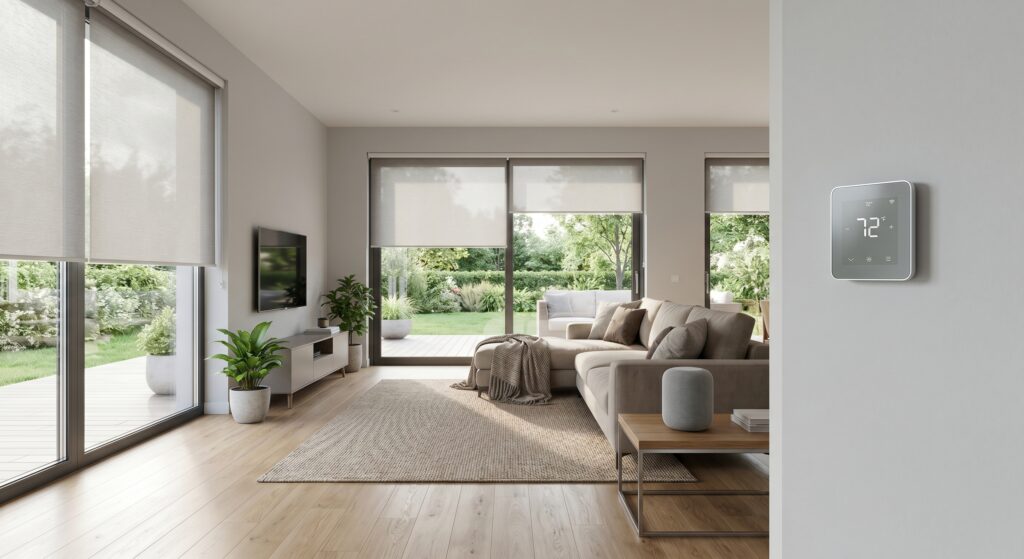
Modern home upgrades solve real problems with technology that fits into daily life. The best smart home improvements add convenience, security, and energy efficiency without requiring a complete overhaul of your existing setup. Whether you’re retrofitting an older home or optimizing a new build, the right smart tech can change how you live—if you choose carefully.
At a Glance
- Smart home upgrades should focus on interoperability, energy savings, and practical automation—not just flashy features.
- Look for devices that solve specific problems (for example, smart thermostats cut energy bills, smart locks allow keyless entry).
- The Matter standard makes it easier to mix brands and protocols, though compatibility still varies.
- Affordable entry points exist, but long-term value depends on scalability and future-proofing.
- Security and cyber hygiene matter—even basic smart devices can create vulnerabilities.
Why Smart Home Upgrades Focus on Smart Technology
Homeowners upgrading in 2026 want real benefits. Smart technology now delivers measurable results: lower utility bills, stronger security, and less daily hassle. A 2025 report by the International Energy Agency found homes with smart thermostats save an average of 10–12% on heating and 15% on cooling annually. Smart security systems, when paired with lighting and cameras, can reduce burglary risk by up to 30%, according to National Safety Council data. These are real outcomes, not marketing claims.
Many assume smart home upgrades need a fresh start. Older homes—often the hardest to modernize—can still benefit with a step-by-step approach. The key is focusing on compatibility and gradual integration. For example, a 1970s ranch house might start with smart lighting (easy to retrofit) before adding a smart thermostat or security hub. The goal isn’t to replace everything at once, but to build a system that grows with your needs.
Smart Home Automation Systems: What Works Today
Automation systems have moved from clunky, brand-specific setups to more flexible platforms. Two trends are driving this change: the rise of Matter (a universal smart home standard) and the growing use of voice assistants like Alexa and Google Assistant. But not all systems are equal. Here’s how to cut through the noise:
All-in-One Ecosystems vs. Custom Builds: Pros and Cons
All-in-one systems (like Apple HomeKit, Samsung SmartThings, or Google Home) promise seamless integration but often lock you into a single brand’s ecosystem. Custom builds give you more control but require planning. A 2025 Smart Living International survey found 68% of homeowners prefer custom setups for larger homes, while 54% choose all-in-one systems for apartments or smaller spaces. The choice depends on your priorities:
| Factor | All-in-One Systems | Custom Builds |
|---|---|---|
| Ease of Use | Single app, unified interface | Multiple apps, steeper learning curve |
| Compatibility | Limited to ecosystem brands | Supports Matter, Zigbee, Z-Wave, Thread |
| Cost | Higher upfront (bundle pricing) | Variable (pay-as-you-go) |
| Scalability | Constrained by ecosystem | Fully modular |
| Future-Proofing | Depends on vendor support | Adapts to new protocols |
For most homeowners, a hybrid approach works best: start with an all-in-one hub (like SmartThings or HomeKit) and add Matter-compatible devices as they become available. This balances convenience with flexibility. For a closer look, see our comparison of all-in-one systems vs. custom builds.
How Matter Is Changing Smart Home Upgrades
Matter—a universal connectivity standard launched in 2022 and updated in 2025—is the closest thing smart homes have to a universal connector. It lets devices from different brands and protocols (Wi-Fi, Zigbee, Thread) communicate without a middleman. As of early 2026, over 1,500 devices support Matter, including lights, locks, thermostats, and sensors from companies like Philips Hue, Yale, Ecobee, and Google Nest.
Matter isn’t perfect. Not all features work the same across devices. For example, a Matter-enabled smart lock might unlock via HomeKit, but advanced features like geofencing could still need the manufacturer’s app. According to the Connectivity Standards Alliance, 82% of Matter-compatible devices fully support core functions, while 45% keep “nice-to-have” features proprietary. Always check the official Matter device list before buying.
For older devices, Matter acts as a bridge. A Zigbee smart plug from 2020 won’t natively support Matter, but a Matter-compatible hub (like the Aqara Hub M3) can translate signals. This helps renters or homeowners who don’t want to replace still-functional tech. For more on backward compatibility, see our guide to Matter and older devices.
Energy Efficient Home Improvements: Where Smart Tech Pays Off
Energy efficiency is the top reason homeowners upgrade in 2026, according to a U.S. Department of Energy report. Smart devices don’t just track usage—they optimize it. The upgrades with the best return include:
Smart Thermostats: The Easiest Win
Smart thermostats like the Ecobee Smart Thermostat or Google Nest Learning Thermostat save $131–$145 per year on heating and cooling, per ENERGY STAR. These savings come from:
- Learning algorithms that adjust temperatures based on your habits (for example, lowering heat when you’re at work).
- Remote control via app if you’re running late or forgot to turn it off.
- Energy reports with monthly breakdowns showing where you waste energy (and money).
- Integration with smart vents, sensors, and even electric vehicle chargers to balance load.
For older homes with outdated HVAC systems, smart thermostats can extend equipment life by reducing strain. They won’t fix poor insulation, though. Pair them with smart insulation solutions (like attic fans or weatherstripping kits) for the best results.
Smart Lighting: More Than Just Convenience
Smart bulbs and switches (like Philips Hue, Lutron Caséta) cut energy waste in two ways:
- Automation: Lights turn off when rooms are empty or dim during peak sunlight hours.
- Efficiency: LED bulbs use 75% less energy than incandescent, and smart controls add another 10–20% savings by preventing standby power.
A 2025 study by the Lighting Research Center found homes with smart lighting systems cut lighting energy use by 22% compared to manual controls. You can start small—a single smart bulb in the most-used room—before committing to a full upgrade. Renters can use plug-in smart switches (like the Kasa Smart Plug) for a no-install solution.
Whole-Home Energy Monitors: The Biggest Impact
For homeowners serious about energy savings, whole-home monitors like the Sense Energy Monitor or Emporia Vue track real-time usage by appliance. These systems spot energy hogs (for example, an old fridge or phantom loads from idle devices) and suggest fixes. According to EPA data, households using these monitors reduce energy waste by up to 18% annually. The trade-off? Installation can be complex (requires electrical panel access), and the devices cost $200–$500 upfront.
Affordable Smart Home Devices: High Impact, Low Cost
Smart home technology isn’t only for high-end renovations. Many high-value upgrades cost under $100 and pay for themselves in under a year. Here are the best budget-friendly options for 2026:
Entry-Level Smart Devices Worth the Investment
| Device | Price Range | Key Benefits | Best For |
|---|---|---|---|
| Smart Plugs (e.g., TP-Link Kasa, Wyze) | $15–$30 | Turn any appliance into a smart device; track energy use | Renters, small spaces, or as a test before committing |
| Smart Bulbs (e.g., Philips Hue White, Wyze Bulb) | $10–$25 | Adjust brightness/color via app; set schedules | Bedrooms, living rooms, or accent lighting |
| Smart Thermostats (e.g., Ecobee Lite, Amazon Smart Thermostat) | $99–$199 | Automate heating/cooling; save 10–15% on bills | Homes with central HVAC |
| Smart Locks (e.g., August Wi-Fi, Schlage Encode) | $150–$300 | Keyless entry; track who comes and goes | Families, Airbnb hosts, or forgetful homeowners |
| Smart Sensors (e.g., Aqara, SwitchBot) | $20–$50 | Detect motion, leaks, or open windows/doors | Security, energy monitoring, or pet tracking |
Renters or those wary of commitment can try apartment-friendly devices (like peel-and-stick sensors or door/window alarms). These don’t require permanent installation and can be removed without damage. Brands like Nest and Arlo also offer rental-friendly kits with no-drill mounts and battery-powered cameras.
Hidden Costs to Watch For
Affordability isn’t just about the sticker price. Some devices come with recurring fees or require hubs:
- Subscription models: Many security cameras (like Ring, Arlo) charge $3–$15/month for cloud storage or advanced features.
- Hub dependencies: Zigbee/Z-Wave devices often need a dedicated hub (like SmartThings, Hubitat), adding $50–$100 to the total cost.
- Installation complexity: Some devices (like whole-home monitors) require professional electrician services, which can double the upfront cost.
Always calculate the total cost of ownership—not just the device price. A $20 smart plug with a $5/month subscription costs more than a $50 plug without fees over two years.
Upgrading Older Homes with Smart Tech: A Step-by-Step Guide
Older homes come with challenges: outdated wiring, missing neutral wires in switch boxes, or incompatible HVAC systems. But with the right plan, you can modernize without major renovations. Here’s how:
Phase 1: Assess Your Home’s Readiness
Before buying anything, check your home’s infrastructure:
- Wi-Fi coverage: Run a speed test in every room. If speeds drop below 50 Mbps, consider a mesh router (like Google Nest Wi-Fi, Eero) to eliminate dead zones.
- Electrical panel: Older panels (pre-1990s) may not handle multiple smart devices. Consult an electrician if you plan to add high-wattage devices (like smart ovens, EV chargers).
- Wiring type: Homes built before 1980 often have knob-and-tube or aluminum wiring, which can overheat with smart devices. Avoid plugging high-power appliances into smart plugs.
- HVAC system: Smart thermostats work best with modern HVAC. If your system is older than 15 years, prioritize HVAC upgrades before adding smart controls.
For a quick DIY check, use tools like FLIR thermal cameras to spot heat loss or electrical issues.
Phase 2: Start with No-Touch Upgrades
These require minimal installation and deliver quick results:
- Smart plugs: Plug into existing outlets to control lamps, fans, or space heaters. Great for rooms without switch access.
- Smart bulbs: Replace bulbs in high-use areas (like the living room or kitchen) to test automation before committing to switches.
- Smart sensors: Peel-and-stick sensors (like Aqara Door/Window Sensor) track activity without wiring.
- Smart doorbells: Battery-powered models (like Ring Video Doorbell 4) install in minutes and deter porch theft.
These devices work in any home, regardless of age or wiring. They also help you spot pain points before investing in costlier upgrades.
Phase 3: Retrofit with Smart Switches and Thermostats
Once you’ve tested the basics, consider wiring upgrades:
- Smart switches: Replace traditional light switches with Lutron Caséta or Inovelli Blue Series. Many work without a neutral wire (check compatibility first).
- Smart thermostats: If your home has a C-wire (common in modern homes), install a Nest or Ecobee. For older systems, choose models with power-stealing (like Google Nest Thermostat E) or battery-powered (like Honeywell Home T9) options.
- Smart locks: Install a retrofit smart lock (like August, Yale) that fits your existing deadbolt. These require no wiring and work with Matter-compatible hubs.
For historic homes or rentals where drilling isn’t an option, look for rental-friendly solutions like clamp-on smart blinds or magnetic door sensors.
Phase 4: Integrate for Full Automation
With foundational devices in place, layer in automation:
- Routines: Set up “Good Morning” or “Away” routines to adjust lights, thermostat, and blinds automatically.
- Triggers: Use motion sensors to turn on lights when you enter a room or unlock the door.
- Voice control: Add Alexa, Google Assistant, or Siri for hands-free adjustments.
- Energy optimization: Pair your thermostat with smart vents or leak detectors to cut waste.
For older homes, focus on safeguards. For example, set your thermostat to revert to a “safe” temperature if the HVAC system fails to respond, or program lights to flash if a sensor detects a leak. These small steps prevent problems in aging infrastructure.
Home Technology Trends 2026: What’s Next
The smart home landscape is changing quickly. Here are the trends shaping upgrades in 2026:
1. AI-Powered Predictive Maintenance
Devices like the Samsara HVAC Pro or Servi smart maintenance system use AI to predict when appliances need servicing. For example, they can detect refrigerant leaks in AC units or bearing wear in furnaces before they fail. This is especially useful for older homes, where repairs are more frequent and costly. McKinsey reports predictive maintenance cuts emergency repair costs by 35% and extends equipment lifespan by 20%.
2. Thread and Matter 1.3: The New Standard
Thread—a low-power, mesh networking protocol—is becoming the backbone of Matter-compatible devices. Unlike Wi-Fi, Thread doesn’t overload your network and works better in dense homes. Devices like the Nanoleaf Essentials Smart Bulbs and Eve Smart Plugs now support Thread, improving reliability and reducing delay. Matter 1.3 (released in late 2025) adds support for new device types, including smart ceiling fans, robotic vacuums, and energy management systems. If you’re building a system today, prioritize Thread-enabled devices for long-term compatibility.
3. Health and Wellness Integration
Smart homes aren’t just about convenience—they’re becoming health hubs. Devices like the Awair Smart Home Air Quality Monitor track air quality, humidity, and CO2 levels, while smart mattresses (like Eight Sleep) adjust temperature and firmness for better sleep. The CDC reports indoor air quality improvements can reduce respiratory issues by up to 40%. For families with allergies or elderly residents, these upgrades can make a big difference.
4. Solar + Smart Home Synergy
With solar panel costs dropping 40% since 2020, more homeowners are pairing solar with smart home tech. Systems like SolarEdge Home Hub integrate with smart thermostats, batteries, and EV chargers to optimize energy use. For example, your smart home can automatically shift energy-intensive tasks (like laundry or dishwashing) to daytime hours when solar production peaks. This reduces reliance on the grid and can lower bills by up to 50%.
5. Cybersecurity as a Core Upgrade
As homes become more connected, they also become more vulnerable. The FBI reports a 300% increase in smart home cyberattacks since 2023, targeting devices with weak passwords or outdated firmware. In 2026, cybersecurity is essential. Key protections include:
- Network segmentation: Isolate smart devices on a separate Wi-Fi network (like a guest network) to limit access to your main devices.
- Regular updates: Enable automatic firmware updates for all devices and routers.
- Strong passwords: Use a password manager to create and store unique passwords for each device.
- Two-factor authentication: Enable 2FA on hubs, cameras, and locks.
- Vulnerability scanning: Tools like Shodan or Tenable can scan your network for exposed devices.
For more details, see our guide to cybersecurity for smart homes.
How to Choose Smart Devices Beyond Price and Brand
Brands and price tags are easy filters, but they don’t guarantee compatibility or longevity. Here’s how to evaluate devices like a pro:
1. Check Protocol Support
Not all devices work together. The major protocols are:
- Wi-Fi: Easy to set up but can slow down your network. Best for high-bandwidth devices (like cameras, TVs).
- Zigbee: Low-power and mesh-based, ideal for sensors and bulbs. Requires a hub.
- Z-Wave: Similar to Zigbee but less prone to interference. Works well in homes with thick walls.
- Thread: The future of smart homes—low-power, mesh, and Matter-compatible.
- Matter: The universal standard, though not all features are supported yet.
For a system that lasts, prioritize devices that support Matter + Thread. These will integrate with future hubs and devices. If you’re stuck with Zigbee or Z-Wave, choose a hub with Matter support (like SmartThings, Home Assistant) to future-proof your setup.
2. Test Before You Buy
Compatibility isn’t guaranteed. A device that works in one home might fail in yours due to:
- Router interference (2.4 GHz vs. 5 GHz Wi-Fi).
- Distance from the hub/router.
- Thick walls or metal structures.
- Competing signals from other devices (like baby monitors, garage door openers).
To avoid mistakes:
- Read reviews: Look for user reports from homes like yours (apartment vs. house, older vs. modern wiring).
- Check the Matter device list: Future Focused Home’s Matter guide highlights known issues.
- Visit a store: Many retailers (like Best Buy) have demo stations where you can test devices in person.
- Use compatibility tools: Websites like SmartThings’ device tester or Home Assistant’s compatibility checker simulate your setup.
For a step-by-step approach, read our guide on how to test device compatibility.
3. Prioritize Scalability
Your first smart device shouldn’t limit your home’s tech stack. Ask:
- Can this device integrate with others? For example, can your smart thermostat work with smart vents or leak detectors?
- Does the manufacturer offer a range of products? Brands like Philips Hue or Ecobee have ecosystems that grow with you.
- Is the protocol future-proof? Wi-Fi is widely supported but can become a bottleneck. Thread/Matter are better long-term bets.
A common mistake is buying a device that requires a proprietary app with no API (like some Chinese brands). These devices often become obsolete when the company stops support. Stick to brands with open ecosystems or Matter support.
4. Factor in Lifespan and Support
Smart devices have different lifespans:
- Bulbs/plugs/sensors: 5–10 years (but firmware updates may stop after 3–5 years).
- Thermostats/locks: 7–10 years (but batteries or sensors may need replacement).
- Cameras/doorbells: 3–5 years (due to battery wear or sensor degradation).
- Hubs/routers: 3–5 years (but can become outdated as protocols evolve).
Check the manufacturer’s update policy. Google Nest supports devices for 5 years after release, while smaller brands may drop support after 2. Also, look for devices with replaceable batteries or modular designs (like Aqara’s hubs) to extend lifespan.
Common Pitfalls When Upgrading Older Homes
Older homes come with unique challenges. Avoid these mistakes to save time, money, and frustration:
1. Ignoring Electrical Limitations
Older wiring can’t handle the load of multiple smart devices. Signs include:
- Devices rebooting randomly.
- Flickering lights when appliances turn on.
- Tripped breakers or overheating outlets.
Solution: Upgrade your electrical panel or use smart devices with lower power draw. For example, choose Z-Wave over Wi-Fi for sensors, or pick Matter-compatible plugs with UL certification for safety.
2. Overlooking Wi-Fi Dead Zones
Thick walls, metal framing, and large homes create Wi-Fi dead zones. Smart cameras, doorbells, and sensors need reliable connections. A 2025 NETGEAR study found 63% of smart home issues stem from poor Wi-Fi coverage.
Solution:
- Install a mesh router system (like Eero, Google Nest Wi-Fi).
- Use Wi-Fi extenders or powerline adapters for hard-to-reach areas.
- Prioritize Thread/Matter devices, which use low-power mesh networks and don’t rely only on Wi-Fi.
3. Skipping Local Backup Power
Smart homes depend on internet and electricity. A power outage or internet failure can disable security systems, locks, or thermostats. A 2024 NIST report found 40% of smart home users experienced device failures during outages.
Solution:
- Install a whole-home generator or battery backup (like Tesla Powerwall, Generac PWRcell).
- Use devices with local processing (like HomeKit Secure Routers, Zigbee hubs with offline modes).
- Pick smart locks and thermostats with battery backup (like Yale Assure Locks, Ecobee thermostats).
4. Failing to Plan for Future-Proofing
Technology changes fast. A device that’s cutting-edge today may become obsolete in three years. For example, many 2020-era smart cameras used ONVIF protocols, but newer models now use Matter. This can leave you with a camera that won’t integrate with your hub.
Solution:
- Choose devices with Matter + Thread support.
- Avoid proprietary ecosystems (like Samsung SmartThings Classic, Wink).
- Invest in a hub with open APIs (like Home Assistant, Hubitat) for flexibility.
5. Neglecting Cybersecurity
Many older homes lack basic cybersecurity, making smart devices prime targets for hackers. In 2025, the IoT Security Foundation reported a 200% increase in smart home breaches, often due to default passwords or unpatched firmware.
Solution:
- Change default passwords on all devices.
- Enable automatic updates.
- Segment your network (use a separate Wi-Fi network for smart devices).
- Use a firewall (like pfSense or Firewalla) to monitor traffic.
Modern Home Upgrades That Don’t Require Permits
Permits can delay or complicate home upgrades. Fortunately, many smart home improvements fall under “cosmetic” or “low-impact” categories and don’t need permits. Here’s what you can do without paperwork:
Permit-Free Upgrades
| Upgrade | Why No Permit Needed | Examples |
|---|---|---|
| Smart Lighting | Plug-in bulbs or switches that don’t modify wiring | Philips Hue bulbs, Lutron Caséta lamp dimmers, Wyze Bulbs |
| Smart Plugs | Plug into existing outlets; no electrical modifications | TP-Link Kasa, Wemo, Amazon Smart Plug |
| Smart Sensors | Battery-powered or peel-and-stick; no wiring | Aqara Door/Window Sensor, SwitchBot Motion Sensor |
| Smart Doorbells | Battery-powered or screw-mounted (no electrical work) | Ring Video Doorbell 4, Eufy Video Doorbell |
| Smart Speakers/Displays | Plug into existing outlets; no permanent installation | Amazon Echo, Google Nest Hub, Apple HomePod |
| Smart Thermostats (in most cases) | Replace existing thermostat; no structural changes | Ecobee Lite, Amazon Smart Thermostat, Google Nest Thermostat |
Note: Smart thermostats may require a permit in some areas (like California, New York) if they involve HVAC modifications. Always check local building codes. For example, New York City requires permits for any HVAC work, including smart thermostat installations.
Permit-Required Upgrades (and How to Navigate Them)
Some upgrades—even smart ones—may need permits:
- Smart locks with door modifications: If the lock requires new holes or door frame changes.
- Whole-home energy monitors: Often need electrical panel access.
- Smart blinds/shades: Motorized window treatments may need electrical wiring.
- EV chargers: Even smart chargers require electrical permits.
How to get permits fast:
- Call your local building department to confirm requirements. Many cities have online portals for permit applications.
- Hire a licensed electrician for installations. They can pull permits and ensure code compliance.
- Use rental-friendly solutions when possible (like clamp-on smart blinds instead of wired ones).
- Check HOA rules: Some homeowners associations restrict smart home upgrades, even if they’re permit-free.
How to Measure the ROI of Smart Home Upgrades
Not all smart home upgrades deliver the same value. To justify the investment, calculate return on investment (ROI) based on:
1. Energy Savings
Use the ENERGY STAR Savings Calculator to estimate annual savings from smart thermostats or lighting. For example:
- A smart thermostat saving $131/year pays for itself in 1–2 years (depending on the model).
- Smart lighting reducing energy use by 22% saves about $50/year for a typical home, with a payback period of 3–5 years.
Formula:
ROI (years) = Upfront Cost / Annual Savings
2. Security Cost Avoidance
Smart security systems cut theft risk and may lower home insurance premiums. For example:
- A Ring Alarm Pro system costs $300 upfront but may reduce insurance premiums by 10–20% (saving $100–$300/year).
- Smart cameras deter porch thefts, reducing replacement costs (average porch theft claim: $500–$1,500).
Formula:
ROI (years) = Upfront Cost / (Annual Insurance Savings + Theft Cost Avoidance)
3. Convenience and Time Savings
Time saved on daily tasks adds up. For example:
- Smart lighting: Automating lights saves 5–10 minutes/day (no more hunting for switches in the dark). Over a year, that’s 30–60 hours.
- Smart thermostats: Remote adjustments save time by pre-conditioning your home before you arrive.
- Smart locks: No more fumbling for keys saves about 2 minutes per entry. For a family of four, that’s 24 hours/year.
Assign a monetary value to time saved (like $25/hour) to calculate ROI. For example, saving 30 hours/year at $25/hour = $750/year in convenience value.
4. Resale Value
Smart home features can increase home value, though the impact varies by market. A 2025 Zillow study found homes with smart thermostats sell for 3.5% more, while those with smart security systems sell for 2.8% more. In high-end markets, this can mean thousands of dollars. However, ROI on resale is uncertain—focus on upgrades that improve daily life first.
Final Checklist: Before You Upgrade
Use this checklist to ensure your modern home upgrades are smart, sustainable, and future-proof:
Pre-Upgrade
- Audit your home: Check Wi-Fi coverage, electrical panel capacity, and HVAC system condition.
- Set a budget: Include device costs, installation, and potential permit fees.
- Prioritize pain points: Focus on upgrades that solve immediate problems (like high energy bills, security concerns).
- Research compatibility: Use the Matter device list and read user reviews from homes like yours.
- Plan for cybersecurity: Segment your network, enable two-factor authentication, and update firmware regularly.
During Upgrade
- Start small: Test with plug-in devices before wiring upgrades.
- Check local codes: Confirm permit requirements for structural or electrical changes.
- Document your setup: Take photos of wiring, device placements, and network configurations for future troubleshooting.
- Enable automation gradually: Don’t automate everything at once—start with two or three routines and expand.
Post-Upgrade
- Monitor performance: Track energy savings, device reliability, and user feedback.
- Update firmware: Ensure all devices run the latest software.
- Reassess annually: Technology changes—plan upgrades based on new features or changing needs.
- Share your setup: Document your smart home on platforms like Home Assistant Community to help others learn.
Smart Tech That Makes Life Easier: Real-World Examples
Here are three case studies from 2026 showing how these upgrades work in real homes:
Case Study 1: The 1960s Ranch House
Homeowner: Retired couple in Phoenix, AZ
Goal: Cut energy bills and improve security
Upgrades:
- Smart thermostat (Ecobee Smart Thermostat) with remote sensors in rarely used rooms.
- Smart lighting (Philips Hue White) in living room and kitchen, with schedules for “away” modes.
- Smart doorbell (Eufy Video Doorbell) with facial recognition to screen solicitors.
- Smart plugs (TP-Link Kasa) on outdoor string lights to deter nighttime intruders.
Results:
- Energy bills dropped from $250/month to $180/month (28% savings).
- Security incidents (porch thefts) decreased from two per year to zero.
- Daily life improved: Lights turn on automatically at sunset, and they can adjust the thermostat from their phones if they stay out late.
Lesson: Start with high-impact, low-cost upgrades (thermostat + lighting) before investing in cameras or locks. Focus on automation that works even when you forget to engage it.
Case Study 2: The Urban Apartment
Homeowner: Young professional in Chicago, IL
Goal: Maximize space and security without permanent changes
Upgrades:
- Smart bulbs (Wyze Bulb Color) in living room for mood lighting and schedules.
- Smart plug (Kasa Smart Plug) for the coffee maker to turn it on remotely.
- Smart door lock (August Wi-Fi) for keyless entry and guest access codes.
- Smart sensors (SwitchBot Motion Sensor) to track air quality and humidity.
Results:
- Energy use dropped by 15% thanks to automated lighting and plug scheduling.
- Security improved: No more lost keys, and they can see who’s at the door via the lock’s camera.
- Space saved: No need for a key rack or extra lighting fixtures.
Lesson: Renters can get 80% of smart home benefits with no-install devices. Prioritize wireless solutions and avoid anything that requires drilling or electrical changes.
Case Study 3: The Historic Victorian
Homeowner: Family in Boston, MA
Goal: Modernize without losing historic character
Upgrades:
- Smart thermostat (Honeywell Home T9) with power-stealing technology (no C-wire needed).
- Smart switches (Lutron Caséta) compatible with no-neutral-wire setups, installed in original switch boxes.
- Smart leak sensors (Floodco Smart Sensor) in basement and under sinks to prevent water damage.
- Smart lighting (Nanoleaf Shapes) in hallways for subtle, modern illumination.
Results:
- Energy bills fell by 20% thanks to precise temperature control and automated lighting.
- Historic charm preserved: No visible wires or modern fixtures; smart switches blend with original hardware.
- Peace of mind: Leak sensors sent an alert during a pipe burst, preventing $5,000 in damage.
Lesson: Historic homes need creative solutions (like no-neutral-wire switches, power-stealing thermostats). Work with an electrician experienced in retrofits to keep the home’s look intact.
Modern home upgrades aren’t about chasing the latest gadgets—they’re about solving problems with technology that fits your lifestyle and home. Whether you’re retrofitting an older house, optimizing an apartment, or future-proofing a new build, the right smart tech can transform daily life without breaking the bank or your walls. Start small, prioritize compatibility, and focus on upgrades that deliver real value. The future of your home starts today.